
Procedure templates: loan agreements, condition reports and receipts
Seven standard templates for the procedures that move objects or change who is responsible for them, from receipt to disposal, in your language. Use them as they are, adapt them or write your own: every document made from them starts complete and lists its objects.
Published
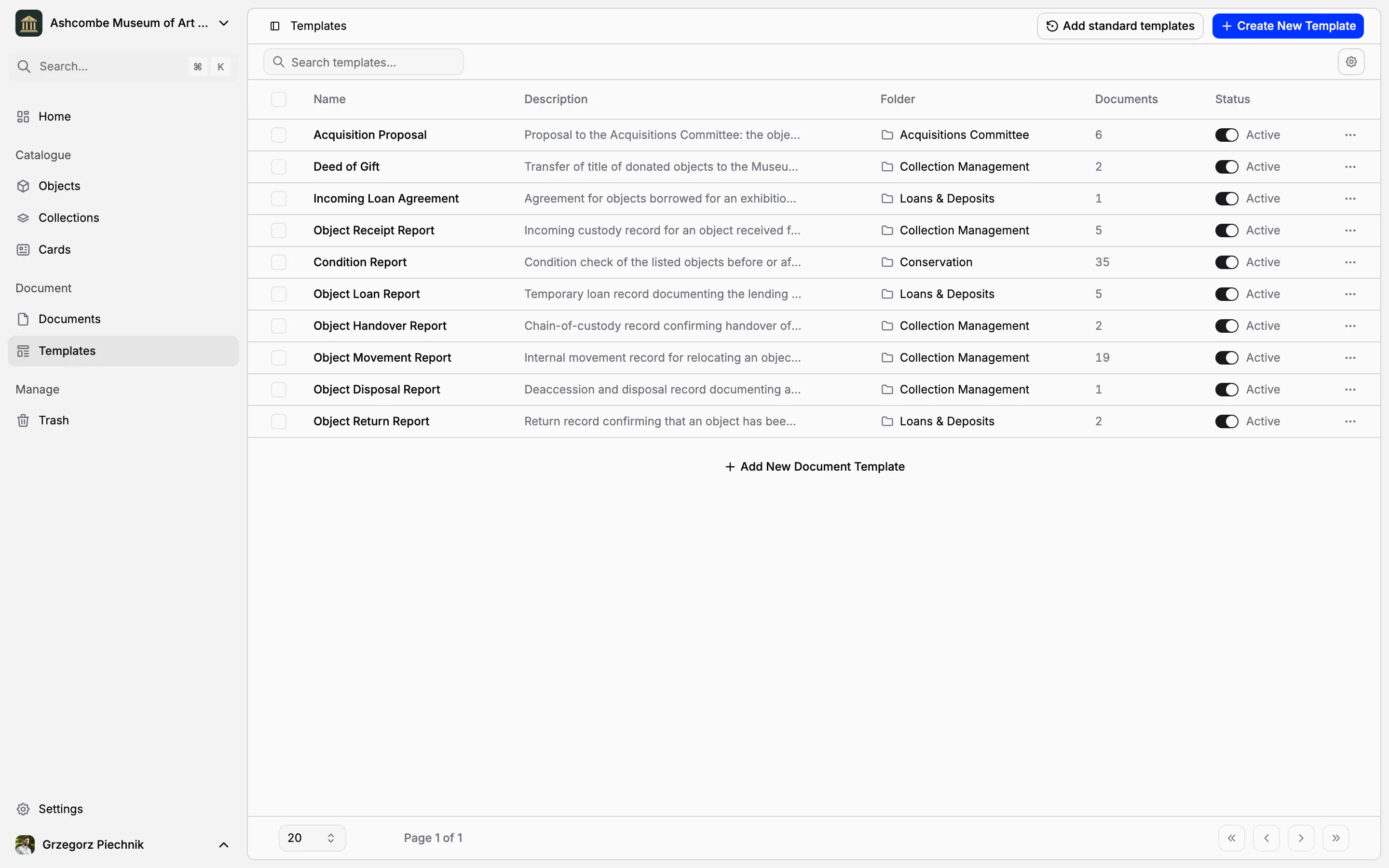
Most museums keep their procedures in word processor files: a receipt, a loan agreement, a condition report, each copied from the last one and corrected by hand. In Collectionframe a procedure is a template. Its wording, fields, object list, folder and labels are prepared once, and every document made from it starts complete, already listing the objects it concerns.
Seven standard procedures from the first day
Every museum starts with templates for the procedures that move objects or change who is responsible for them: the Object Receipt Report, Object Handover Report, Object Movement Report, Object Loan Report, Object Return Report, Condition Report and Object Disposal Report. They follow Spectrum, the collections management standard, which asks, among other things, for a written agreement signed by the museum and the borrower before any loan begins, and for every condition check to record the date, the name of the person checking and the reason.
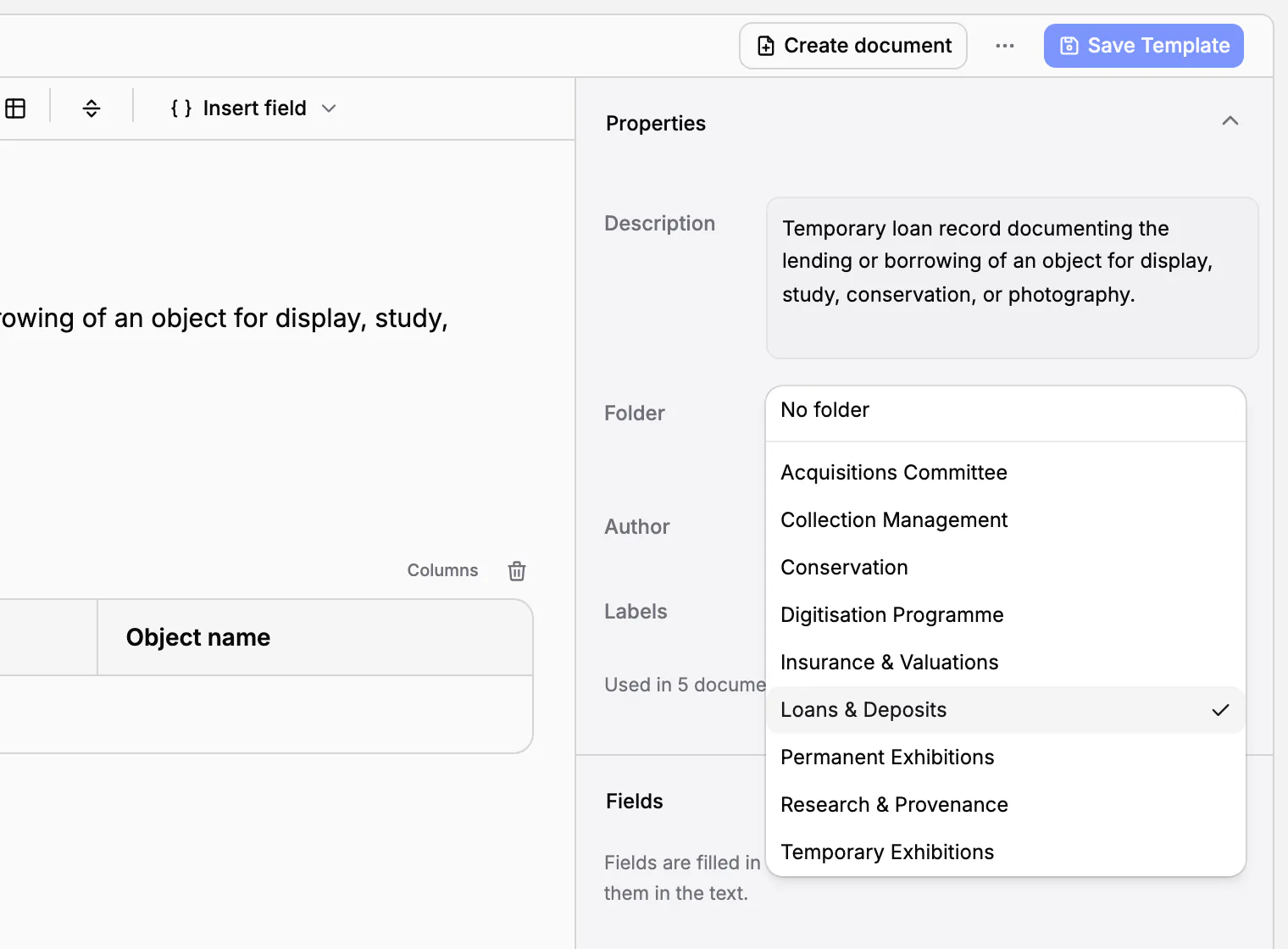
Each template lists its objects in a table (number, inventory number and name), prints its fields in the text, is filed in its folder and carries its label: a loan report goes to Loans & Deposits with the label Loan, a condition report to Conservation. The loan report already has the lender, the borrower, the purpose, the start and end dates, the venue and the insurance or declared value; under the people who hand over and receive the objects there is room for a handwritten signature on a printed copy.
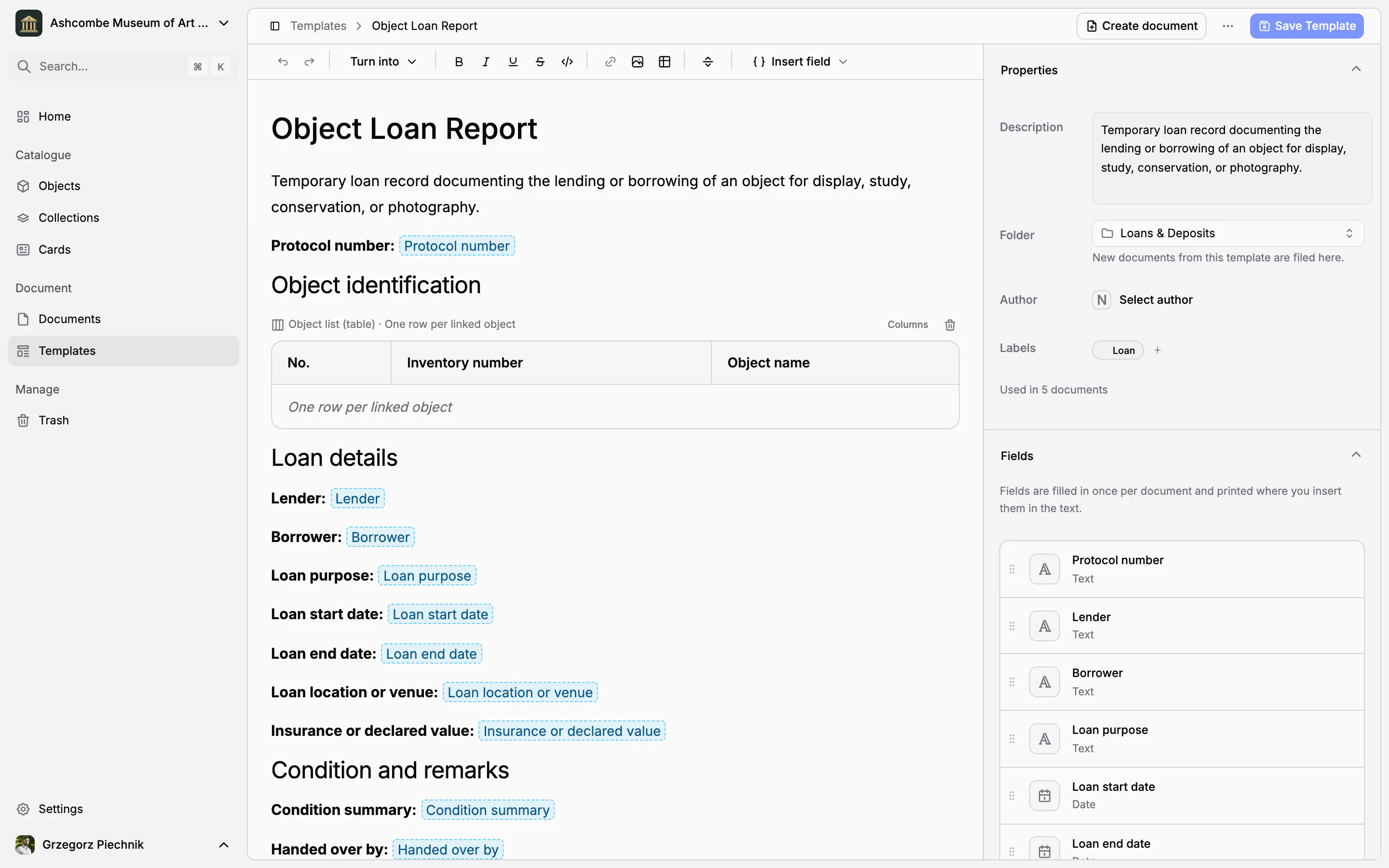
The other templates are prepared the same way. The receipt asks for the owner or depositor, the basis of the receipt and a temporary deposit number. The condition report asks for the date, reason and place of the check, the overall condition (good, fair, poor or unacceptable), a description of condition and damage, recommendations and the person who checked. The disposal report asks for the decision date, the method, the reason, the approval reference and two witnesses.
The standard templates are written in your museum's language. If you delete one and need it again, Add standard templates brings it back.
Make them your own
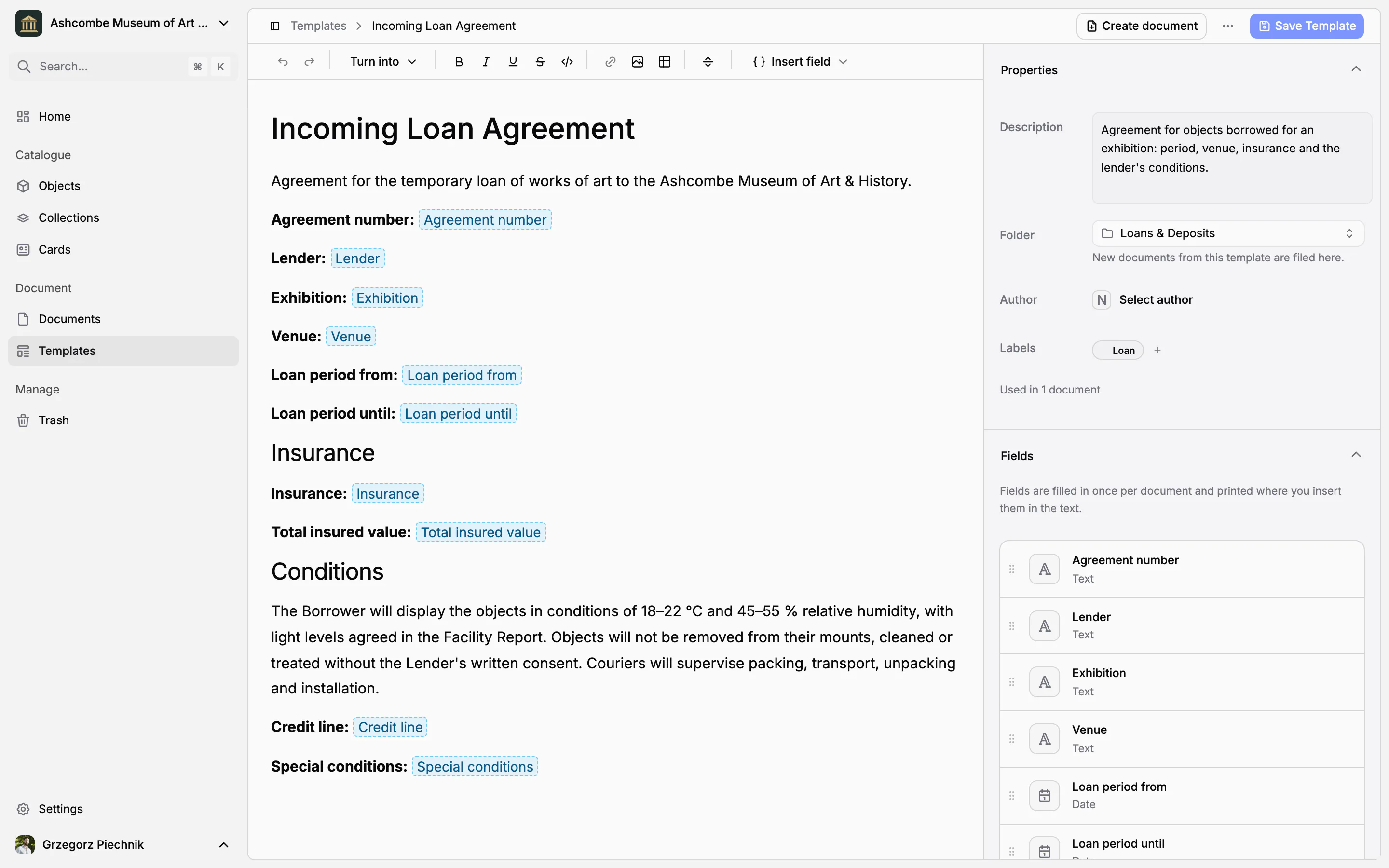
Change the wording, add or remove sections, or write a template of your own: an incoming loan agreement with your lender's conditions, a deed of gift, a courier's report. Add fields of nine types: text, number, yes/no, date, date and time, single choice, multiple choice, currency and link. Place them in the text with Insert field, or by typing / and the field's name; in a template they appear as highlighted placeholders.
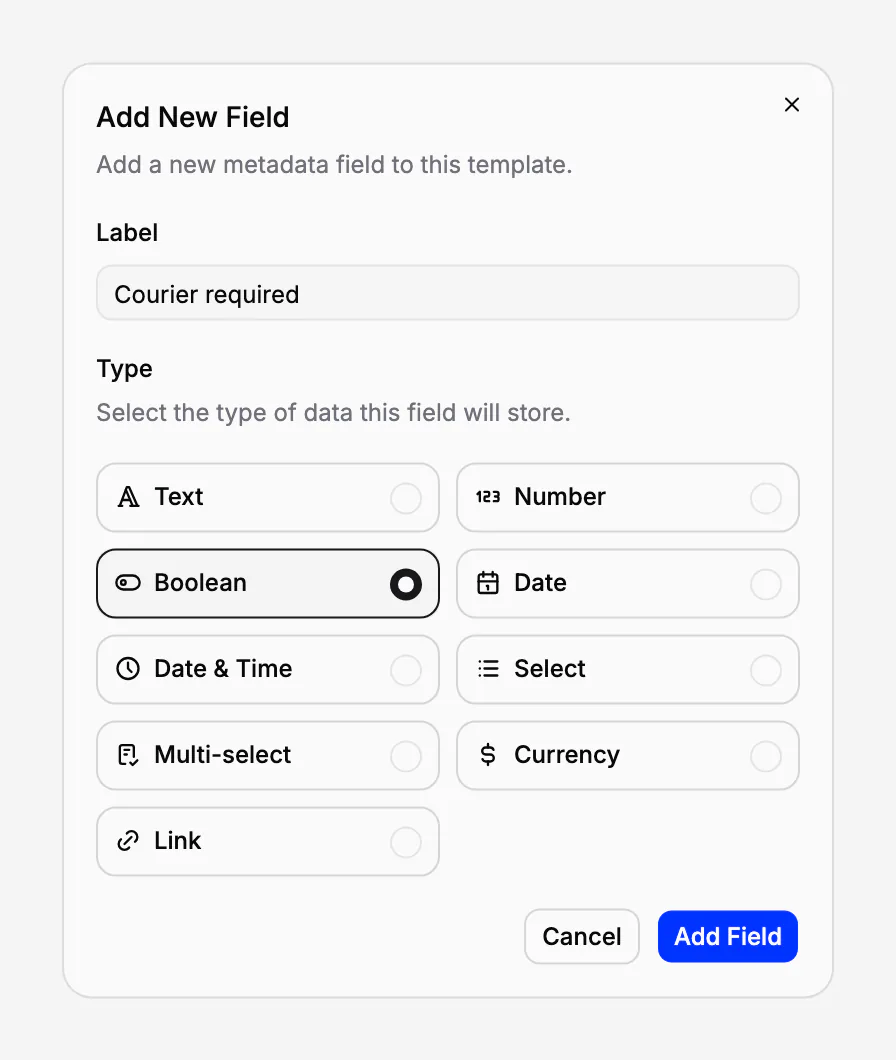
Insert an object list with the columns you need, or a single value of the objects, such as their inventory numbers. Give the template a description, a default folder, a default author and labels. Rename a field and it stays where it is in the text, because a field keeps its identity under a new name.
From template to document in one step
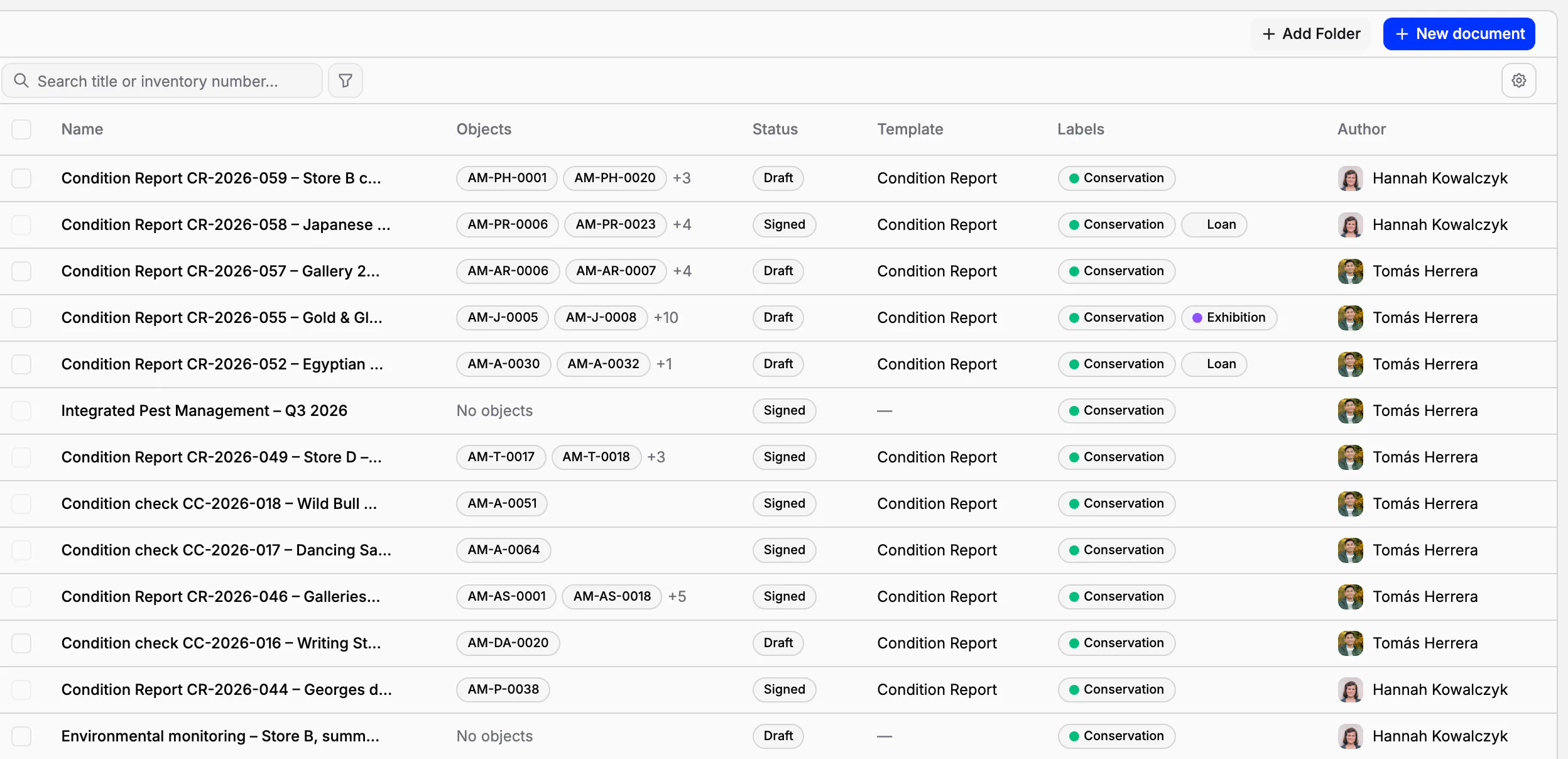
Choose Create document on a template, or pick the template when you create a document from an object, a selection of objects or a folder. The new document gets the template's text, fields, labels and author, sits in the template's folder and already lists its objects. What is left to type is what only this procedure has: the dates, the parties, the findings. Then the document is filled in once, exported as a PDF or sent for signature.
Templates never rewrite history
A document remembers the template it came from. The template is shown among the document's properties, the document list has a Template column and filter, and the library shows how many documents each template has produced. Changing a template never changes the documents already made from it: a signed loan agreement stays exactly as it was signed.
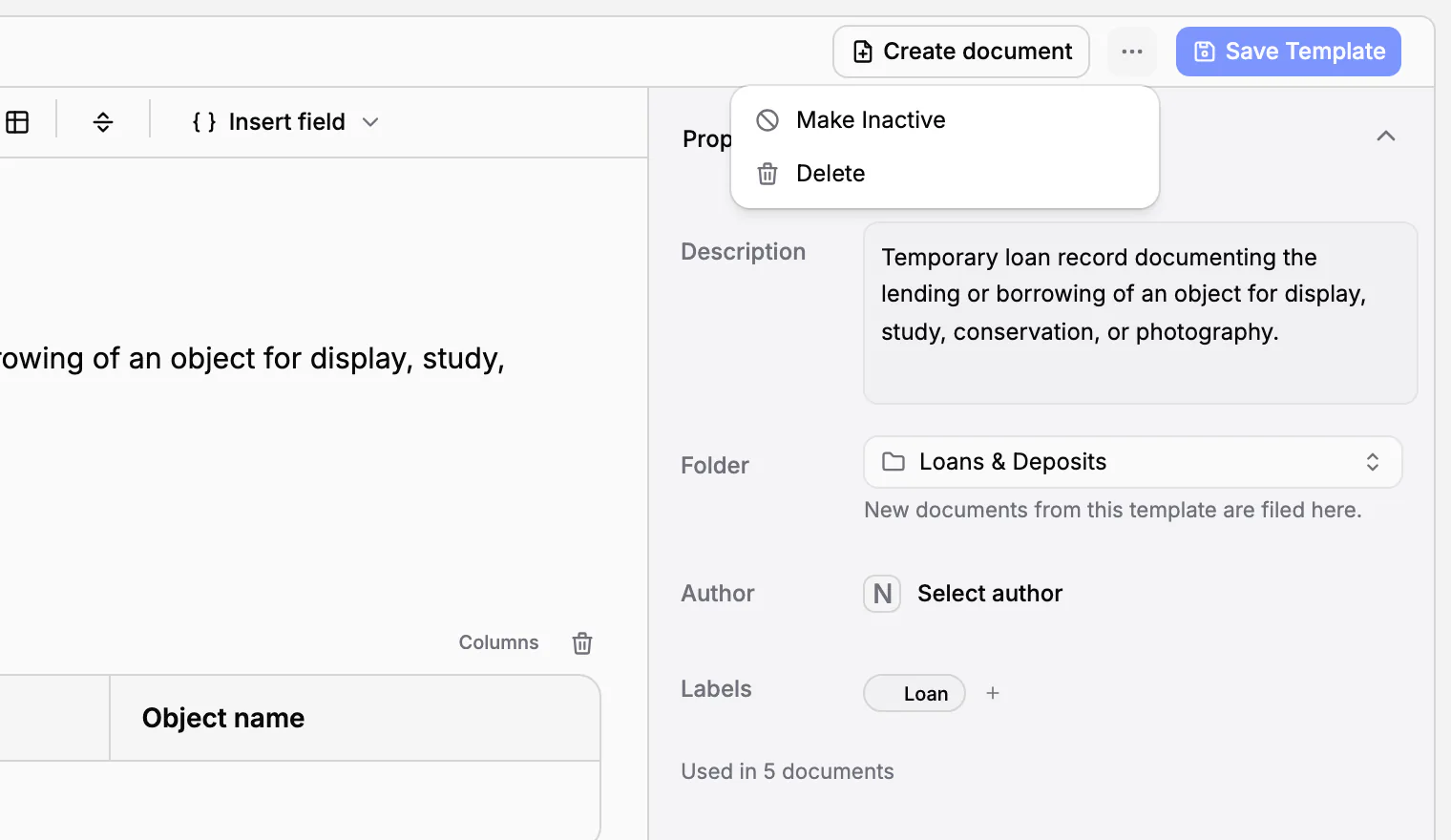
A template you no longer use can be made inactive. It is kept, together with the documents made from it, but it is no longer offered for new documents.
Procedure templates are part of the Scale plan, and every new museum can use them during its 21-day trial. Without them, documents still work on every plan: you start from a blank page and insert the fields and object lists yourself.
In practice
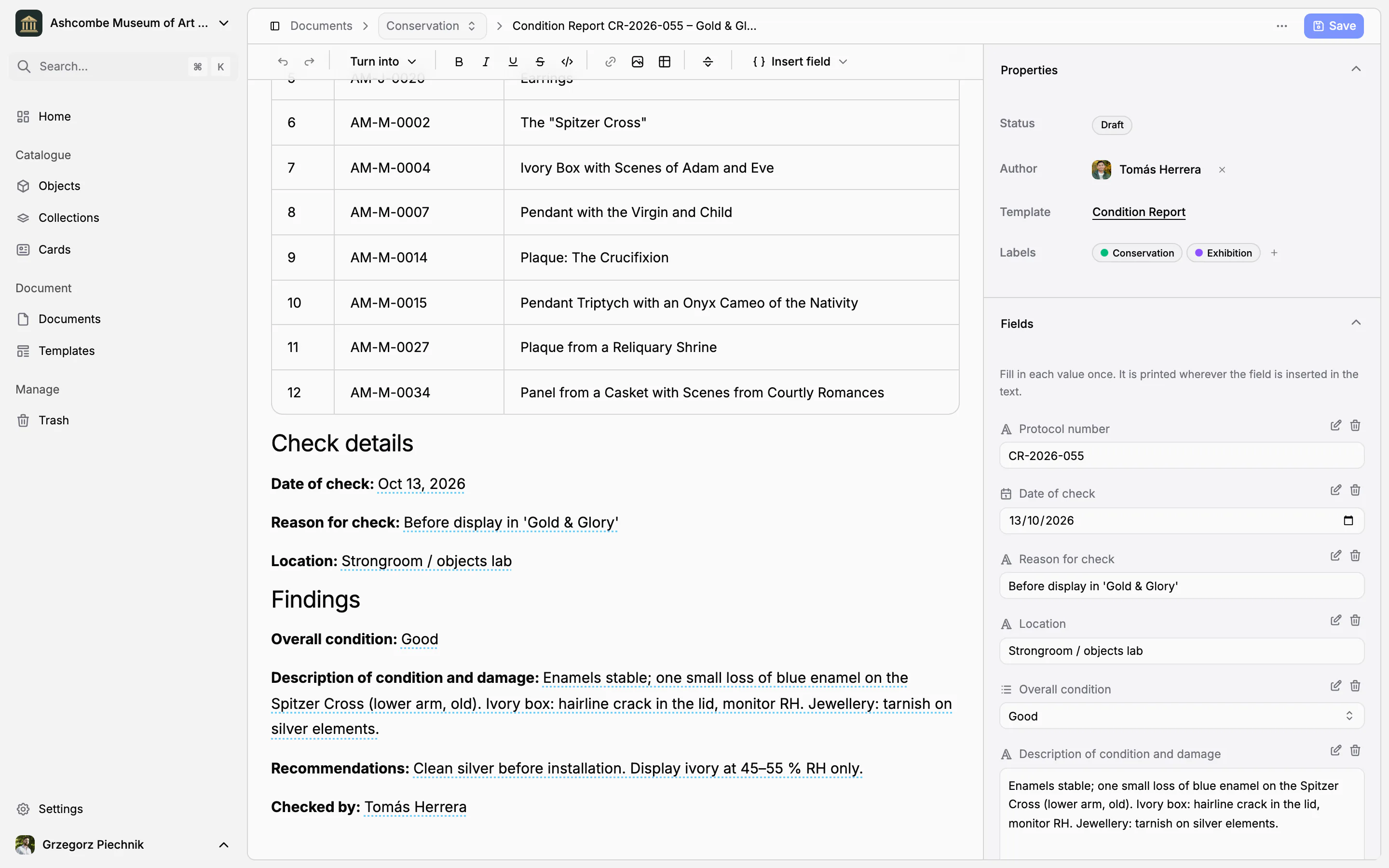
Before the exhibition Gold & Glory opens, the conservator checks the twelve objects going on display. From the selection she creates one Condition Report: the twelve objects are already listed with their inventory numbers and names, the document is in the Conservation folder with its label, and the date, the reason and the location are typed once. Only the findings and the recommendations are left to write.
Frequently asked questions
Which procedures are included?
Seven: object receipt, handover, movement, loan, return, condition report and disposal. Each lists its objects from the catalogue, prints its fields in the text and is filed in its own folder with its own label.
Can we add our own template, such as a deposit agreement?
Yes. Write a template from scratch or change a standard one: the wording, typed fields placed in the text, an object list with the columns you need, a default folder, author and labels.
Are the templates in our language?
Yes. The standard templates are written in your museum's language, in any of the eleven languages of Collectionframe, and a standard template you deleted can be added back in that language.
Will editing a template change our old documents?
No. A document remembers which template it came from, but changing the template never rewrites the documents already made from it.
Related features
Museum documentation: loan agreements, receipts and condition reports
Receipts, loan agreements, condition reports and movement records, linked to the objects they concern. Object data comes from the catalogue, every other value is typed once, and every object keeps its own paper trail.
Electronic signatures for loan agreements and handover reports
Send a loan agreement or a handover report for signature to colleagues and to people outside the museum. The text is frozen when signing begins, every signer confirms a code sent to their e-mail, and every step is kept in an audit trail.
Cataloguing museum objects
One record per object: inventory number, images, fields that fit your collection, categories and status. Find any object in seconds, work on many at once, and take back mistakes from the trash.