
Online collection: your museum's collection on the web
Publish chosen collections and objects as your museum's own website, built from the catalogue you already keep. Decide once which fields, categories and statuses visitors may see; everything else stays internal.
Published
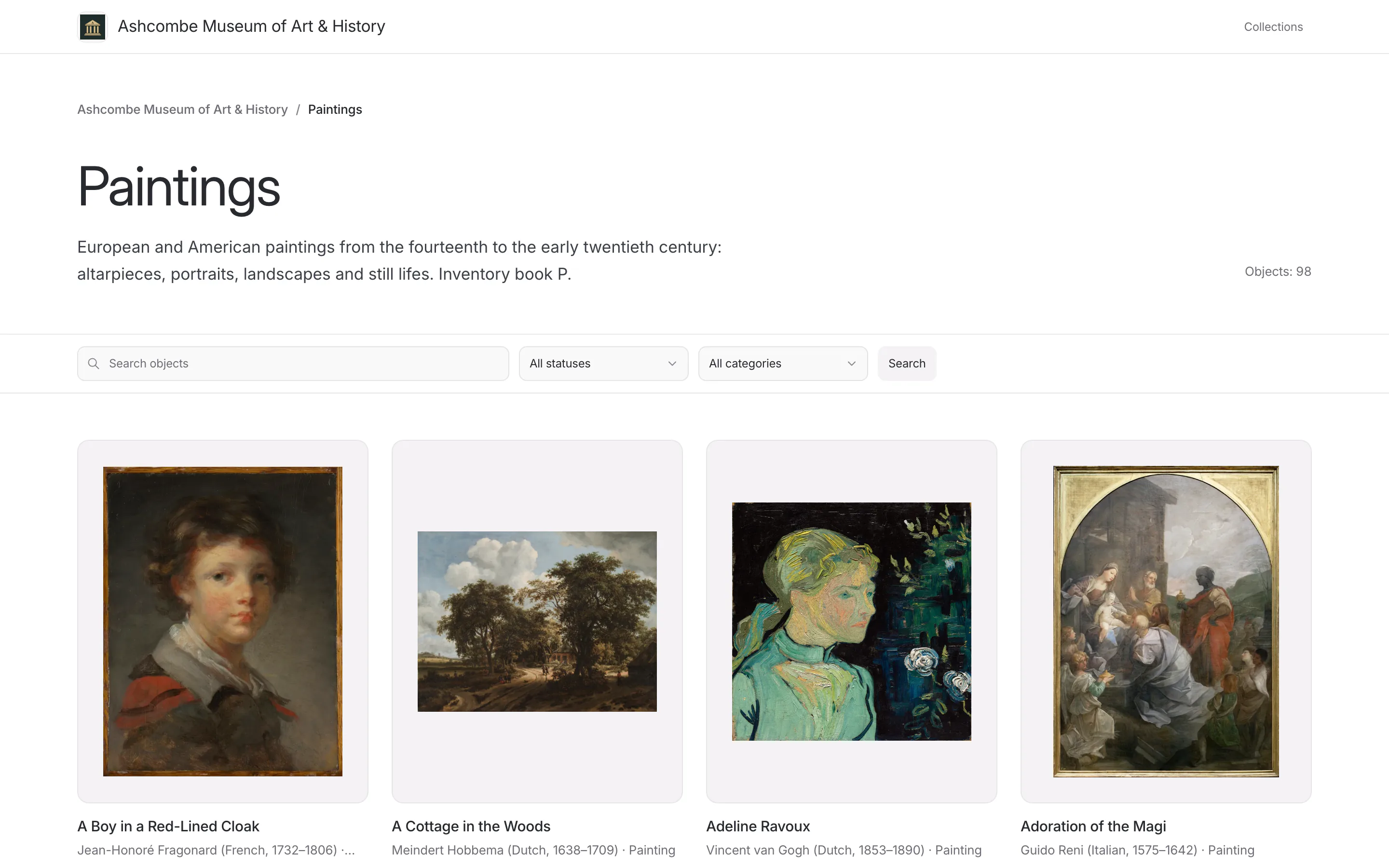
Many museums would like their collection online and never get there: a website is a project of its own, and every update means copying the catalogue again. In Collectionframe the online collection is built from the records you already keep. You decide which objects are published and what visitors may see of them, and the website follows the catalogue from then on.
Your museum's website, without building one
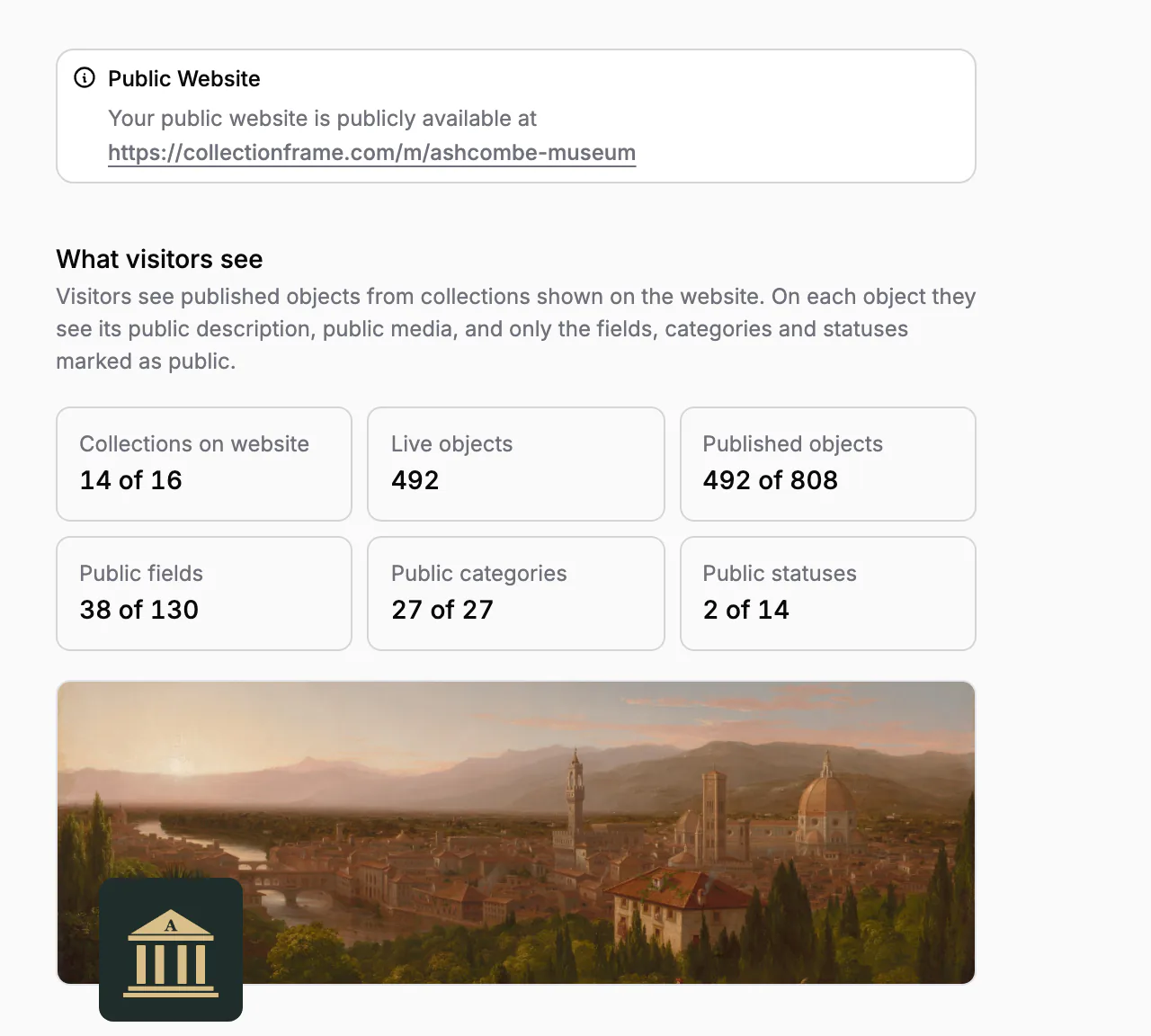
Every museum can have its own website at collectionframe.com/m/ followed by an address you choose. It has a front page with the museum's name and description, a page for each collection you show and a page for each published object. On the Scale plan the front page carries your banner and logo; without a banner, five of your own objects make the picture.
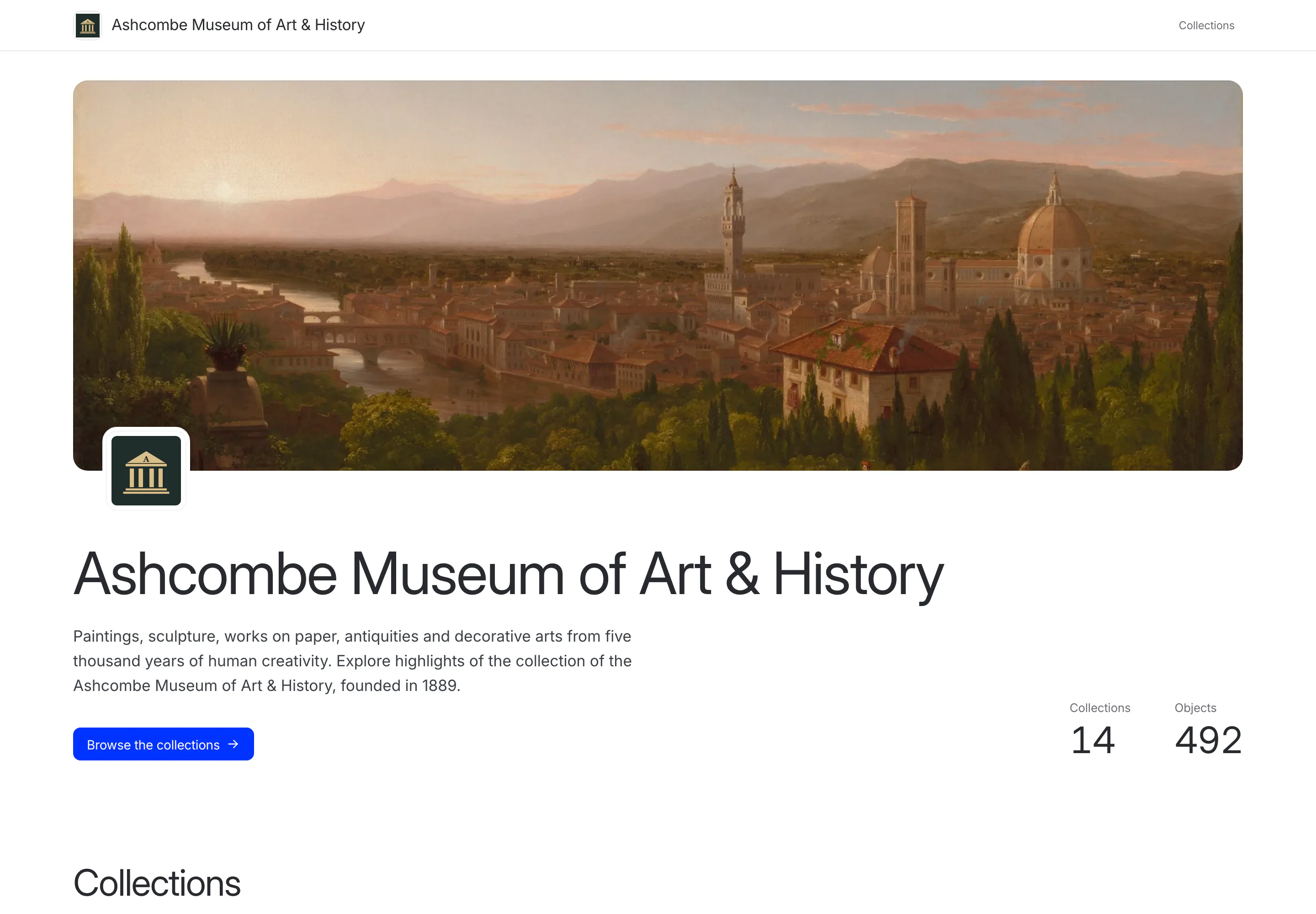
The website speaks your museum's language, whatever language the visitor's browser is set to, and writes dates and numbers the way that language does. Nothing is designed, hosted or updated by hand: correct a date in the catalogue, and the object's page shows the correction.
You publish objects, you decide what they show
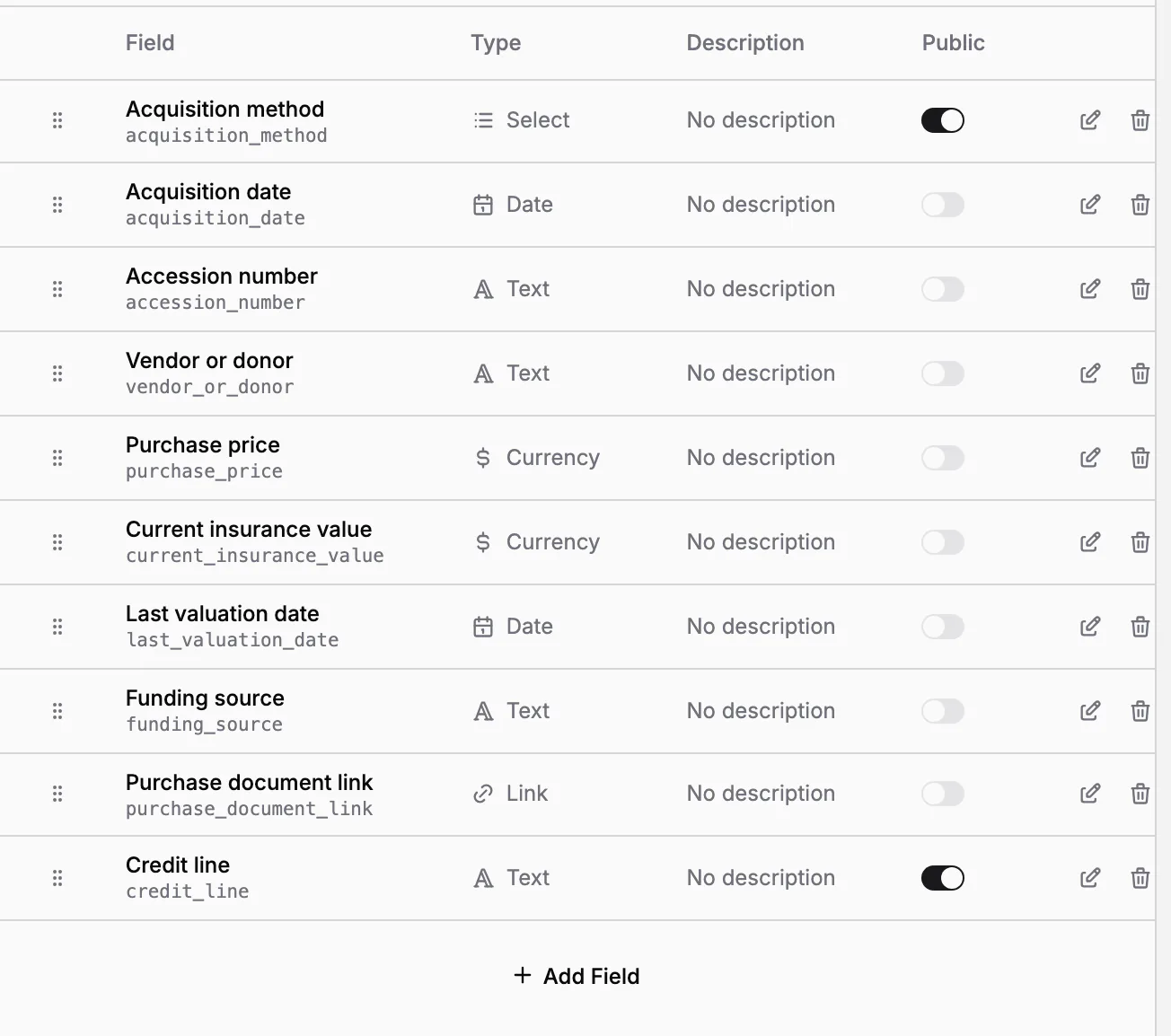
An object is live when three things are true: the website is published, the object's collection is shown on it, and the object itself is published. Every object says where it stands, in the object list and on its Public website tab:
Live: visitors can see it;
Not live: it is published, but something is still missing, such as its collection being hidden; Collectionframe says what, and links to the fix;
Not published: only your team can see it.
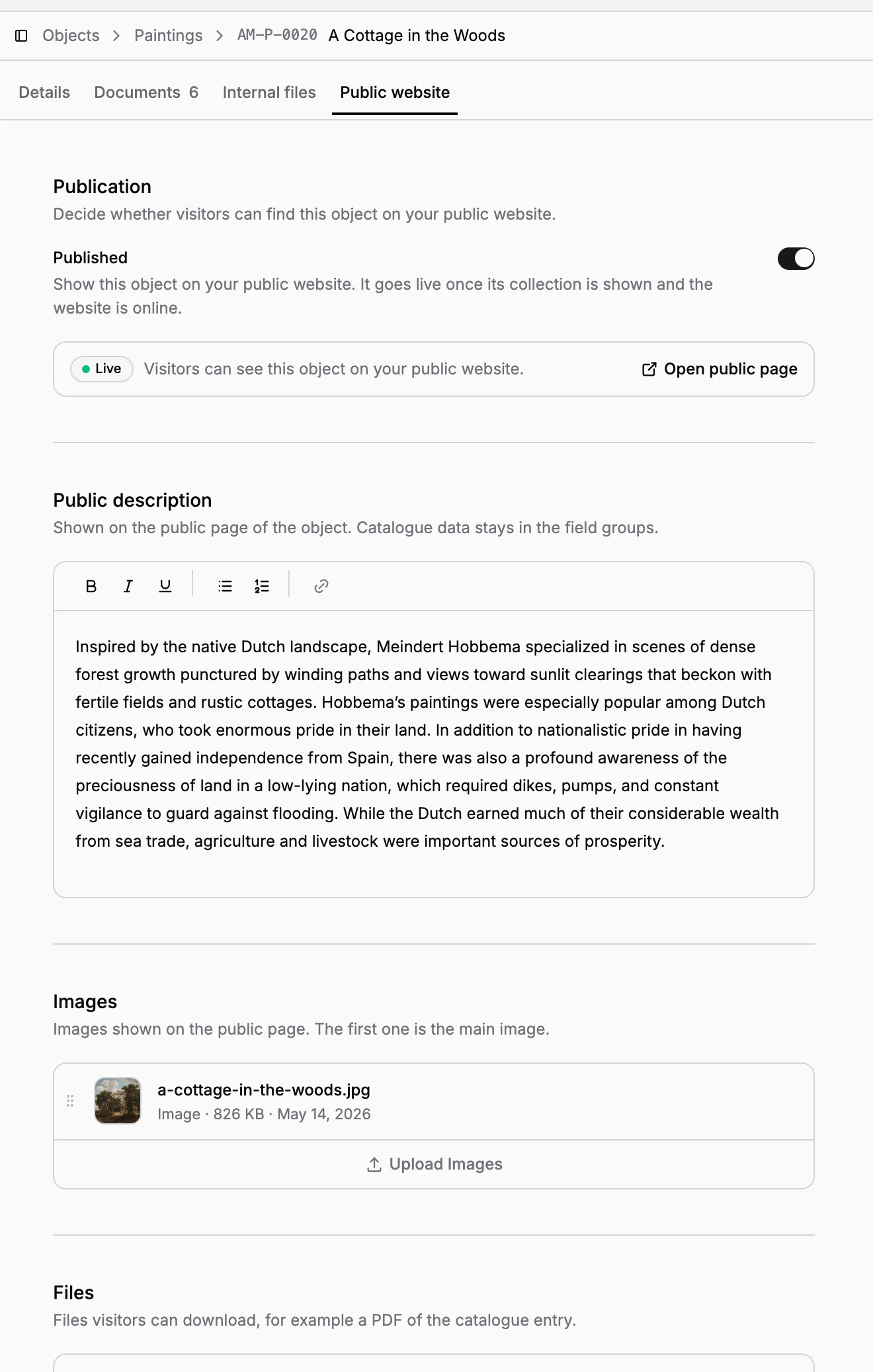
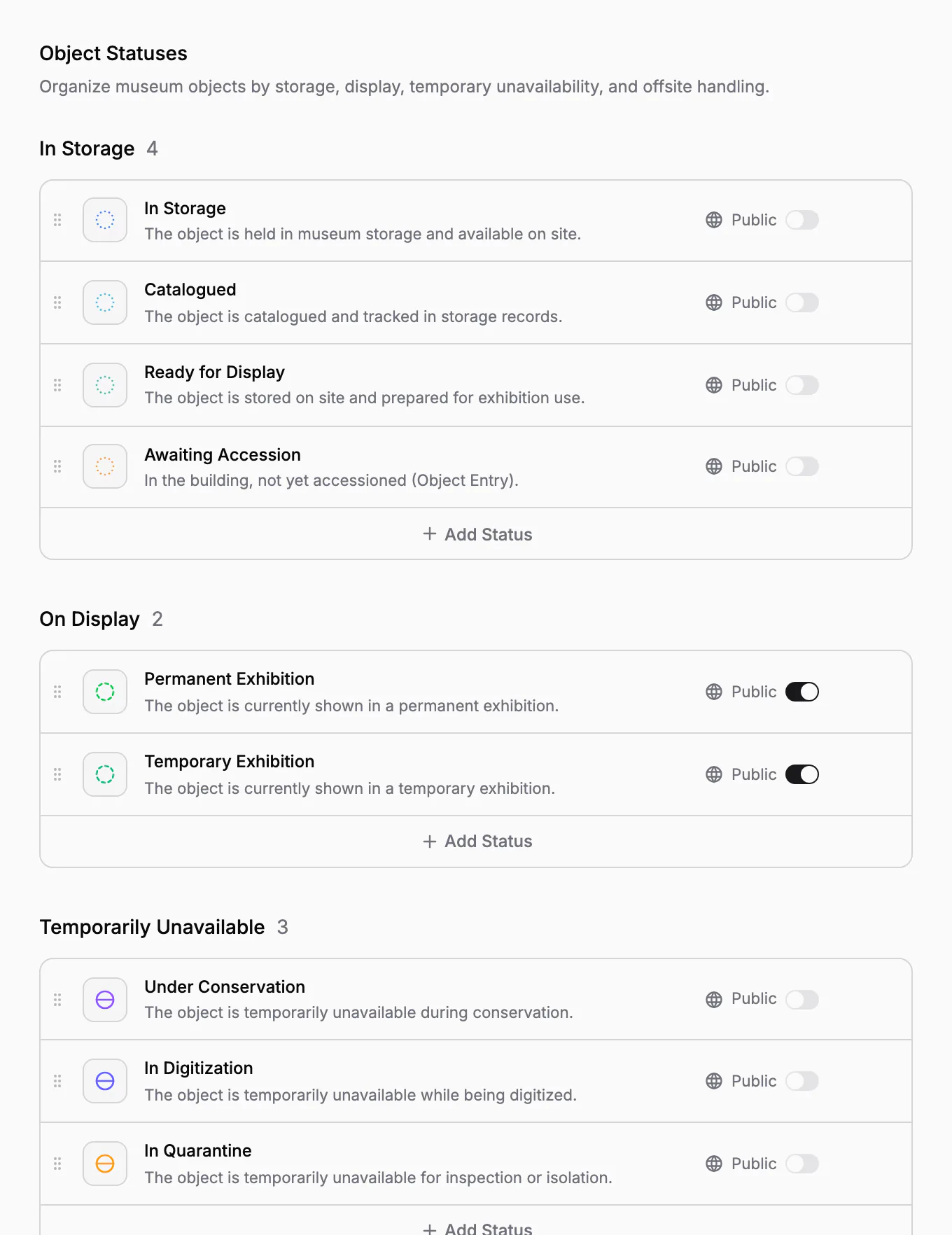
What a live object shows is decided once, for the whole museum, with the same Public switch everywhere:
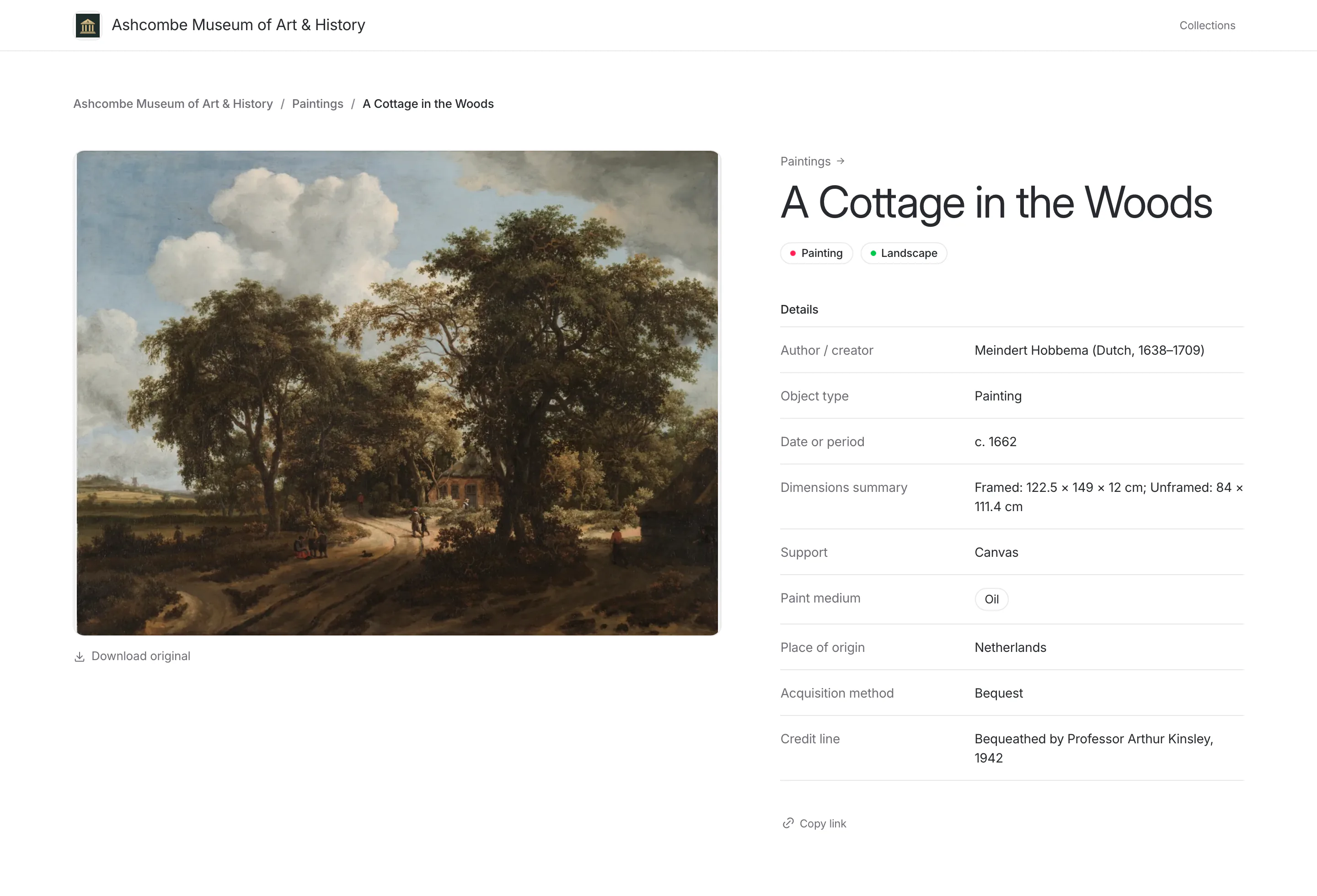
Fields of your field groups: show the acquisition method and the credit line, keep the purchase price and the insurance value internal. Fields are internal until you make them public.
Categories, such as Painting or Landscape, are public by default.
Statuses: show Permanent Exhibition, so that visitors know an object is on view, and keep In Transit or Loaned Out internal. Only the on-display statuses are public by default.
Images and files for visitors
Each object has a public description written for visitors, and its own images and files for them. They are kept apart from the catalogue data and from the internal files, so the public page can be polished without exposing working material. The first image is the main one; visitors open the images in a gallery and can download the original. Files such as a PDF of the catalogue entry can be offered for download.
Cards, labels, internal files and documents are never shown on the website. Public files and image downloads stop working the moment an object is unpublished, its collection is hidden or the website goes offline.
Publish many objects at once
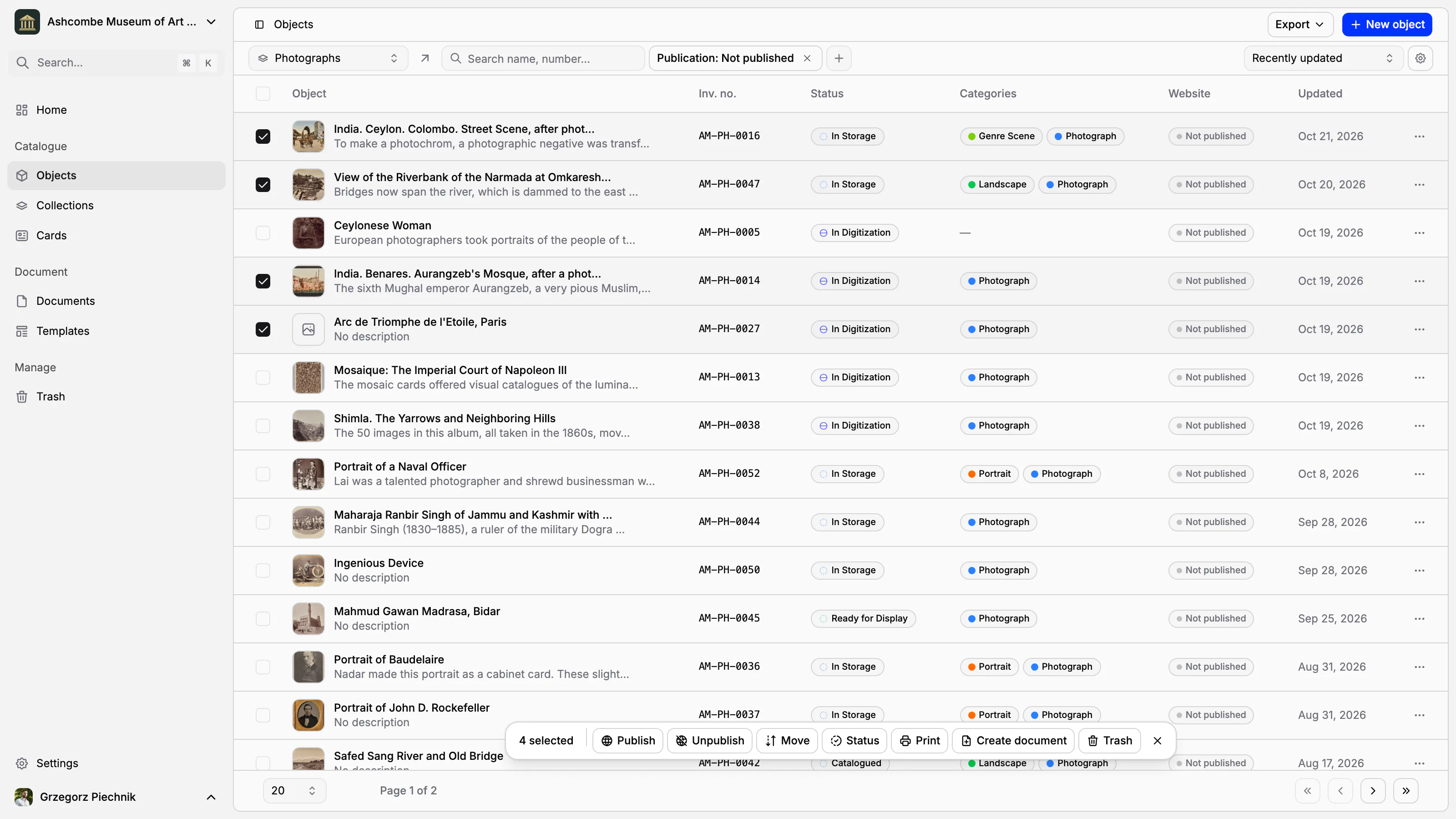
You rarely publish one object at a time. Select objects in the object list and choose Publish or Unpublish, or filter the list by publication to see what is still not published.
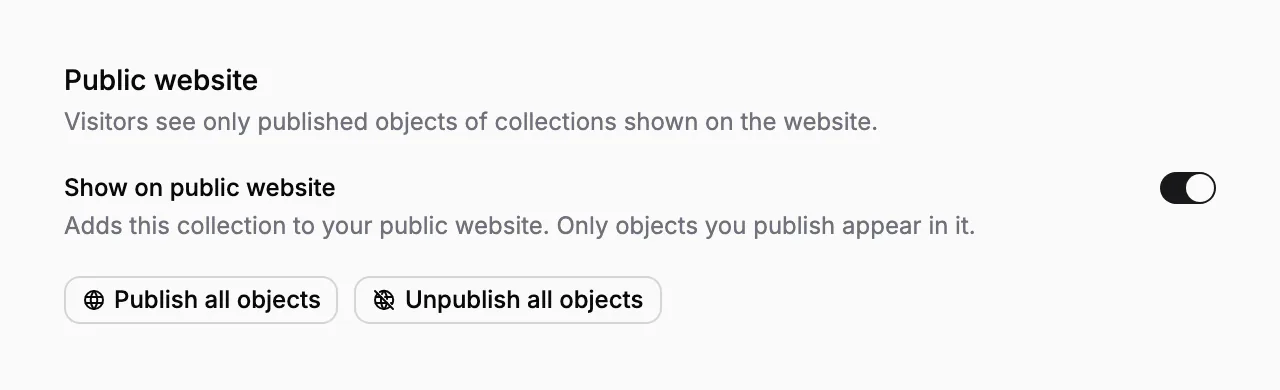
In a collection's settings, Show on public website adds the whole collection to the website, and Publish all objects or Unpublish all objects changes all of its objects in one step.
The Public Website settings sum up what visitors see: how many collections are on the website, how many objects are live and published, and how many fields, categories and statuses are public. Before you publish the website itself, Collectionframe tells you how many objects will become visible. On each collection's overview, For the website counts the objects that still have no public description.
Visitors search and browse
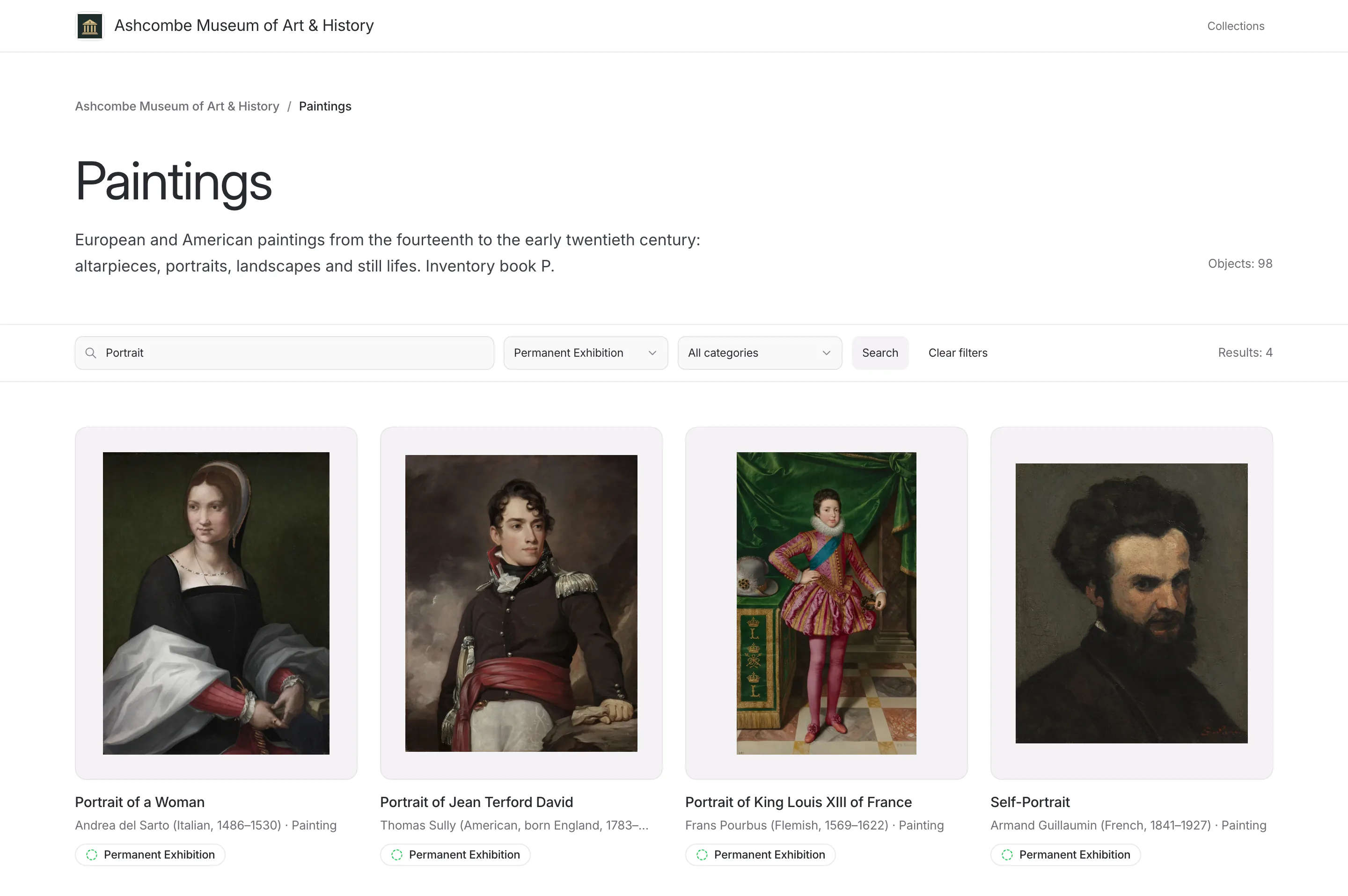
Visitors need no account. On a collection's page they search by name and by any public field, and filter by the public statuses and categories: everything on permanent exhibition, for example, or every portrait. Each object's page shows its public details and description, and more objects from the same collection.
A QR code on an inventory card or a label can open the object's public page, so the label on the wall leads a visitor to the full entry.
Safe by default
New objects, collections, fields and statuses are not public until you decide otherwise.
Objects restored from the trash come back unpublished.
Public files and image downloads stop as soon as an object is unpublished, its collection is hidden or the website goes offline.
On the Scale plan, search engines may index the website once you switch indexing on; the website then lists its pages in its own sitemap. On the Pro plan it stays out of search engines.
The website is part of every plan; the logo, the banner and search engine indexing are part of Scale.
In practice
The museum wants its photographs online. In Settings, the registrar makes the fields Author and Date public and leaves the valuation fields internal. She filters the Photographs collection by Not published, selects the photographs that are ready, and publishes them in one step. In the collection's settings she switches on Show on public website, then publishes the website. Each photograph now has its own page, and visitors can search the collection by author.
Frequently asked questions
Do we need a web developer to put our collection online?
No. The website is built from your catalogue, at collectionframe.com/m/ followed by the address you choose. You set its name and description; on the Scale plan also a banner and a logo.
Will internal information be visible to visitors?
Only what you make public: published objects of the collections shown on the website, their public description, images and files, and the fields, categories and statuses switched to Public. New fields are internal until you decide otherwise.
Will Google find our online collection?
On the Scale plan, switch on search engine indexing, and the website lists its pages for search engines in its own sitemap. On the Pro plan the website stays out of search engines.
In which language is the website?
In your museum's language, whatever language the visitor's browser uses. Dates and numbers are written the way that language writes them.
Can visitors download images?
Yes. Visitors can download the original of each image and any files you offer, such as a PDF of the catalogue entry. Downloads stop the moment the object is unpublished or its collection hidden.
Related features
Cataloguing museum objects
One record per object: inventory number, images, fields that fit your collection, categories and status. Find any object in seconds, work on many at once, and take back mistakes from the trash.
Inventory cards and museum labels
Design an inventory card, an exhibition label or a storage tag once; every object fills it with its own, current data. Print one, or a whole collection, as PDF, PNG or JPG.
Collections and inventory numbers
Departments and inventory books, each with its own numbering, fields, card and curator. Numbers are given in order, never repeated, and the register exports to a spreadsheet.