
Collections and inventory numbers
Departments and inventory books, each with its own numbering, fields, card and curator. Numbers are given in order, never repeated, and the register exports to a spreadsheet.
Published
Most museums number their objects by department: one inventory book for paintings, another for archaeology, each with its own letters and its own sequence. Collectionframe keeps that structure. Every collection is an inventory book with its own numbering and its own rules, and the inventory number (or accession number) it gives an object is never given to another.
A collection is an inventory book
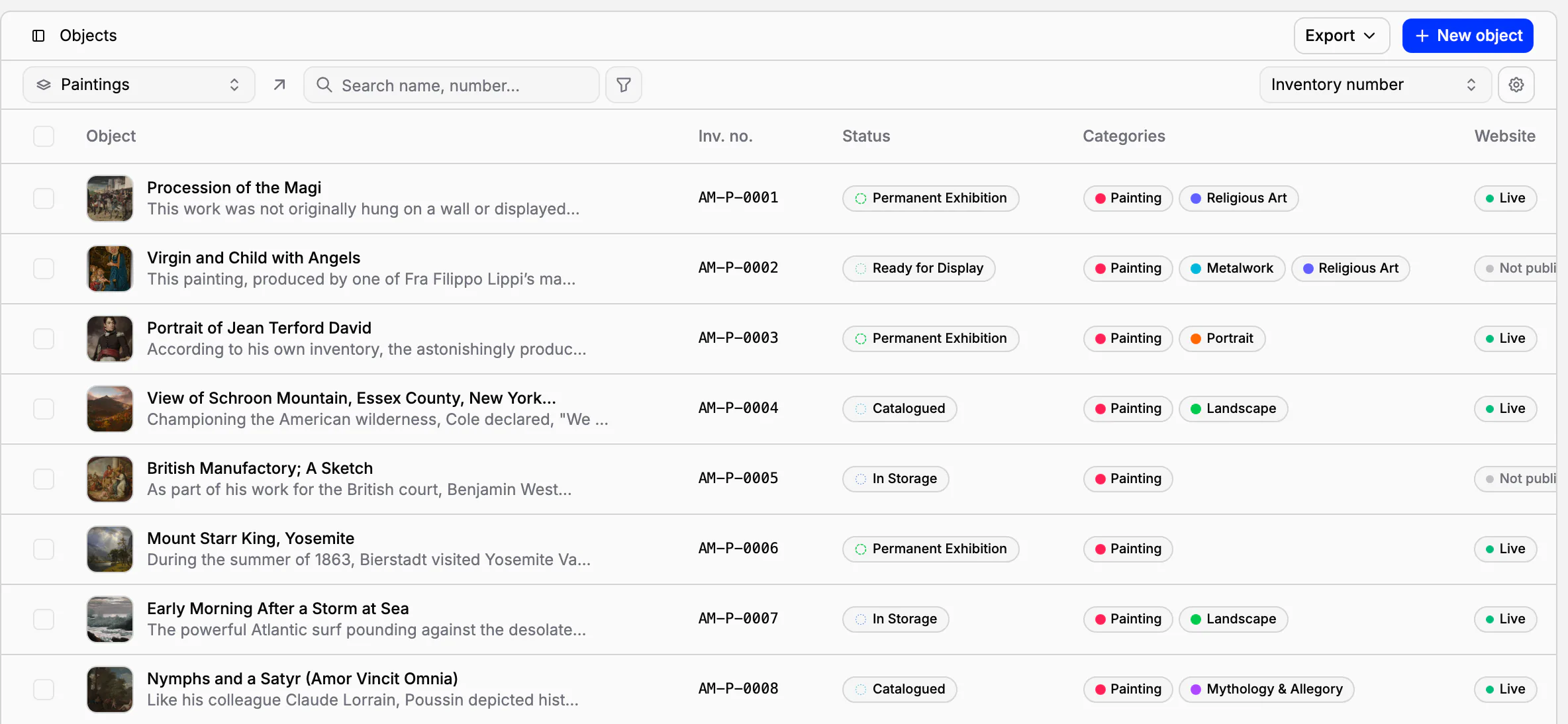
A collection is a department or a kind of material: Paintings, Photographs, Coins and medals, or a book for objects that are still being accessioned. It has its own symbol at the start of every number, the way many museums keep separate registers for separate kinds of objects. The prefix makes a number readable at a glance: AM-P-0038 is a painting, AM-N-0014 a coin.
Every object belongs to one collection, and can be moved to another when it was entered in the wrong one. To classify objects across collections, use categories: a portrait can be a painting, a photograph or a miniature.
Numbers you can trust
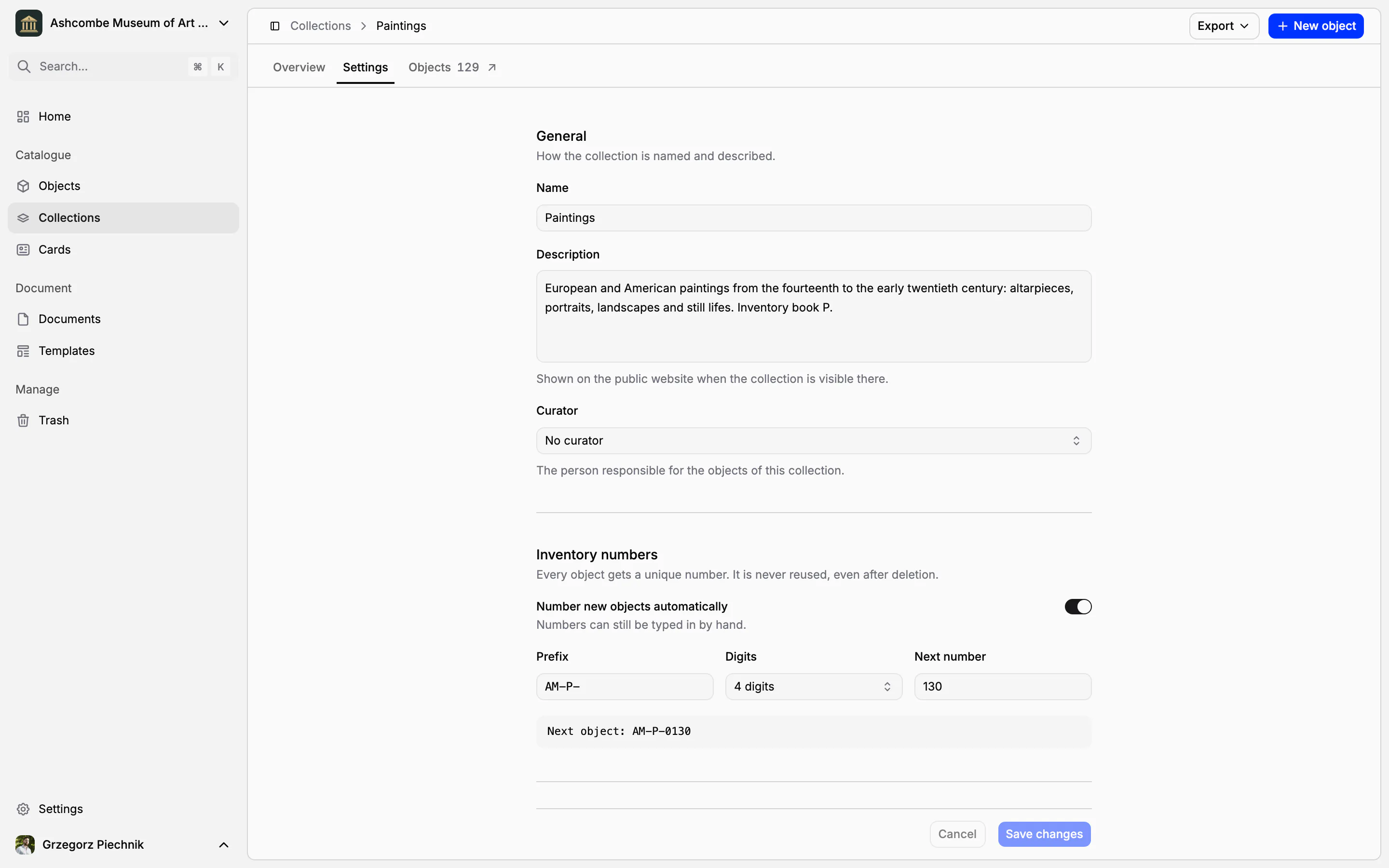
Give the collection a prefix, a number of digits and the next number, and new objects are numbered automatically: MNK-P-0001, MNK-P-0002 and so on. The settings show the next number exactly as it will look, before you save. A number can still be typed by hand, for an object that already has one. A collection whose numbers are always typed can switch automatic numbering off.
An inventory number is unique in the whole museum, and it is never given again, not even after the object has been deleted. To carry on an existing paper register, set the next number to where it stopped: the first new object continues the sequence.
Rules for every new object
The collection's settings decide what a new object starts with:
the field groups it gets, so a painting is created with painting fields;
the card it is previewed and printed on, usually your inventory card;
the curator responsible for the collection;
whether the collection is shown on your public website;
on Scale, the teams that work in it.
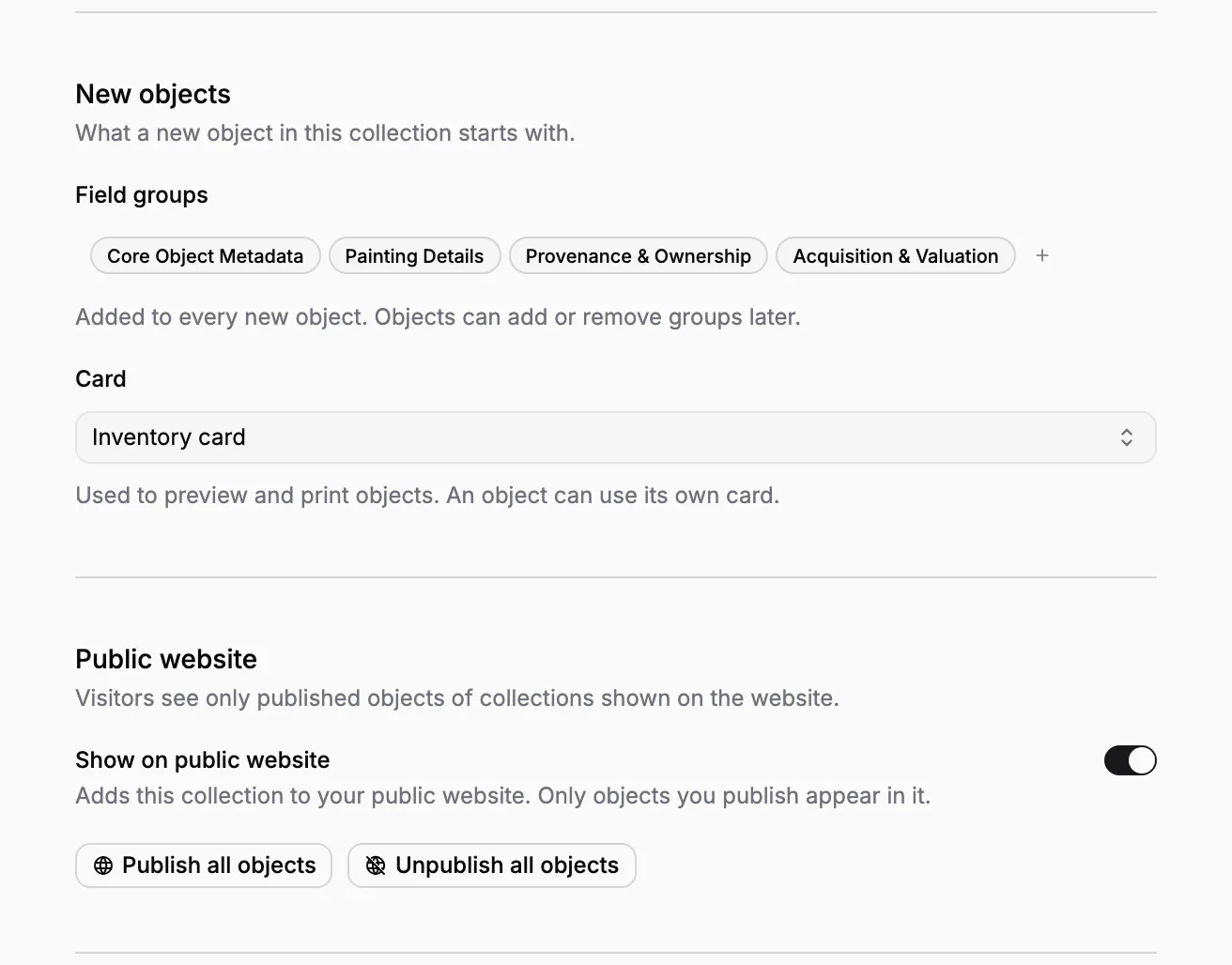
Changes are saved together, and unsaved settings are never lost by accident: leaving the page or the tab asks first.
All collections at a glance
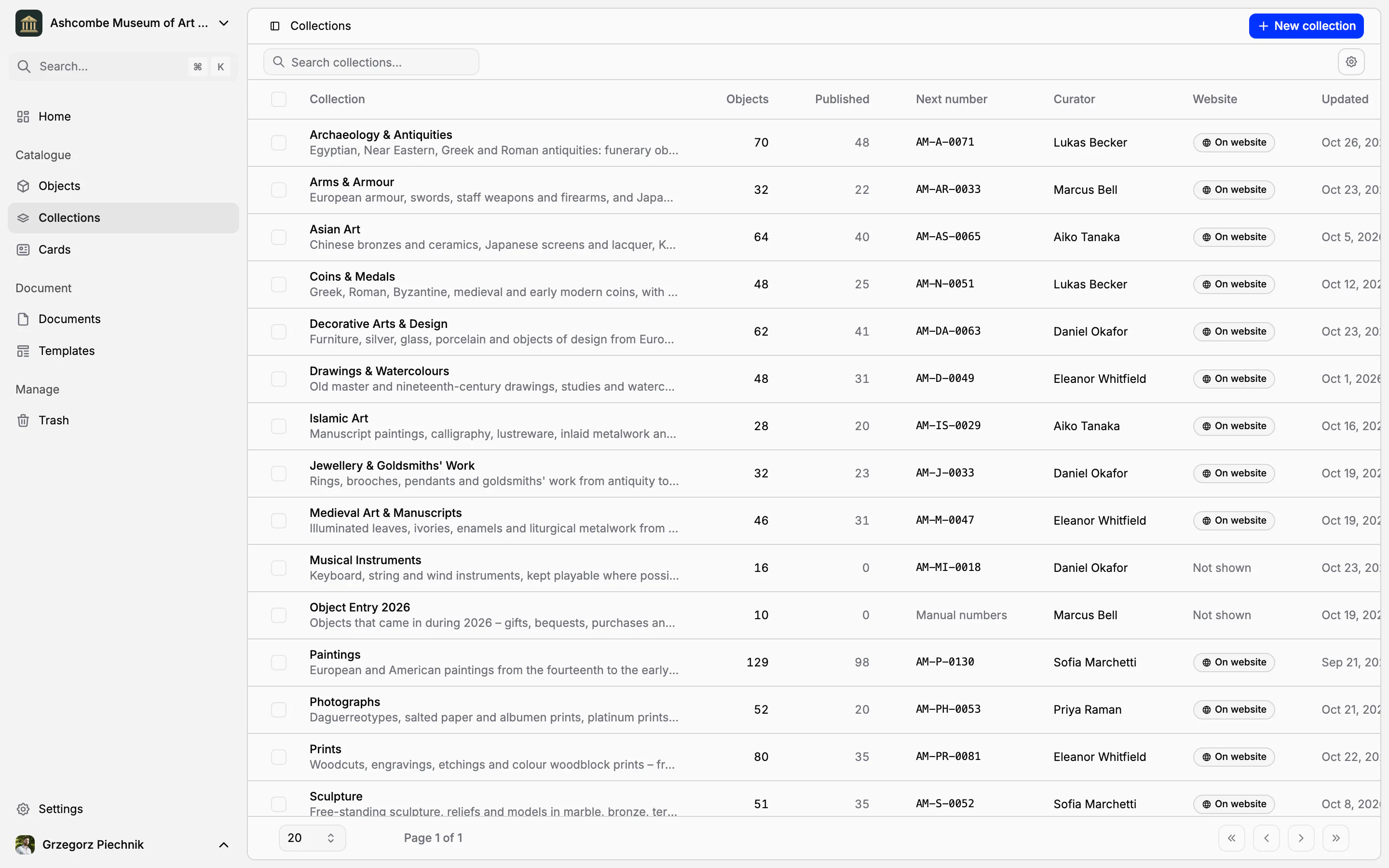
Collections is one table of every collection you can access: how many objects it holds and how many are published, the next inventory number, the curator, whether it is on the website and when it last changed. Search it by name, description or prefix, and choose the columns you need. The number of objects opens them in the object list.
Each collection opens on its overview: its objects, published objects, objects added in the last 30 days and documents in progress. Basic records shows how many objects have an inventory number, a main image, a category and a status, and N to fix opens exactly the ones that do not.
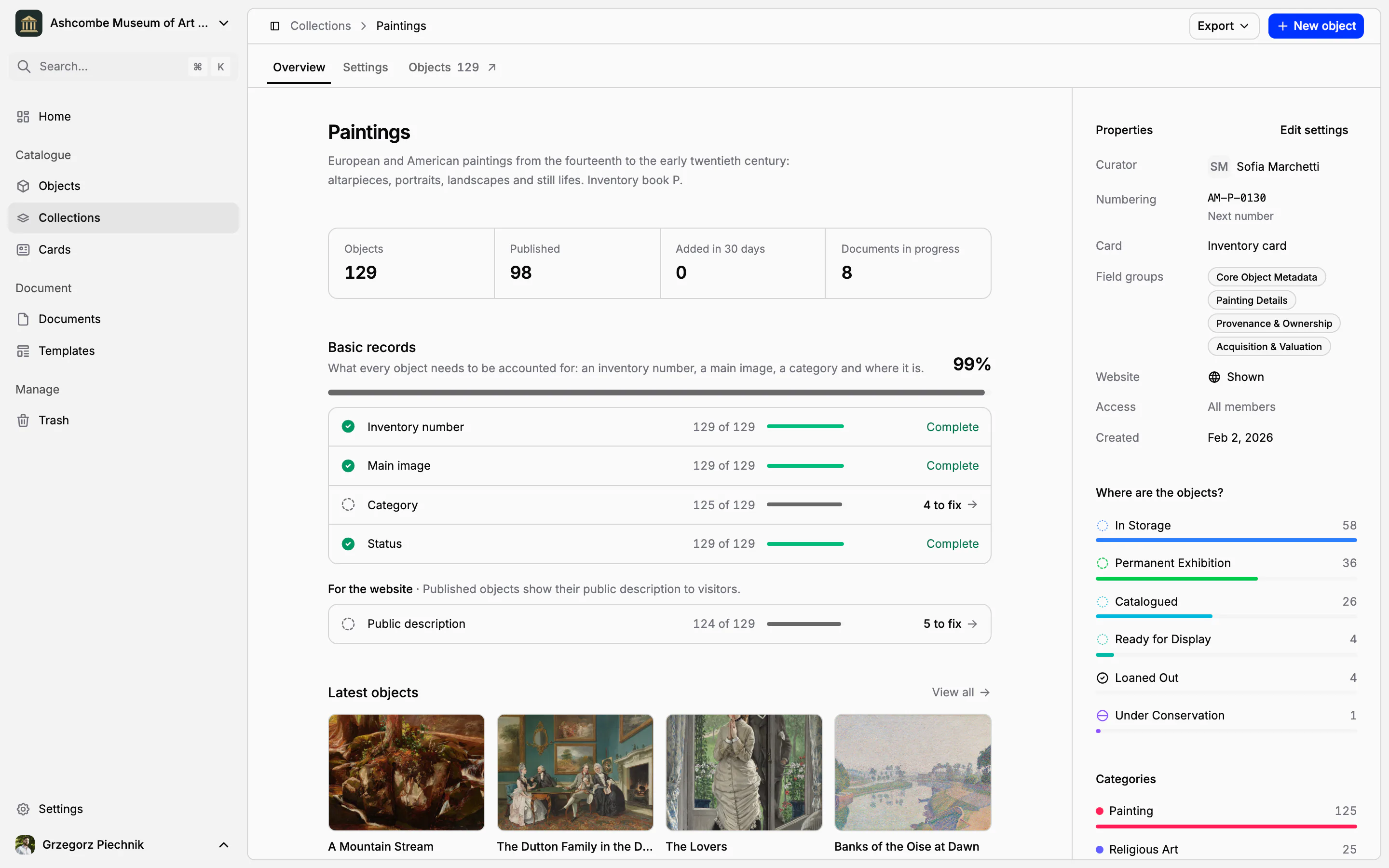
Beside it, the collection's properties sum up its rules: curator, numbering and next number, card, field groups and website. Below them you see where the objects are (how many have each status), how they are classified, and how many objects were added in each of the last twelve weeks.
Work with the whole collection
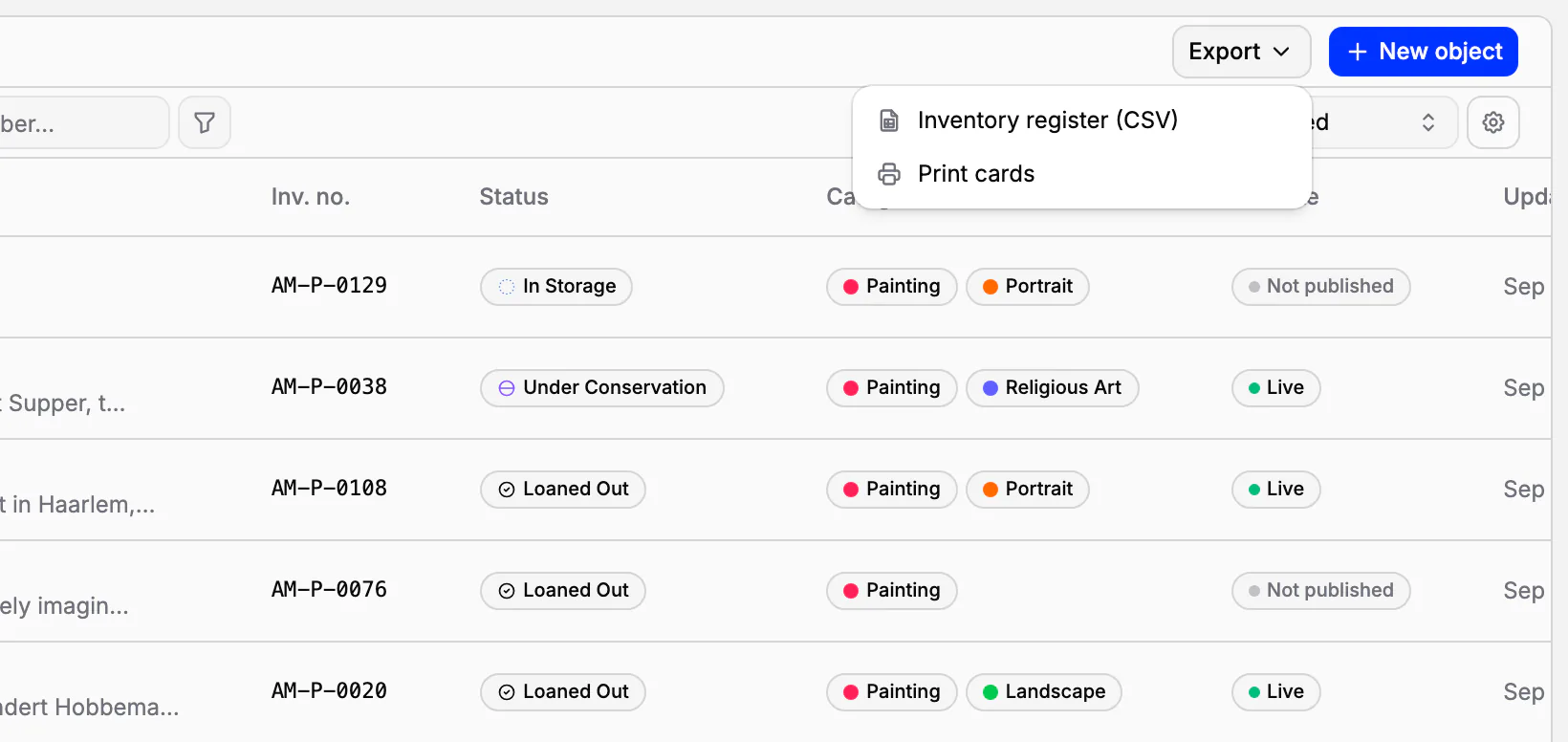
From the collection you add an object straight into it, print the cards of all its objects, or publish and unpublish everything at once. The inventory register exports as a CSV file: one row per object in inventory-number order, one column per field, with the column headings in your language. It opens in Excel with every accented letter intact, ready to archive, to print or to send to an auditor.
Delete a collection without losing objects
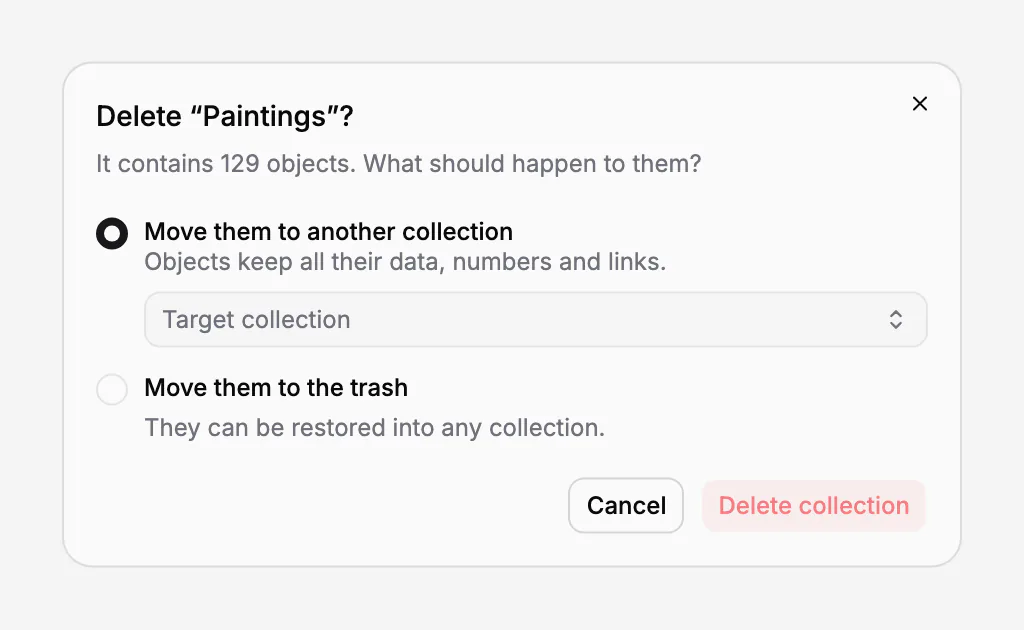
Deleting a collection never strands its objects. Collectionframe asks where they should go: to another collection, where they keep all their data, numbers and links, or to the trash, from where they can be restored into any collection. The same question is asked when you delete several collections at once.
In practice
A museum moves its paintings register from paper. The registrar creates the Paintings collection with the prefix MNK-P-, four digits and the next number 0412, because the paper book ends at 411. She adds the painting field groups, chooses the inventory card, names the chief curator and shows the collection on the website. The first painting entered in Collectionframe becomes MNK-P-0412, and the paper book and the catalogue continue one sequence.
Frequently asked questions
Can we keep our existing numbers?
Yes. Type the numbers your objects already have, and set the collection's next number to where your paper register stopped. New objects then carry on the same sequence.
Can two objects have the same number?
No. An inventory number is unique in the whole museum, across every collection. A number that is already taken is refused, whether it was given automatically or typed by hand.
Does a deleted object's number come back?
No. A number is never given again, not even after the object has been deleted, so an old label or document can never point to the wrong object.
Can I get the inventory register into Excel?
Yes. Export a collection's inventory register as a CSV file, with one column per field, and open it in Excel or any other spreadsheet.
How many objects and collections can we have?
Up to 5,000 objects on Pro and 30,000 on Scale, counted across all collections and not counting the trash. The number of collections is not limited.
Related features
Cataloguing museum objects
One record per object: inventory number, images, fields that fit your collection, categories and status. Find any object in seconds, work on many at once, and take back mistakes from the trash.
Inventory cards and museum labels
Design an inventory card, an exhibition label or a storage tag once; every object fills it with its own, current data. Print one, or a whole collection, as PDF, PNG or JPG.
Museum documentation: loan agreements, receipts and condition reports
Receipts, loan agreements, condition reports and movement records, linked to the objects they concern. Object data comes from the catalogue, every other value is typed once, and every object keeps its own paper trail.