
Electronic signatures for loan agreements and handover reports
Send a loan agreement or a handover report for signature to colleagues and to people outside the museum. The text is frozen when signing begins, every signer confirms a code sent to their e-mail, and every step is kept in an audit trail.
Published
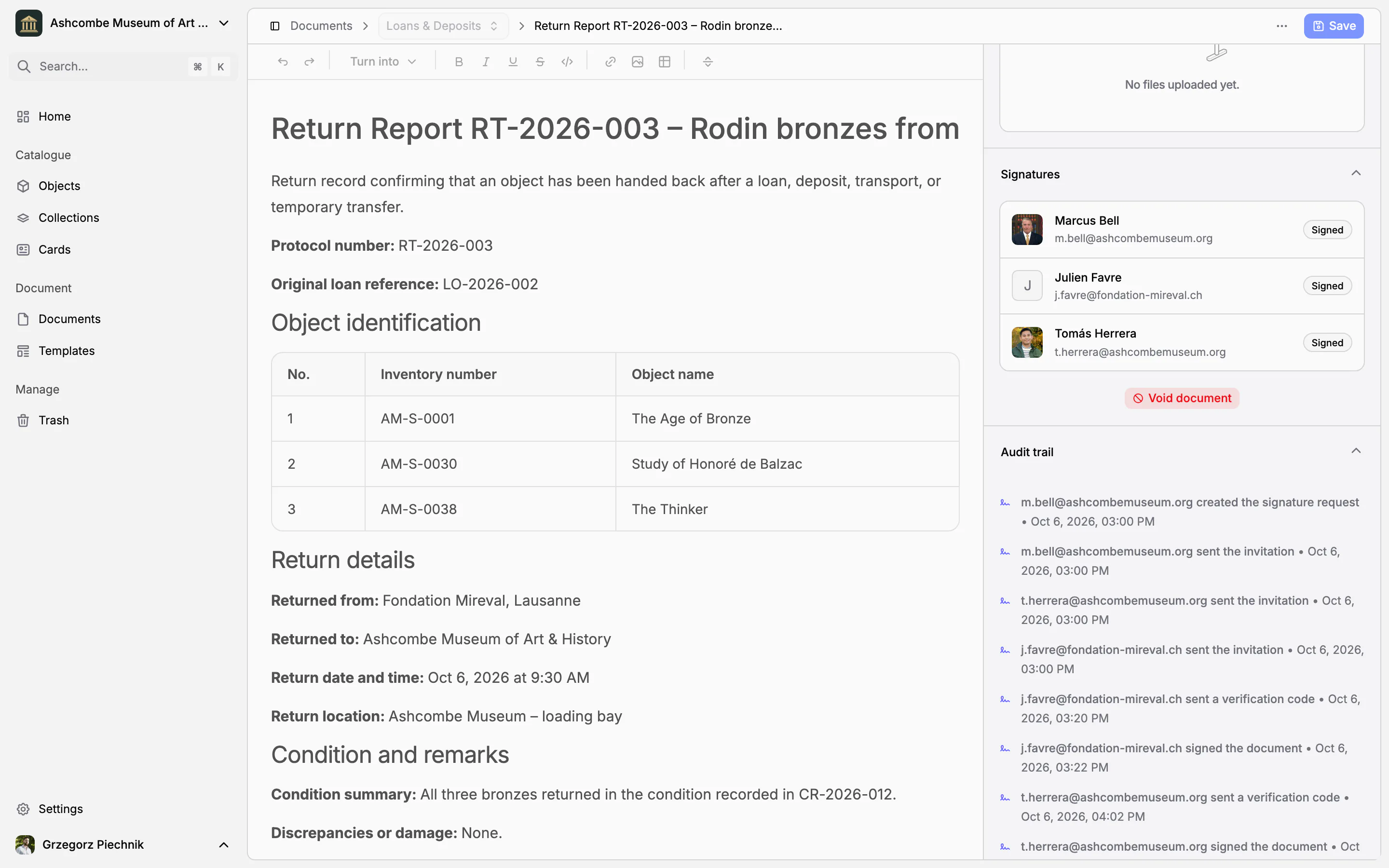
A loan agreement usually travels as a PDF: printed, signed, scanned, e-mailed, signed again, and afterwards nobody is sure which version the lender signed. In Collectionframe you send the document for signature from where it was written. The text is frozen, every person signs the same version, in the app or from an e-mail, and the museum keeps a record of every step.
Send it from the document
Choose Request signatures on a document. Add colleagues from your museum, and people from outside it by name and e-mail address; each of them receives an individual invitation. Before anything is sent, Collectionframe lists the fields that are still empty, which would be printed as a dash, and warns when the text has an object list but no objects are linked. A document needs a title and some text before it can be sent.
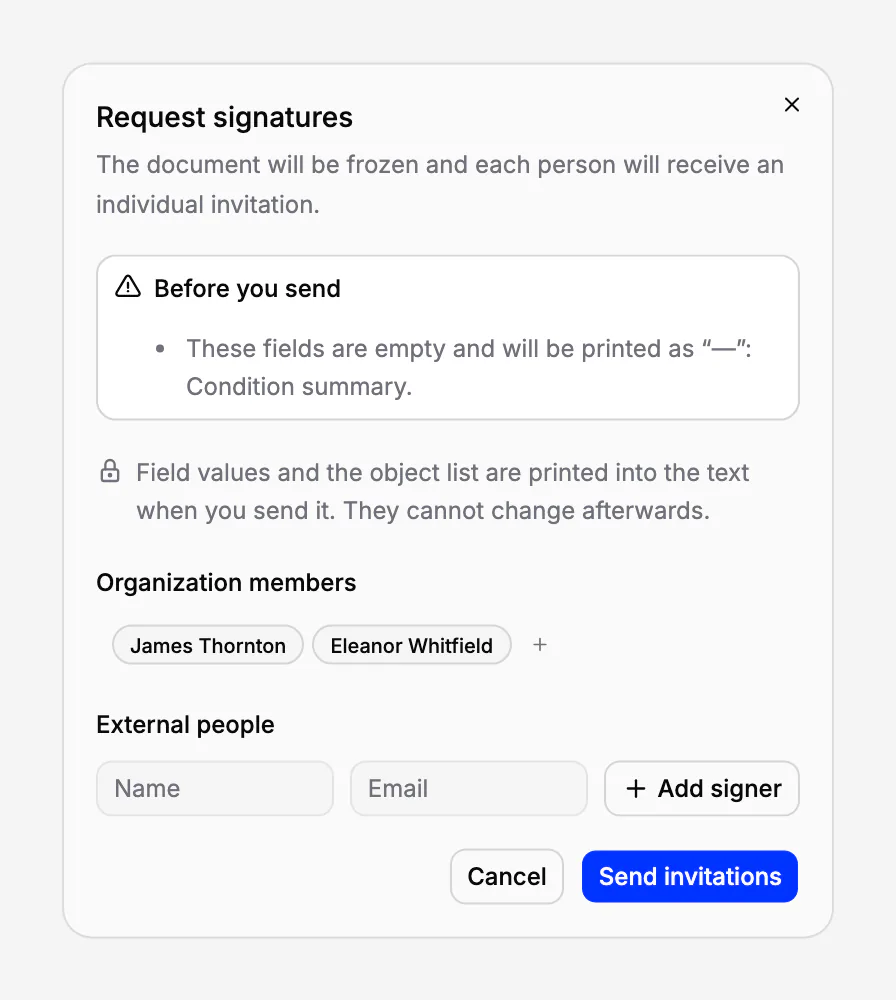
Everyone signs the same text
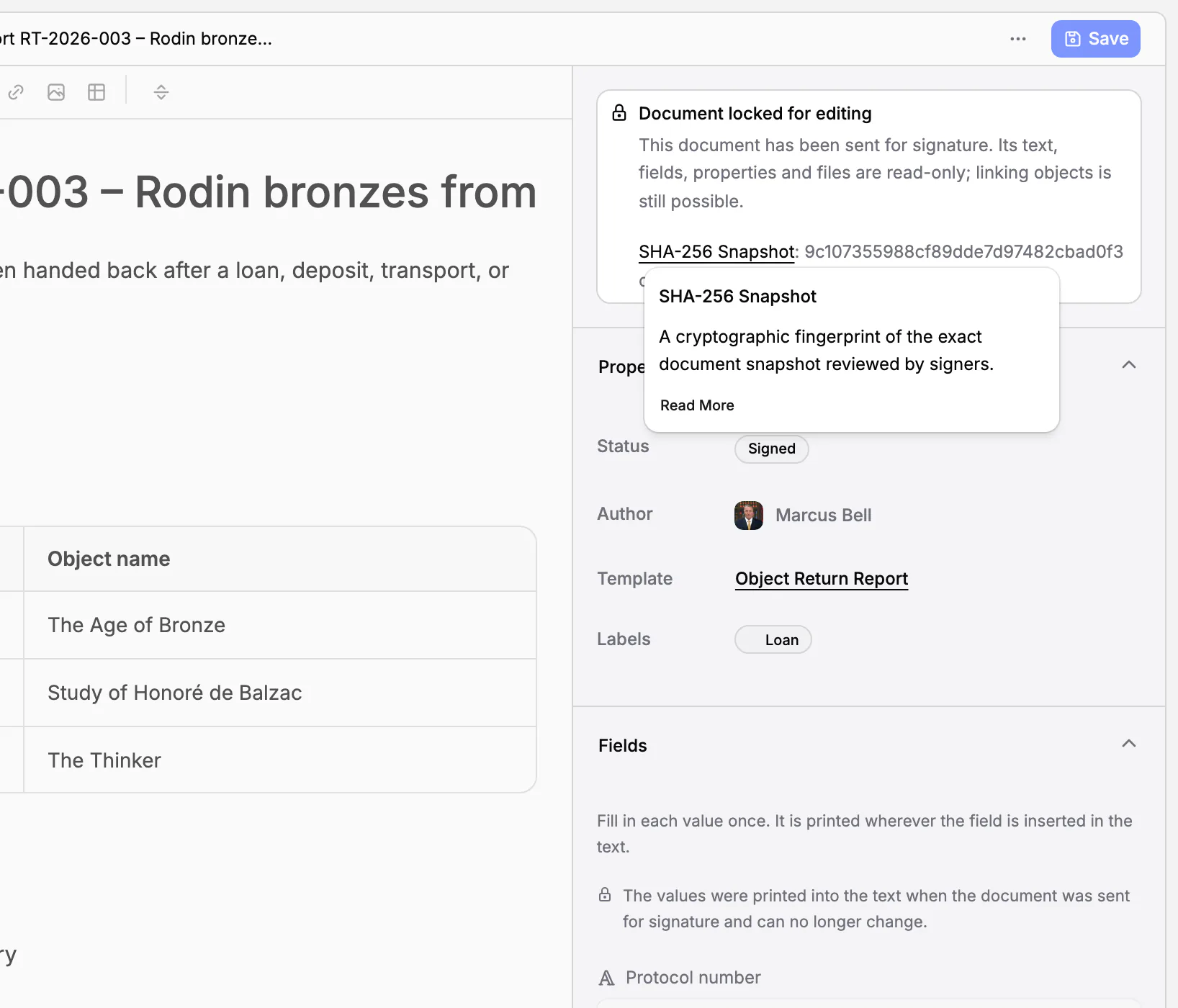
When the request is sent, field values and object lists are written into the text and the document is locked: its text, fields, properties and files can no longer change. Later changes in the catalogue do not touch it, so a renamed object or a corrected date never alters what was signed. Objects can still be linked or unlinked, as links for finding the document; the list in the signed text stays as it was.
Collectionframe records a SHA-256 fingerprint of this version, from the title and text, with its images, to the fields, objects and labels, and shows it on the document. The fingerprint is checked again before every signature: if anything had changed, signing would stop.
No account needed to sign
A lender, or the registrar of the borrowing museum, receives an e-mail with a personal link. The link alone shows nothing: to open the document, they type a six-digit code sent to the address in the invitation, valid for ten minutes, and five wrong codes lock it for fifteen. They then read the document and the files attached to it, in any of Collectionframe's eleven languages, confirm that they have reviewed it and intend to sign it electronically, and sign. Later, the same link and a new code open the signed document again.
Colleagues sign in the app, with a code sent to their e-mail and the same confirmation.
Follow it to the end
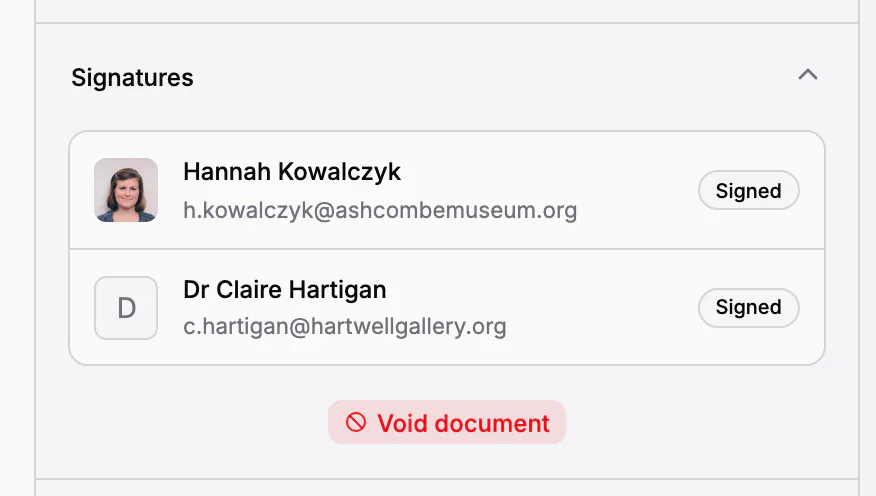
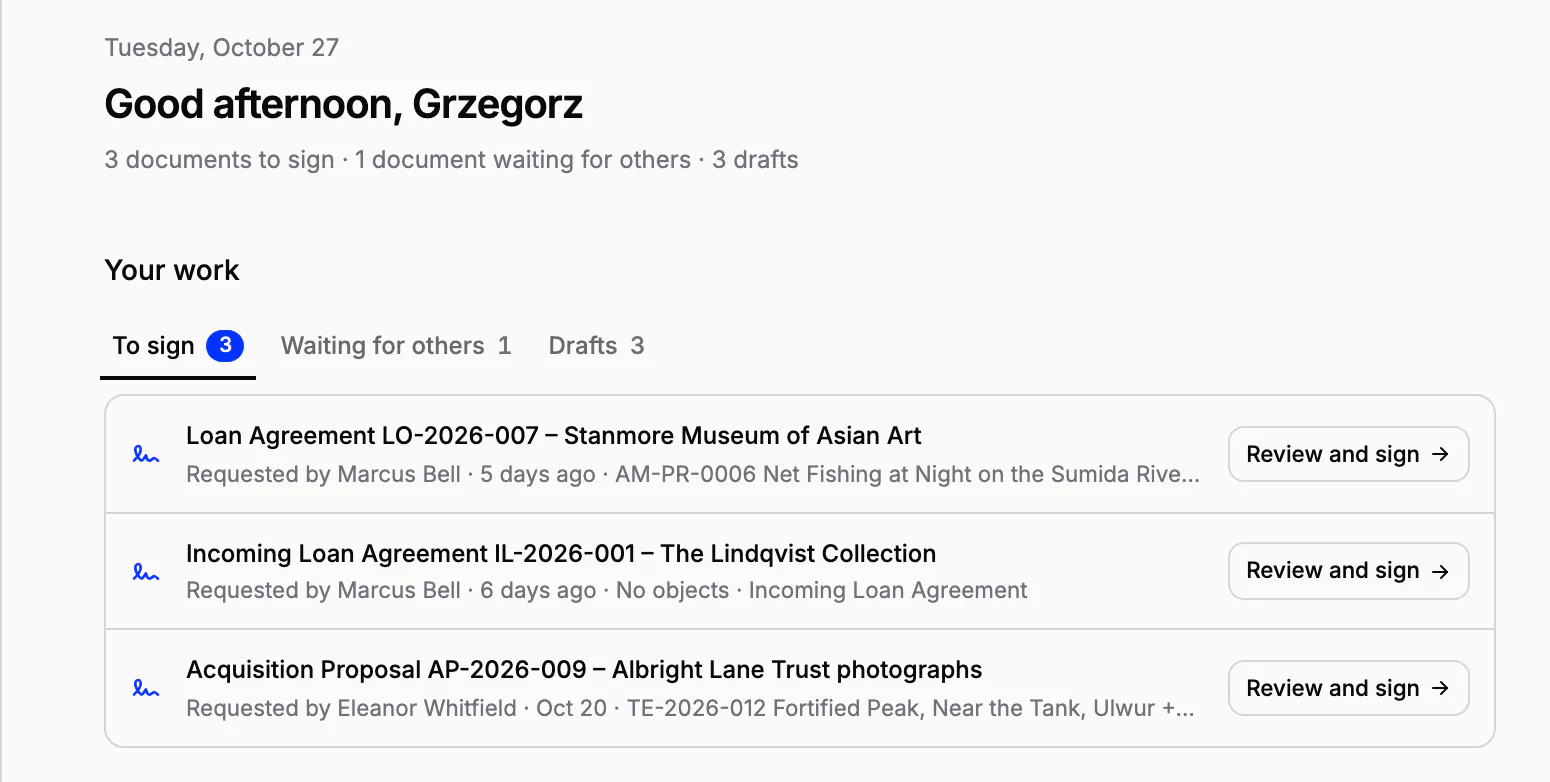
The Signatures section of the document shows every signer and whether they have signed, and an invitation that went astray can be sent again. On Home, To sign lists the documents waiting for your signature, and Waiting for others the ones you are waiting for. The document's status moves from Pending signatures to Partially signed to Signed.
Cancel or void, never erase
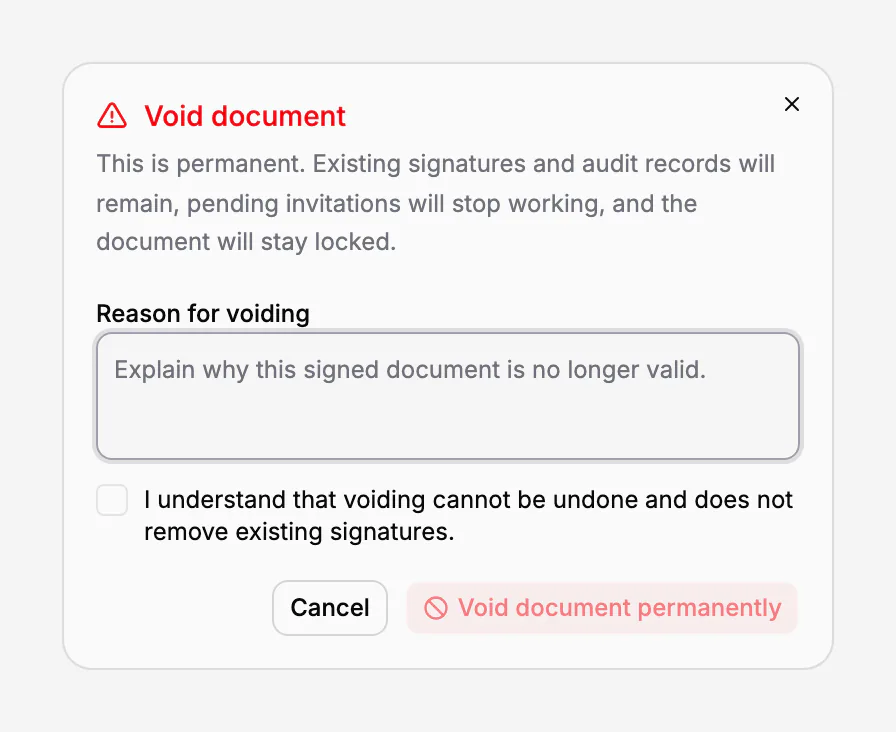
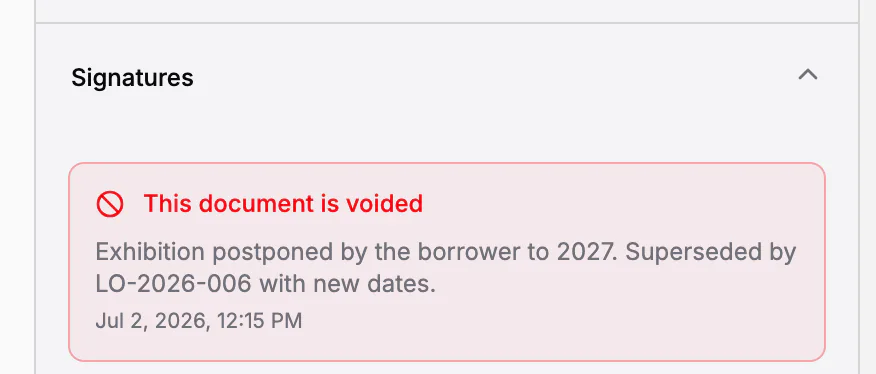
Until someone has signed, a request can be cancelled, the document corrected and sent again. Once a signature has been given, the document is no longer deleted: it is voided, with a reason. The signatures already given and the audit trail stay, pending invitations stop working, and the document stays locked with the reason shown on it. A document that is being signed or has been signed cannot be moved to the trash.
The audit trail
Every request keeps an audit trail: each step in order, with who and when. It records the request created, invitations sent, sent again or cancelled, invitations opened, verification codes sent, signatures, the completion of the request, a cancellation or a void, and also what failed, such as an e-mail that could not be delivered or a wrong code. Where available, the IP address and browser are recorded as well.
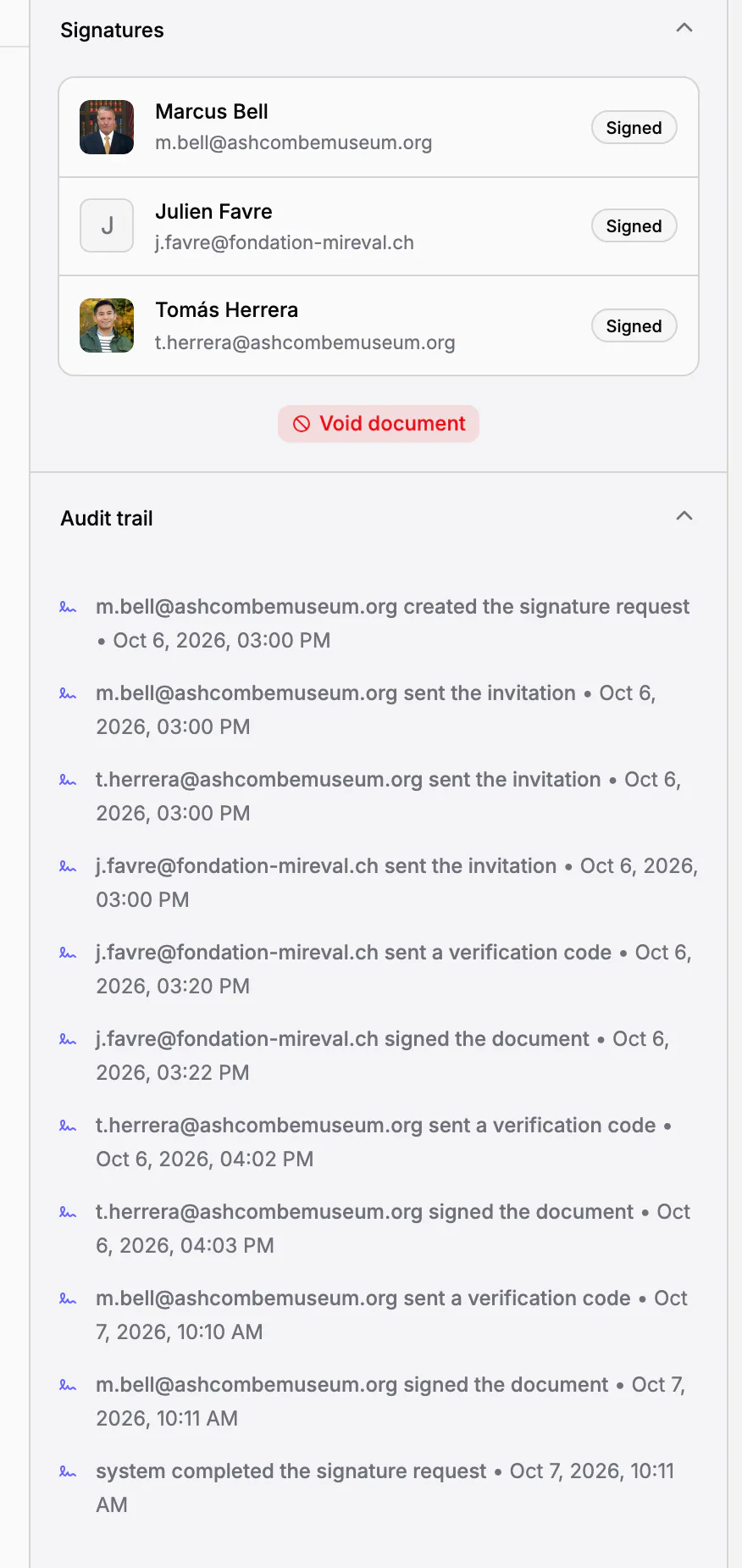
Every signature is stored with a signed value (HMAC-SHA-256) that ties the signer, their e-mail address, the document's fingerprint and the times of verification and signing together. A void has one of its own, tied to the frozen version, the signers it affected, the time and the reason.
What kind of signature it is
It is an electronic signature confirmed by e-mail and a one-time code, with an audit trail. It is not a qualified electronic signature, and Collectionframe does not check passports or who is authorised to sign for an institution: that stays with the museum, as it would on paper. In the European Union, the eIDAS Regulation (Article 25) says that an electronic signature cannot be denied legal effect or refused as evidence only because it is electronic or not qualified, and only a qualified signature has, by law, the effect of a handwritten one. Where a law, an authority or the other party requires a particular form, use that form.
Electronic signatures are part of the Scale plan, and every new museum can use them during its 21-day trial.
In practice
A loan agreement for twelve paintings going to another museum is ready. The registrar sends it for signature to the director and to the registrar of the borrowing museum, after filling in the one field the dialog reported as empty. The director signs in the app the same afternoon; the borrower's registrar receives the e-mail, types the code and signs the next morning. The museum sees Signed on the document and on Home, and the agreement, its fingerprint and its audit trail stay together in the Loans & Deposits folder and on each of the twelve paintings.
Frequently asked questions
Do external signers need an account?
No. They receive an e-mail with a personal link, confirm a six-digit code sent to their address, read the document and its files, and sign. Colleagues sign in the app.
How is a signer's identity confirmed?
With a one-time code sent to the e-mail address named in the invitation, valid for ten minutes. It proves control of that inbox; Collectionframe does not check identity documents or who may sign for an institution.
Can I cancel a request?
Before anyone has signed, yes: cancel it, correct the document and send it again. After the first signature, the document is voided with a reason, and the signatures given and the audit trail stay.
What is kept as evidence?
The frozen text with its SHA-256 fingerprint, the audit trail of every step with who and when, and for every signature a signed value tying the signer, their e-mail and the fingerprint together.
Is it a qualified electronic signature?
No. It is an electronic signature confirmed by e-mail and a one-time code, with an audit trail. Where a law, an authority or the other party requires a qualified signature or another form, use that.
Related features
Museum documentation: loan agreements, receipts and condition reports
Receipts, loan agreements, condition reports and movement records, linked to the objects they concern. Object data comes from the catalogue, every other value is typed once, and every object keeps its own paper trail.
Procedure templates: loan agreements, condition reports and receipts
Seven standard templates for the procedures that move objects or change who is responsible for them, from receipt to disposal, in your language. Use them as they are, adapt them or write your own: every document made from them starts complete and lists its objects.
Cataloguing museum objects
One record per object: inventory number, images, fields that fit your collection, categories and status. Find any object in seconds, work on many at once, and take back mistakes from the trash.