
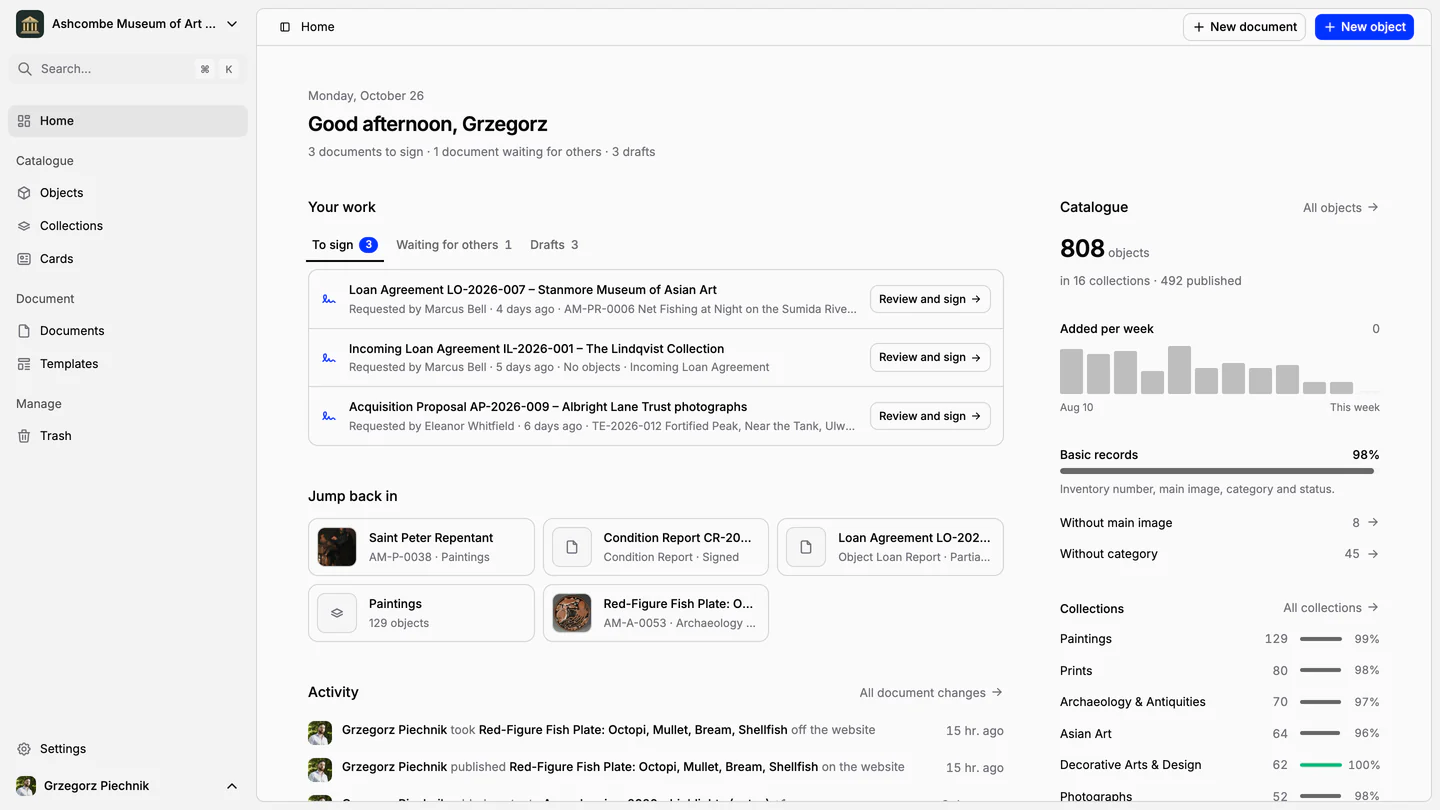
Collection management software for museums
Catalogue objects, print inventory cards, manage loans and condition reports, and publish your collection online.
For museum collections of every kind
- Paintings
- Sculptures
- Archaeology
- Photographs
- Decorative arts
- Textiles
- Archives
- Natural history
Your collection deserves more than spreadsheets. One place for the catalogue, the paperwork and the people who care for it.
Fig 0.1
One record per object
Inventory number, images and fields are entered once. Cards, documents, exports and the public website all read from the same record.
Fig 0.2
Paperwork that writes itself
Receipts, loans and condition reports start from templates and fill themselves from the catalogue, ready for signature.
Fig 0.3
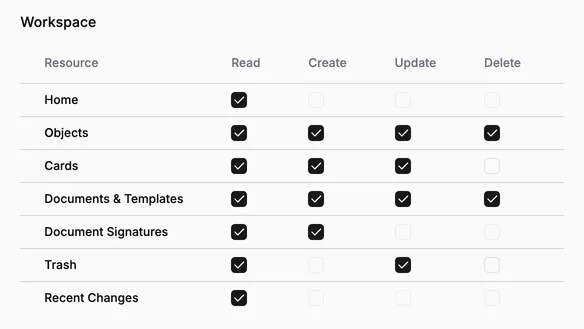
Shared, with clear boundaries
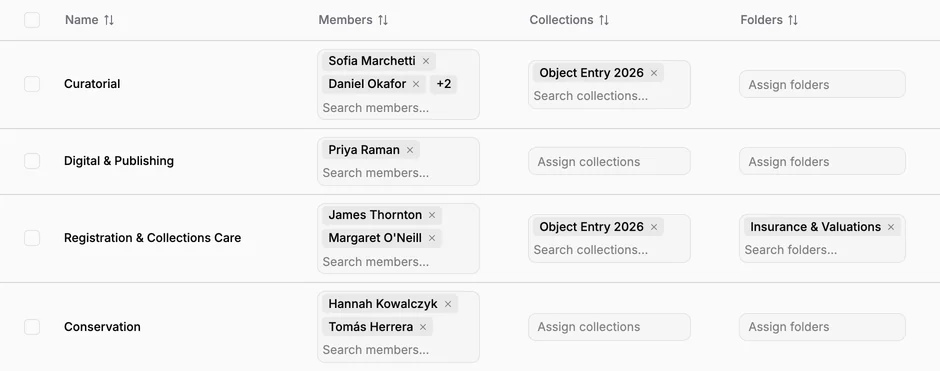
Invite your team, group people by collection and decide who may see and change what, down to a single action.
Catalogue and collections
Record every object once. Each collection numbers its own, and inventory cards print straight from the record.
Learn more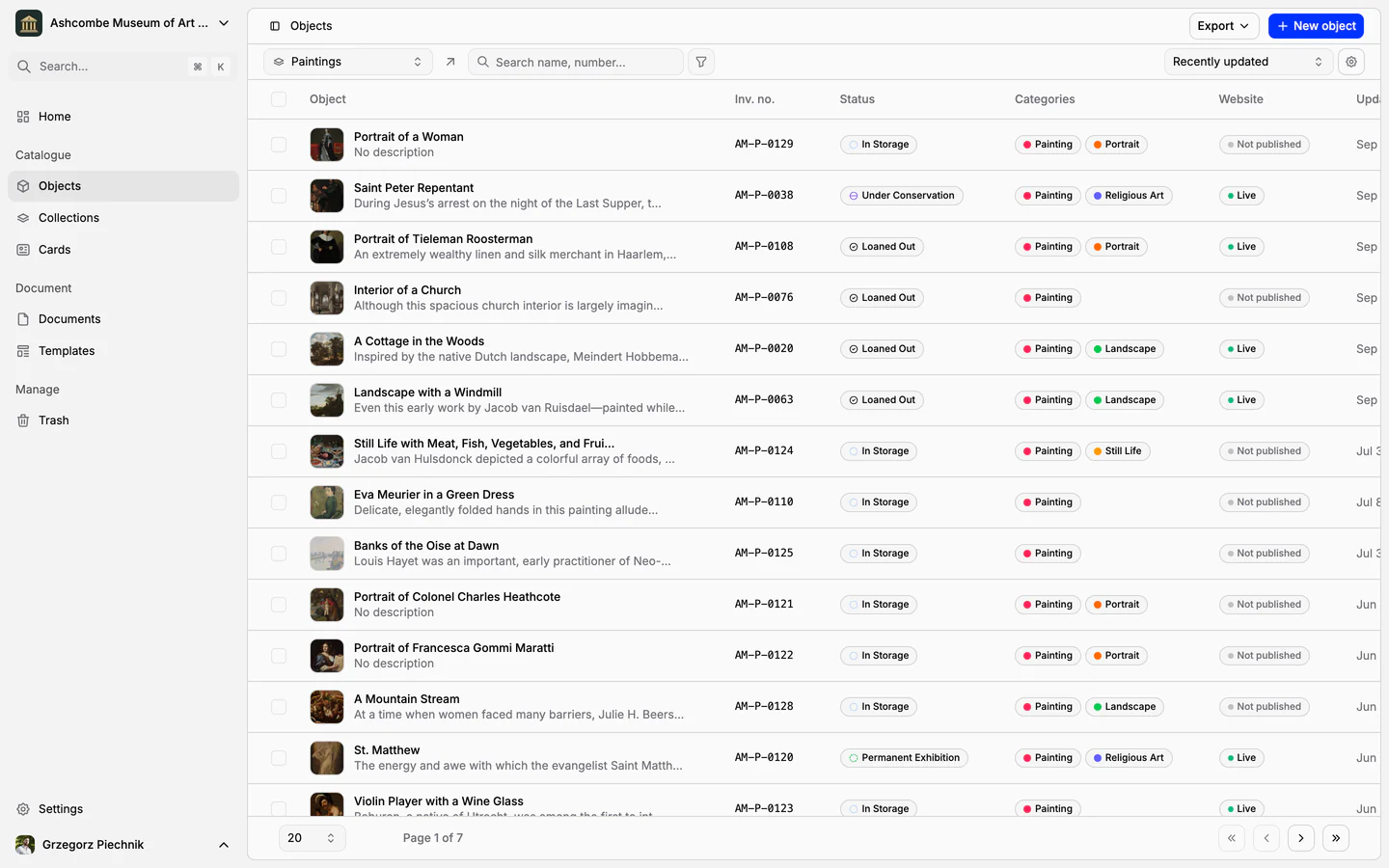
Features
Cataloguing museum objects
One record per object: inventory number, images, fields that fit your collection, categories and status. Find any object in seconds, work on many at once, and take back mistakes from the trash.
Collections and inventory numbers
Departments and inventory books, each with its own numbering, fields, card and curator. Numbers are given in order, never repeated, and the register exports to a spreadsheet.
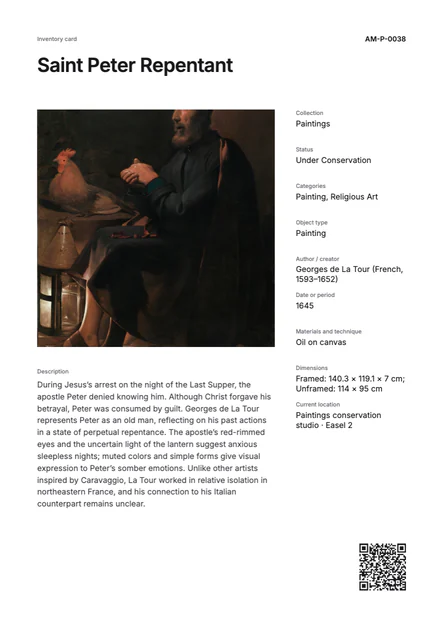
Inventory cards and museum labels
Design an inventory card, an exhibition label or a storage tag once; every object fills it with its own, current data. Print one, or a whole collection, as PDF, PNG or JPG.
Documents and signatures
Loans, condition reports and other Spectrum procedures fill themselves from the catalogue, ready to sign.
Learn more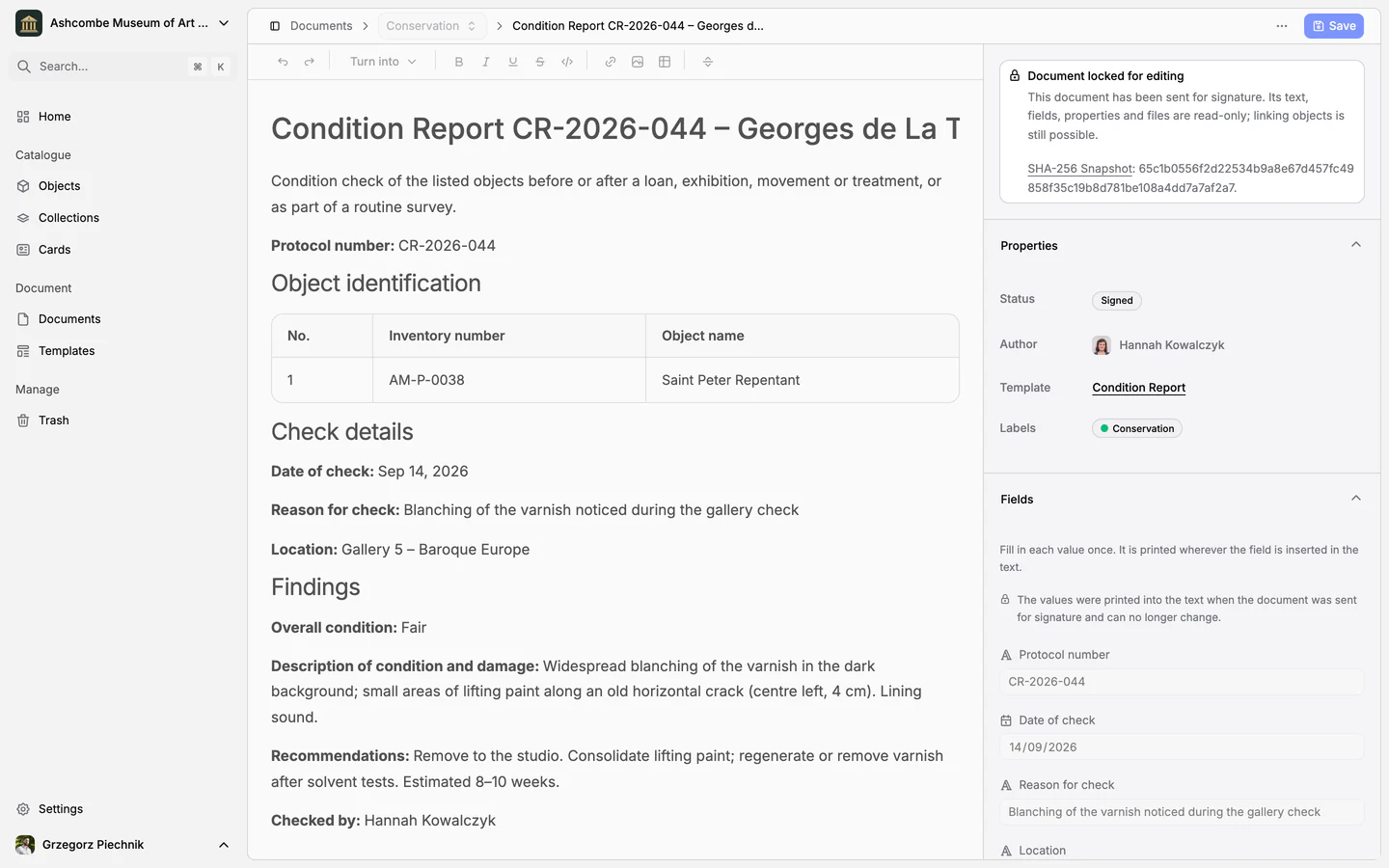
Features
Museum documentation: loan agreements, receipts and condition reports
Receipts, loan agreements, condition reports and movement records, linked to the objects they concern. Object data comes from the catalogue, every other value is typed once, and every object keeps its own paper trail.
Procedure templates: loan agreements, condition reports and receipts
Seven standard templates for the procedures that move objects or change who is responsible for them, from receipt to disposal, in your language. Use them as they are, adapt them or write your own: every document made from them starts complete and lists its objects.
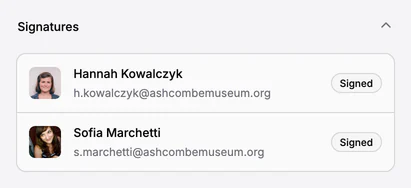
Electronic signatures for loan agreements and handover reports
Send a loan agreement or a handover report for signature to colleagues and to people outside the museum. The text is frozen when signing begins, every signer confirms a code sent to their e-mail, and every step is kept in an audit trail.
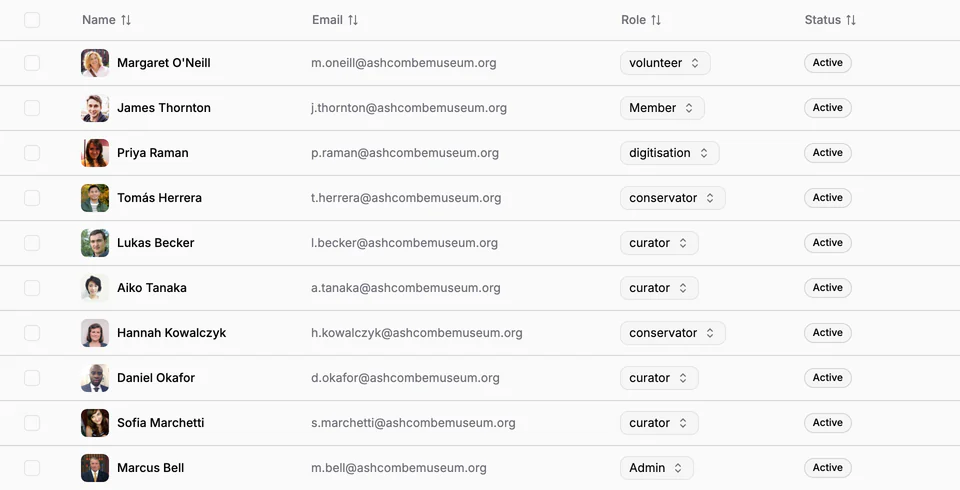
People and access
Bring registrars, curators and conservators together, and give each role exactly the access it needs.
Learn more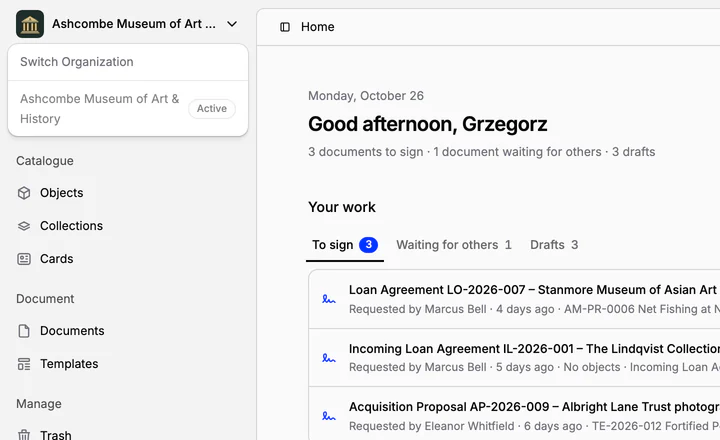
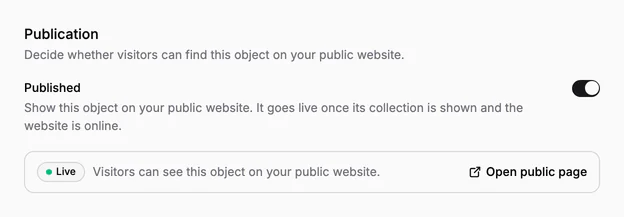
Publishing and daily work
Publish chosen collections online, and start each day from Home with what needs you.
Learn more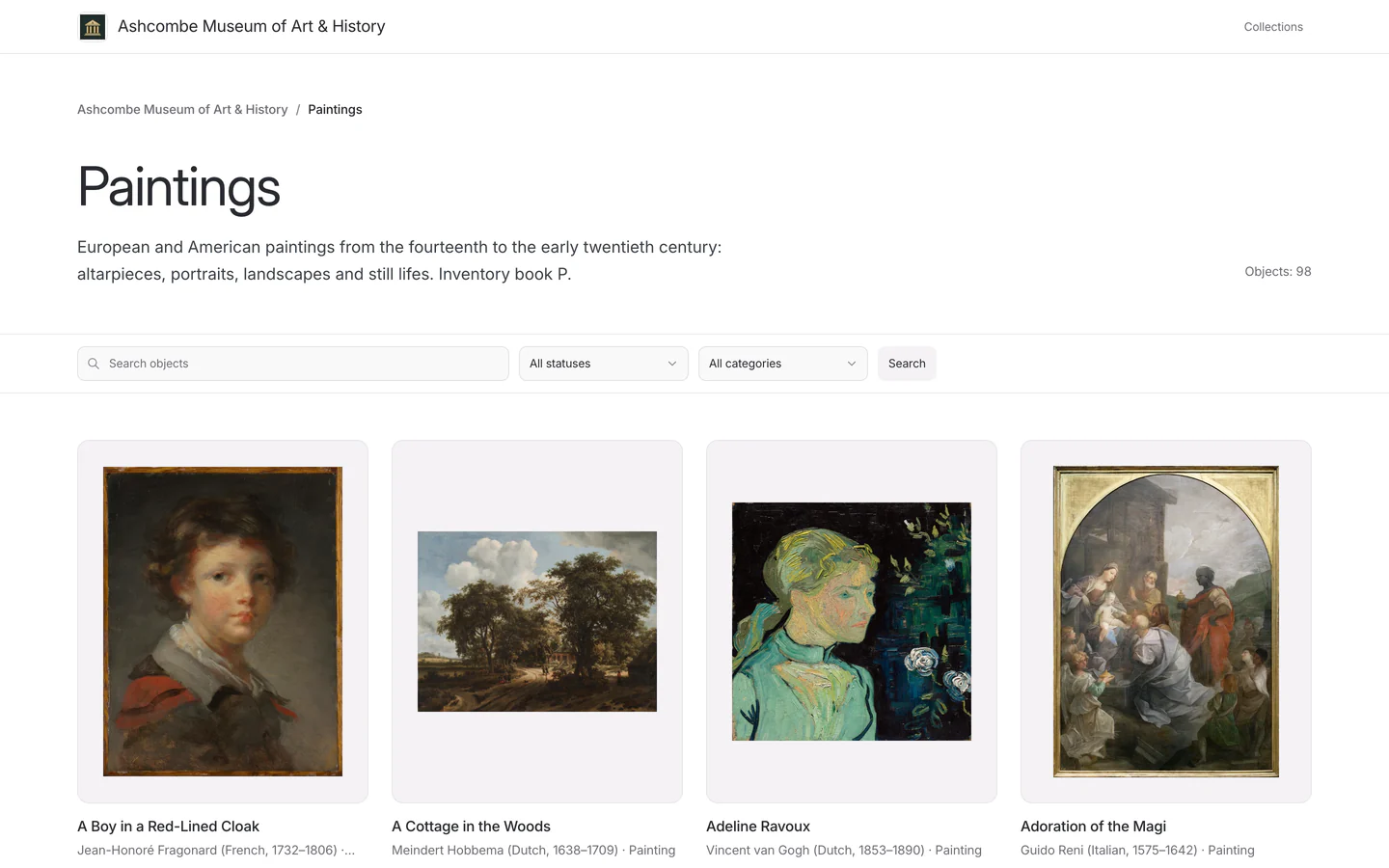
Overview and progress
Every collection has an overview: how complete its records are, what to fix and where its objects are.
Learn more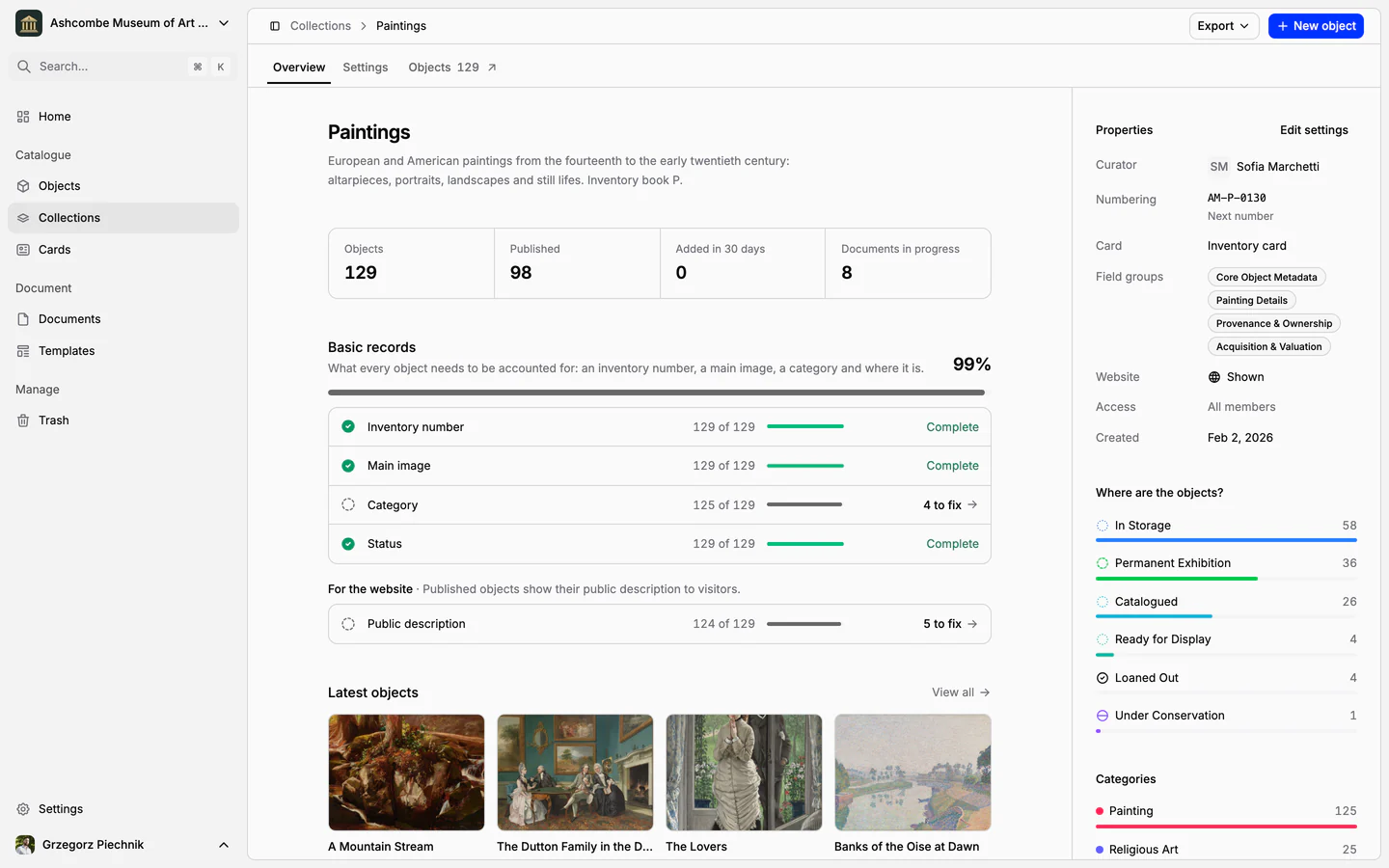
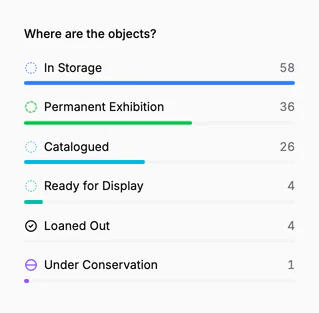
Fig 1.1
Basic records
Inventory number, main image, category and status: how many objects have each, and what is missing one click away.
Fig 1.2
Where the objects are
In storage, on display, under conservation or out on loan: every status of the collection, counted.
Fig 1.3
What happened
Who added, moved, published or changed which objects, on the collection and on Home.
Frequently asked questions
What is collection management software?
Collection management software is where a museum keeps the record of its collection: every object with its inventory number, images and description, its current status, and the documents of what happened to it, from acquisition and loans to condition checks. Collectionframe is collection management software built for museums, used by the whole team in the browser.
Who is Collectionframe for?
Museums of every size, and the registrars, curators, conservators and directors who look after their collections: from a small local museum putting its catalogue in order to an institution with several departments. Paintings, archaeology, photographs or archives: each collection keeps its own numbering and its own fields.
Does Collectionframe support Spectrum procedures?
Its standard templates are based on Spectrum, the collections management standard: object entry, handover, movement, loan, return, condition report and disposal. Collections work like inventory books with their own numbering, and every template and field can be adapted to your museum’s own procedures.
Can we print inventory cards and labels?
Yes. Design an inventory card, an exhibition label or a storage tag once, and every object fills it with its own data, with a QR code that opens the record. Print one object, a selection or a whole collection as PDF, PNG or JPG.
Can we publish our collection online?
Yes. Choose the collections and objects to publish, and which fields, categories and statuses visitors may see. They get a searchable online catalogue at collectionframe.com/m/your-museum, with a page for every object. Search engine indexing is included in every plan.
Who can see our records?
Only your team, until you decide otherwise. Roles and teams set who may see and change what, and nothing reaches the public website unless you publish it: new objects, collections, fields and statuses are private by default.
Can we export our data?
Yes, at any time: the inventory register as CSV with one column per field, cards as PDF, PNG or JPG, and documents as A4 PDF.
Do we need to install anything?
No. Collectionframe runs in the browser, so the whole team works in the same catalogue from any computer. You sign in with a code sent by e-mail, with no password to remember, and the app is available in 11 languages.
How much does it cost?
Every new museum starts with 21 days of Scale, free and with no card required. After that, Pro costs $99 a month and Scale $299 a month, for the whole museum rather than per person. See all plans.
Web-based and available in 11 languages. From the first object to the signed loan agreement.
All features