
Getting started: your museum set up in a few minutes
From your e-mail address to a printed inventory card in a few minutes. Three short steps set up the museum, with collections, fields, a card and templates ready in your language, and 21 days of Scale free.
Published
Software for collections has a reputation: weeks of setup, a consultant and a training course before the first record. Collectionframe starts from an e-mail address. A few minutes later the museum has its collections, fields, an inventory card and procedure templates in its own language, and the first card can come out of the printer.
A code instead of a password
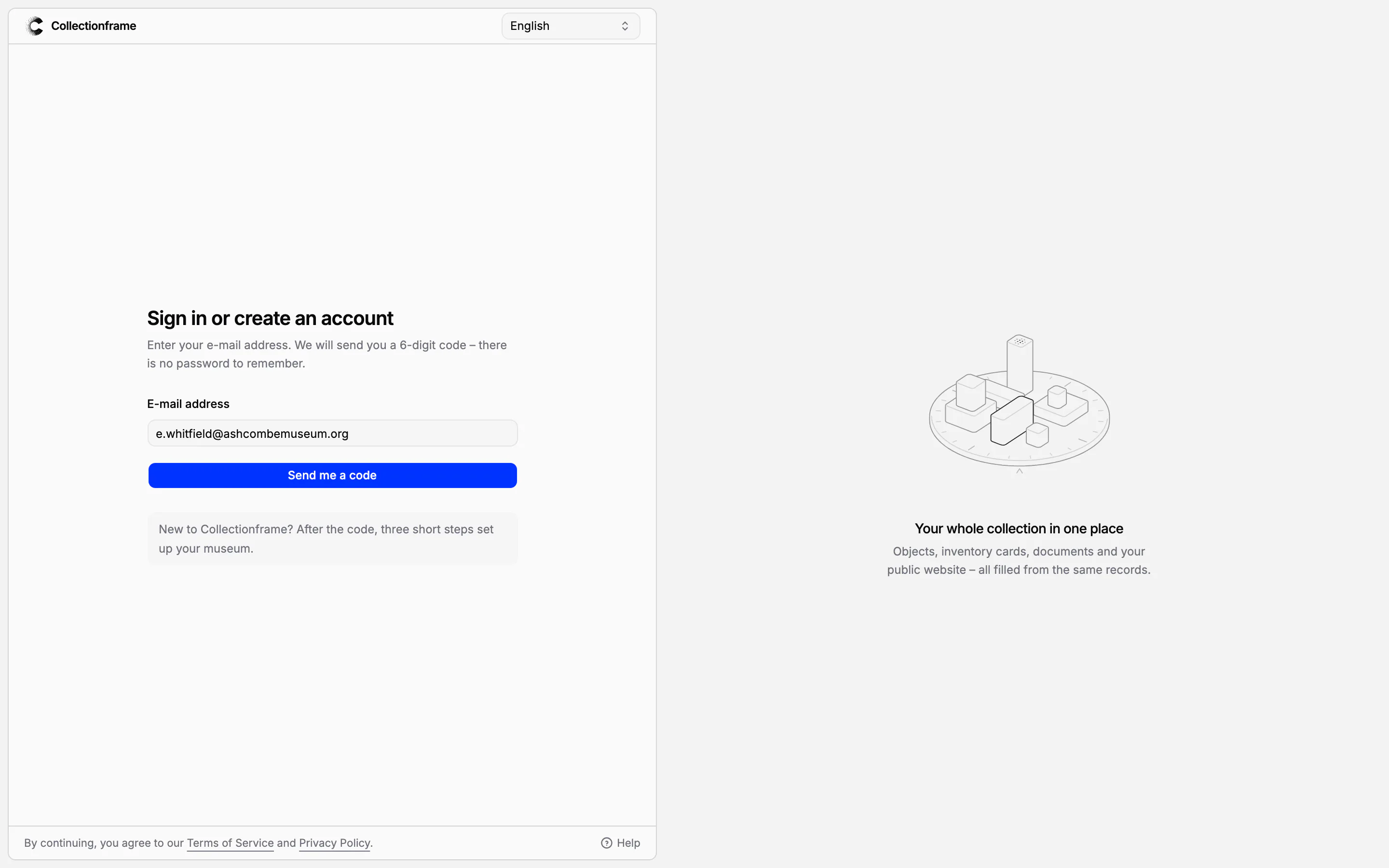
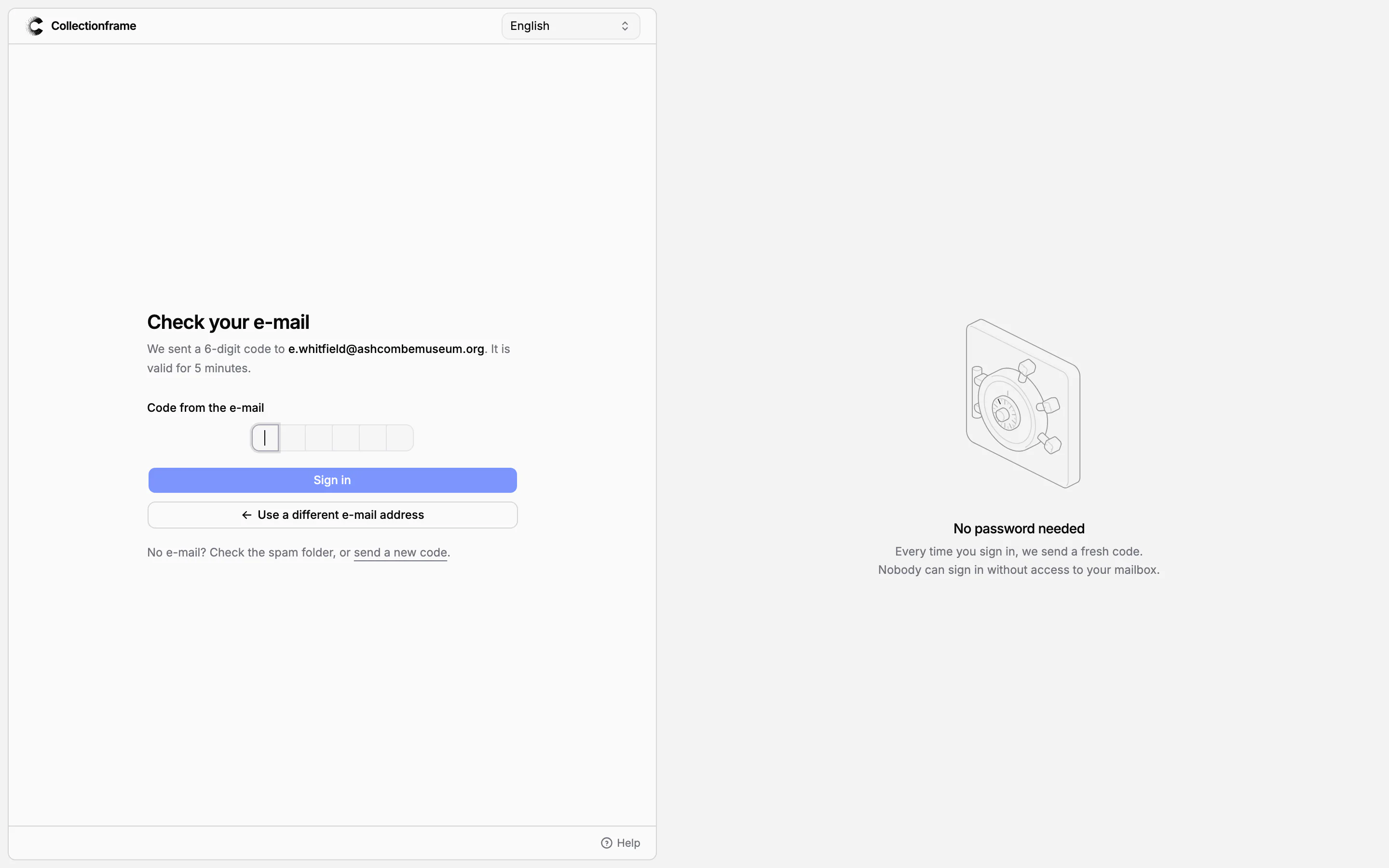
Signing in and signing up are the same screen. Type your e-mail address and press Send me a code: a six-digit code arrives by e-mail and is valid for five minutes. Type it and you are in; the first time, your account is created at the same moment. There is no password to choose, forget or reset.
The language chosen at the top of the screen is used for the app and for the names of the collections and templates your museum starts with.
Your museum in three steps
After the first code, three short steps prepare the museum. The progress at the top shows where you are, and Back returns to the previous step.
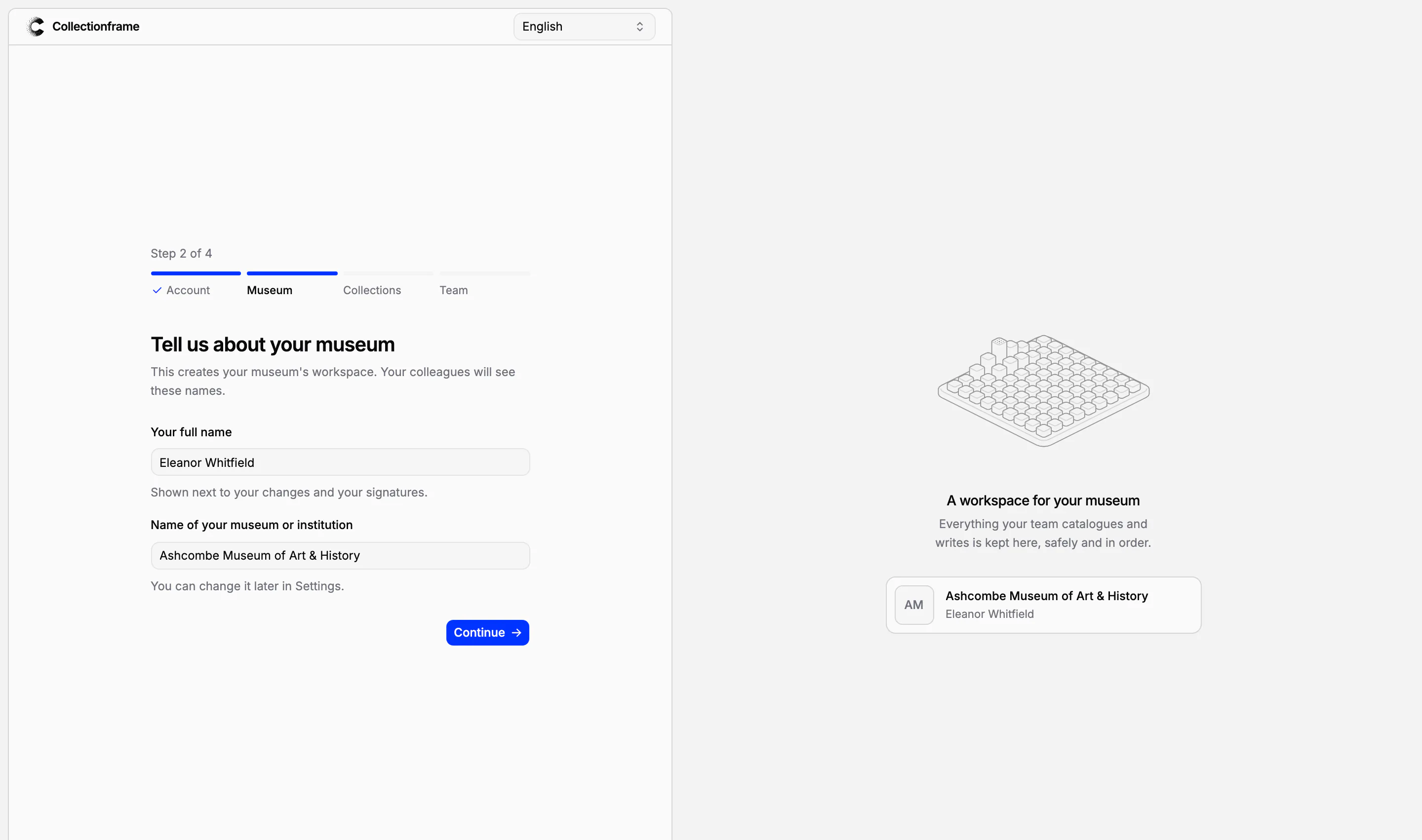
Museum: your full name, shown next to your changes and signatures, and the name of your museum or institution.
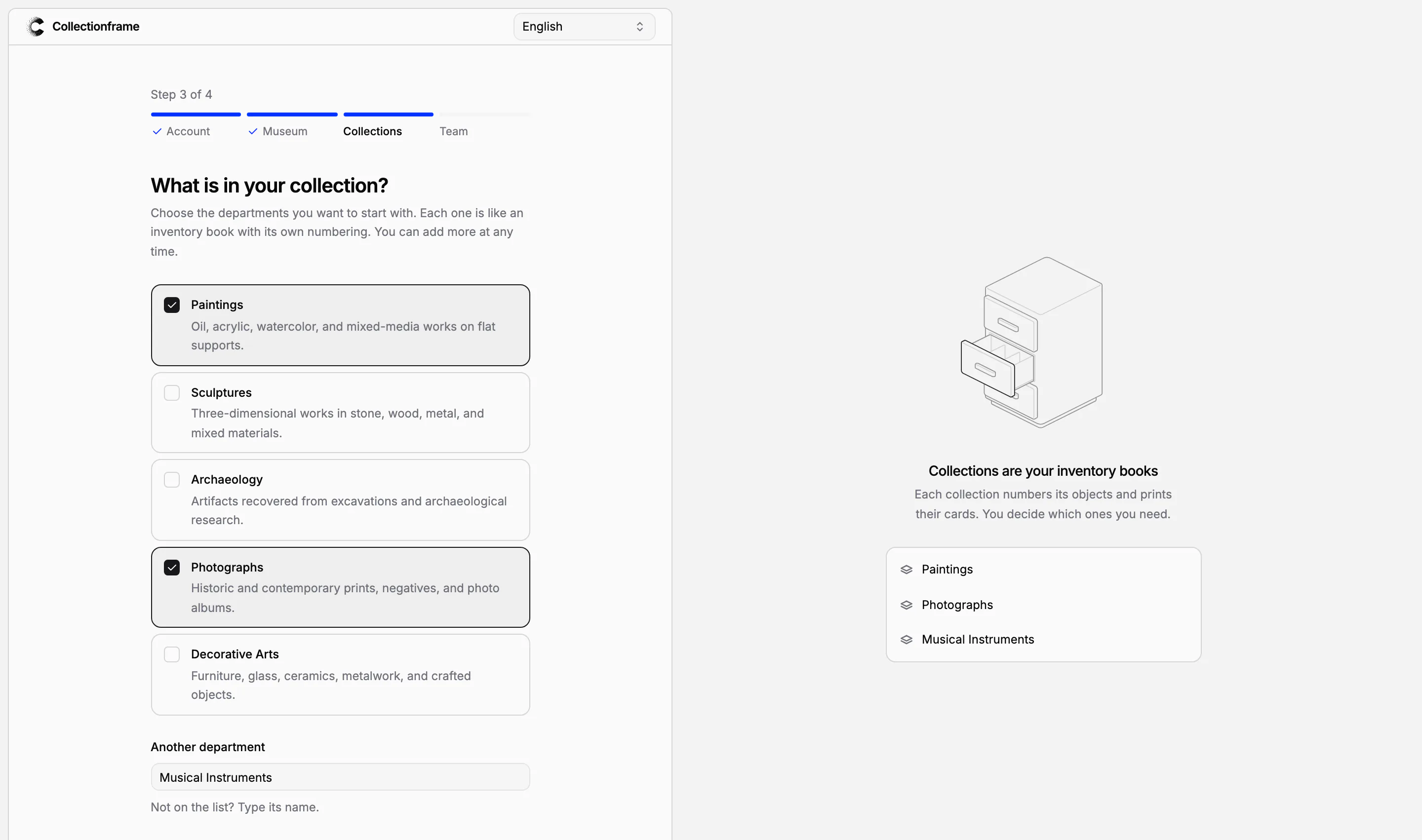
Collections: tick the departments you want to start with (Paintings, Sculptures, Archaeology, Photographs, Decorative Arts) or type the name of your own. Each collection works like an inventory book with its own numbering.
Team: type your colleagues' e-mail addresses, and each of them receives an invitation. You can skip this and invite them later.
A summary confirms what was set up, and Go to my museum opens Home.
Ready to work from the first minute
A new museum is not an empty database. In the museum's language it starts with:
the collections you chose, each with its numbering;
ten field groups, from core metadata and painting details to provenance, acquisition and valuation, and conservation and condition;
an inventory card that prints complete from the first object;
eleven statuses in four kinds, categories, folders and labels;
the seven standard procedure templates, from object receipt to disposal.
All of it is yours to rename, change or remove as your own structure takes shape.
Getting started, step by step
Until the museum is set up, Home opens with Getting started: create your museum's account (done when you signed up), add your first object, print its inventory card, prepare a document, and invite your colleagues. The next step is open, with what to do and a button that does it. When a step takes you to a page, the page explains itself in a short box at the top and offers the next step. A step is marked done when you really do it, however you got there.
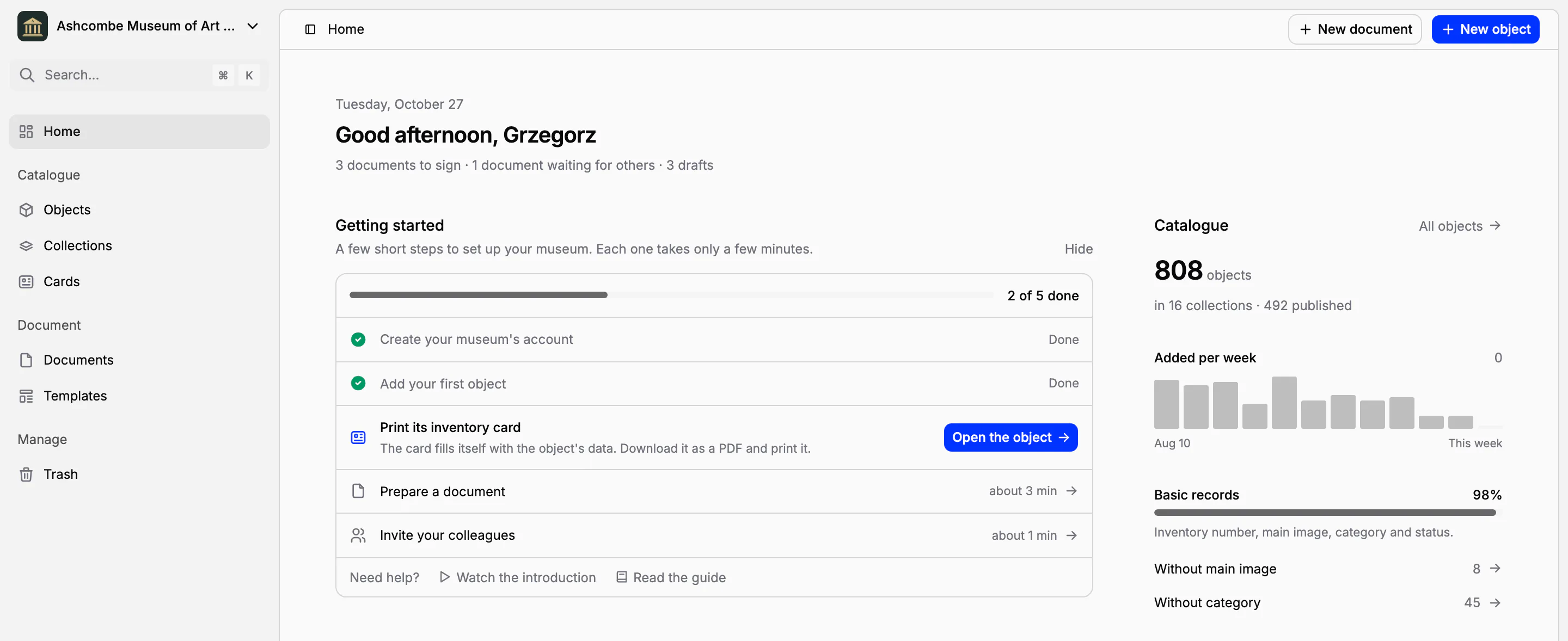
The same list, with your progress, sits in the sidebar until you hide it. Colleagues who join a museum someone else set up see a short introduction once, one page each for collections, objects, cards and documents; Watch the introduction shows it again at any time.
Eleven languages, light or dark
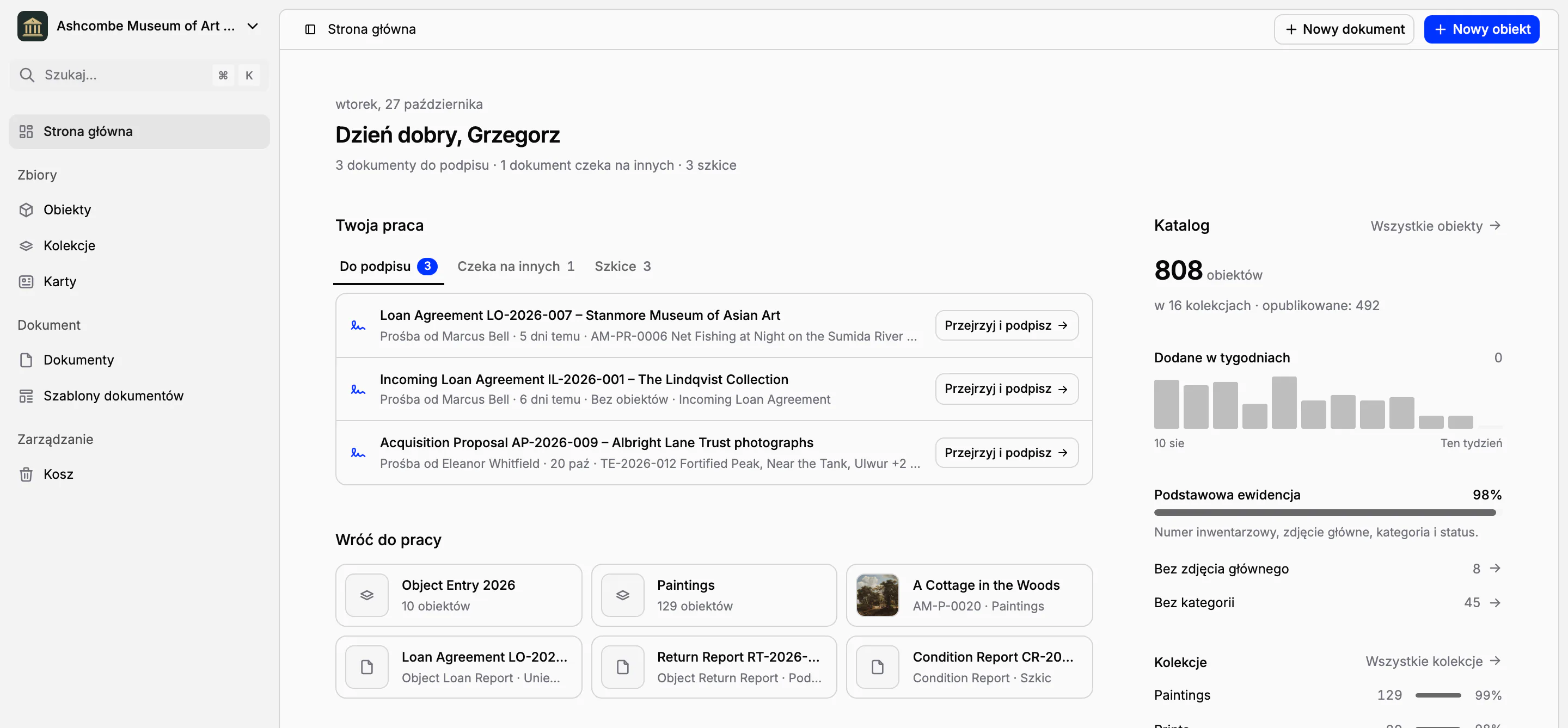
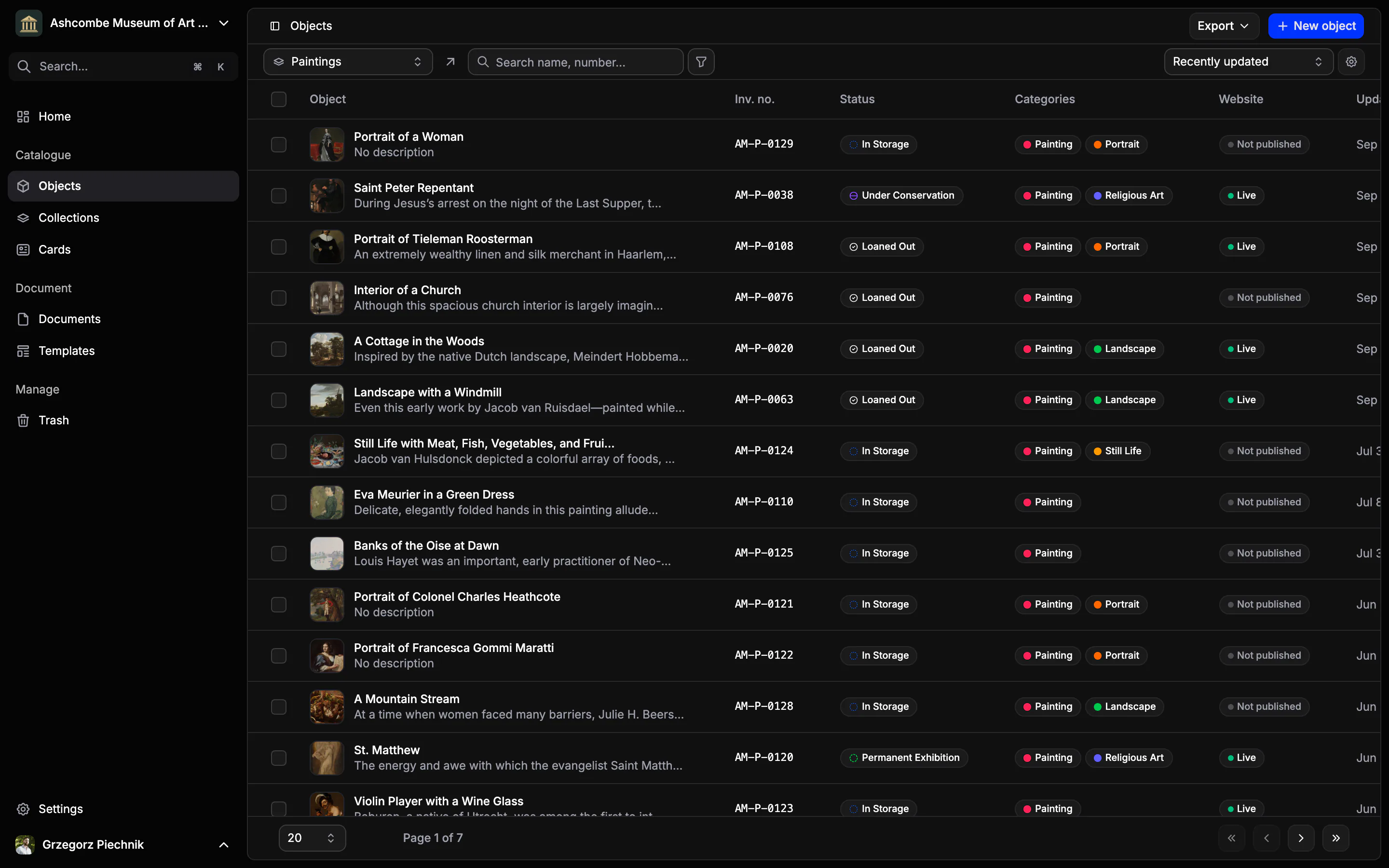
Collectionframe speaks English, Spanish, French, German, Portuguese, Italian, Dutch, Polish, Turkish, Ukrainian and Czech. Each person chooses their own language, and a light or a dark theme, without changing anything for the others.
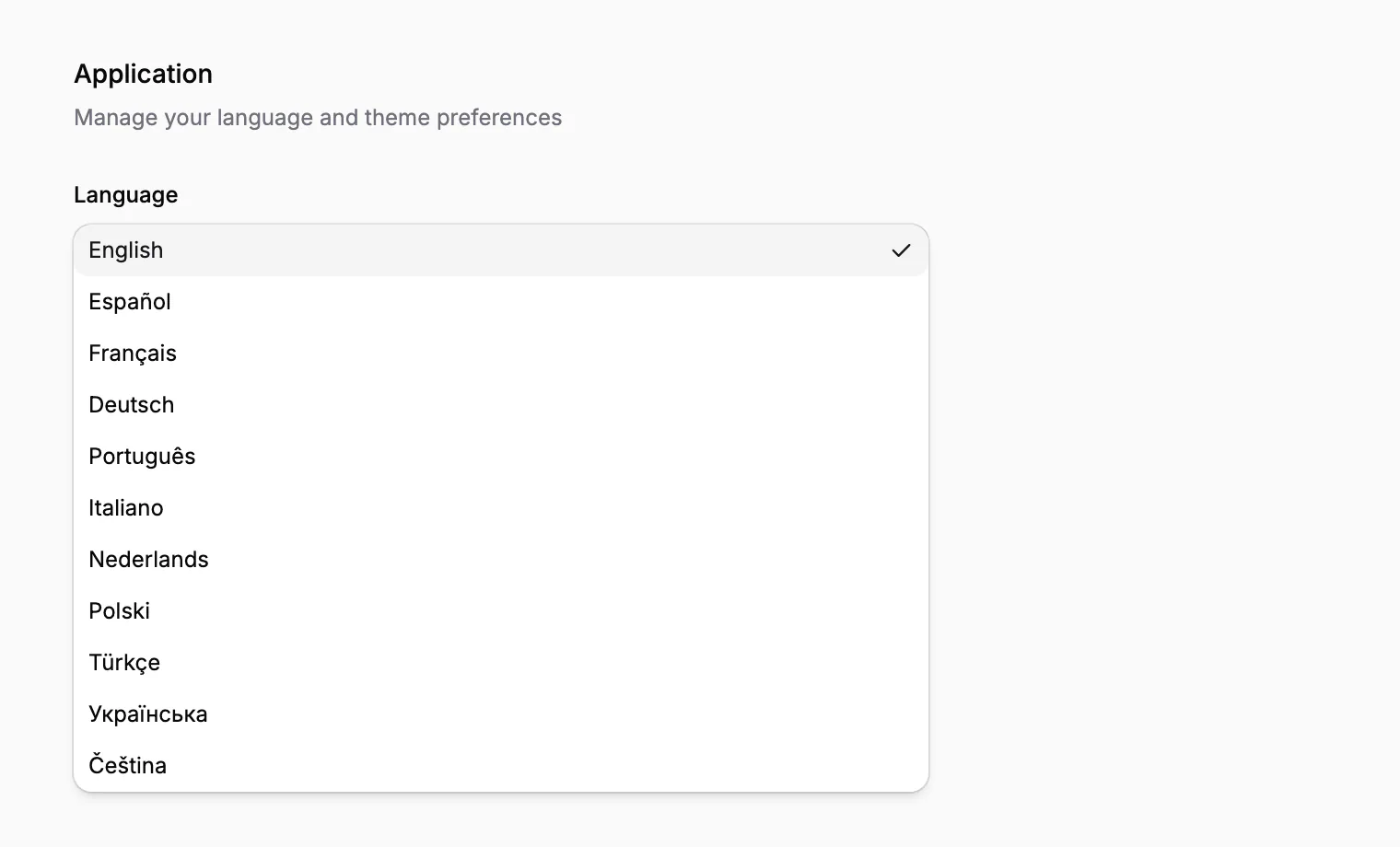
One colleague can work in Polish and another in English on the same records. The museum's own content, such as the names of its collections and fields, stays as the museum wrote it, and its online collection uses the museum's language.
21 days of Scale, free
Every new museum starts with 21 days of the Scale plan: every feature, including procedure templates, electronic signatures, teams and custom roles, with no card required. Before the trial ends, choose Pro or Scale; your catalogue, documents and files stay exactly as they were. What each plan includes is on the pricing page.
In practice
At 10:00 the registrar types her e-mail address and the code. At 10:05 the museum exists, with the collections Paintings and Photographs, their numbering and the inventory card. She adds the first painting with its photograph, and at 10:15 its inventory card comes out of the printer. The invitations to her two colleagues can wait until the afternoon.
Frequently asked questions
Do we have to install anything?
No. Collectionframe works in the browser. You sign in with your e-mail address and a six-digit code, and there is no password to remember.
How long does setting up the museum take?
A few minutes. Three short steps (your museum, its collections, your colleagues) create the museum with its collections, field groups, an inventory card, statuses, folders, labels and templates.
Do we need a card for the trial?
No. Every new museum starts with 21 days of the Scale plan, with every feature, free and with no card required. Before the trial ends, you choose Pro or Scale.
Can we invite colleagues later?
Yes. The Team step can be skipped. Invite colleagues later from Getting started on Home or from the members in Settings.
In which languages does Collectionframe work?
In eleven: English, Spanish, French, German, Portuguese, Italian, Dutch, Polish, Turkish, Ukrainian and Czech. Each person chooses their own.
Related features
Cataloguing museum objects
One record per object: inventory number, images, fields that fit your collection, categories and status. Find any object in seconds, work on many at once, and take back mistakes from the trash.
Inventory cards and museum labels
Design an inventory card, an exhibition label or a storage tag once; every object fills it with its own, current data. Print one, or a whole collection, as PDF, PNG or JPG.
Team, user roles and permissions
Invite your colleagues and give each the role they need. On the Scale plan, create roles of your own and group people into teams that work in their own collections and folders.