
Museum documentation: loan agreements, receipts and condition reports
Receipts, loan agreements, condition reports and movement records, linked to the objects they concern. Object data comes from the catalogue, every other value is typed once, and every object keeps its own paper trail.
Published
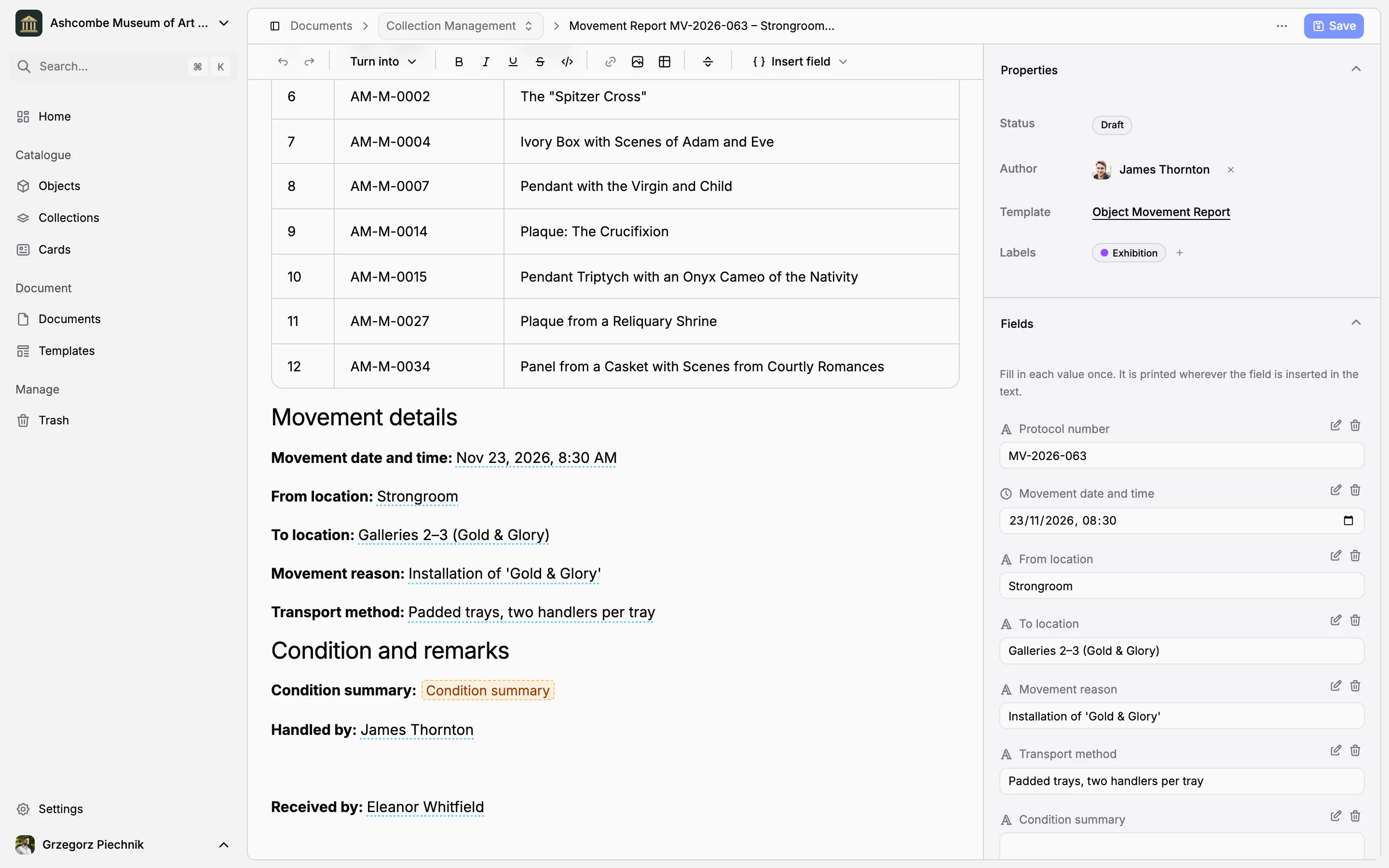
A loan agreement, a receipt or a condition report is mostly about the objects it concerns. In a word processor every inventory number and title is typed again, and a year later nobody can say which file belongs to which painting. In Collectionframe a document is linked to its objects: it lists them straight from the catalogue, asks for every other value once, and appears on the record of each object it concerns.
Documents that belong to their objects
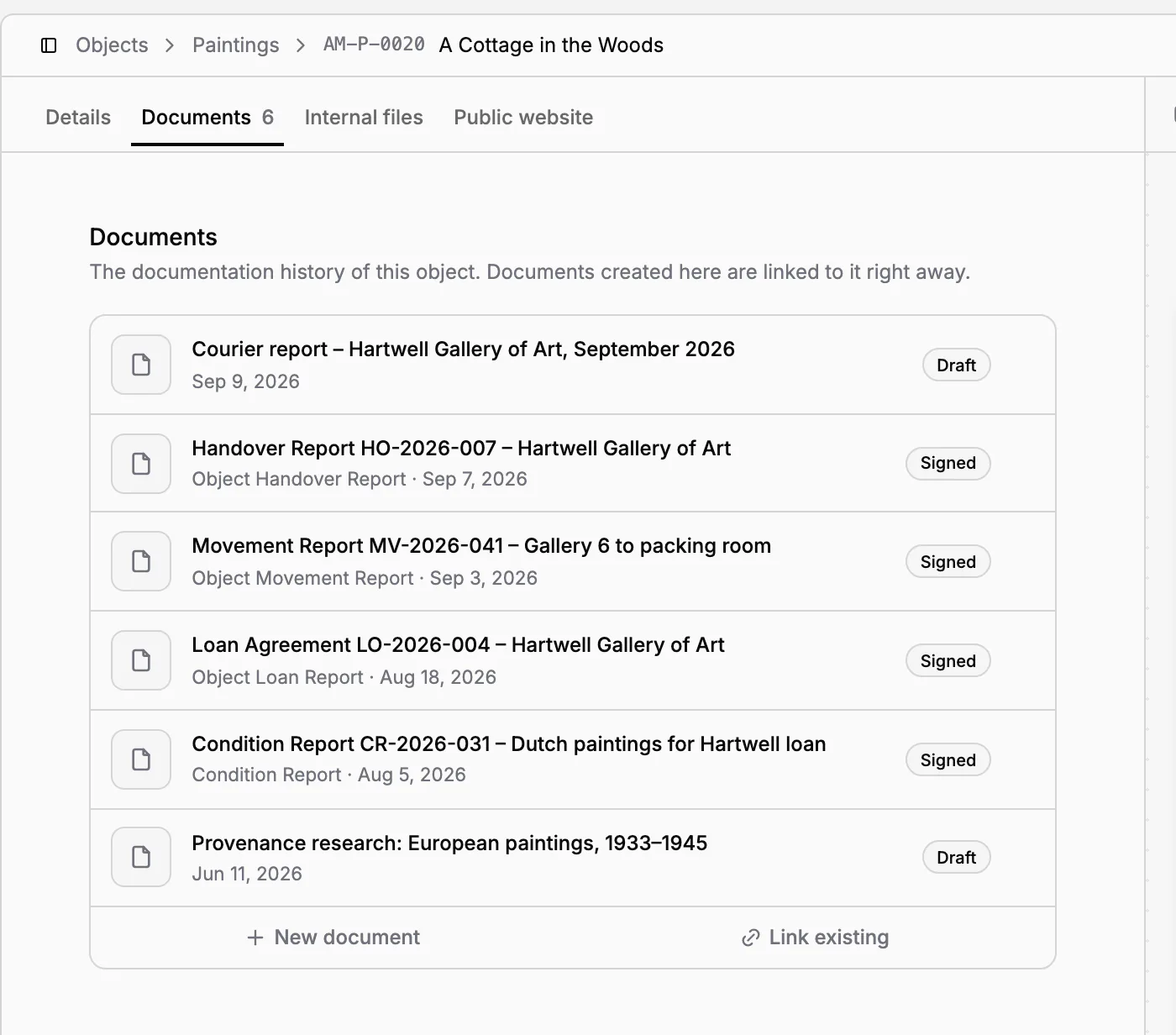
A document is linked to the objects it concerns: a receipt to the objects that arrived, a loan agreement to the paintings that leave. The Documents tab of each object lists every receipt, loan and condition report about it, newest first, with its template, date and status. The history of an object is one click away, and anyone can see what happened to it.
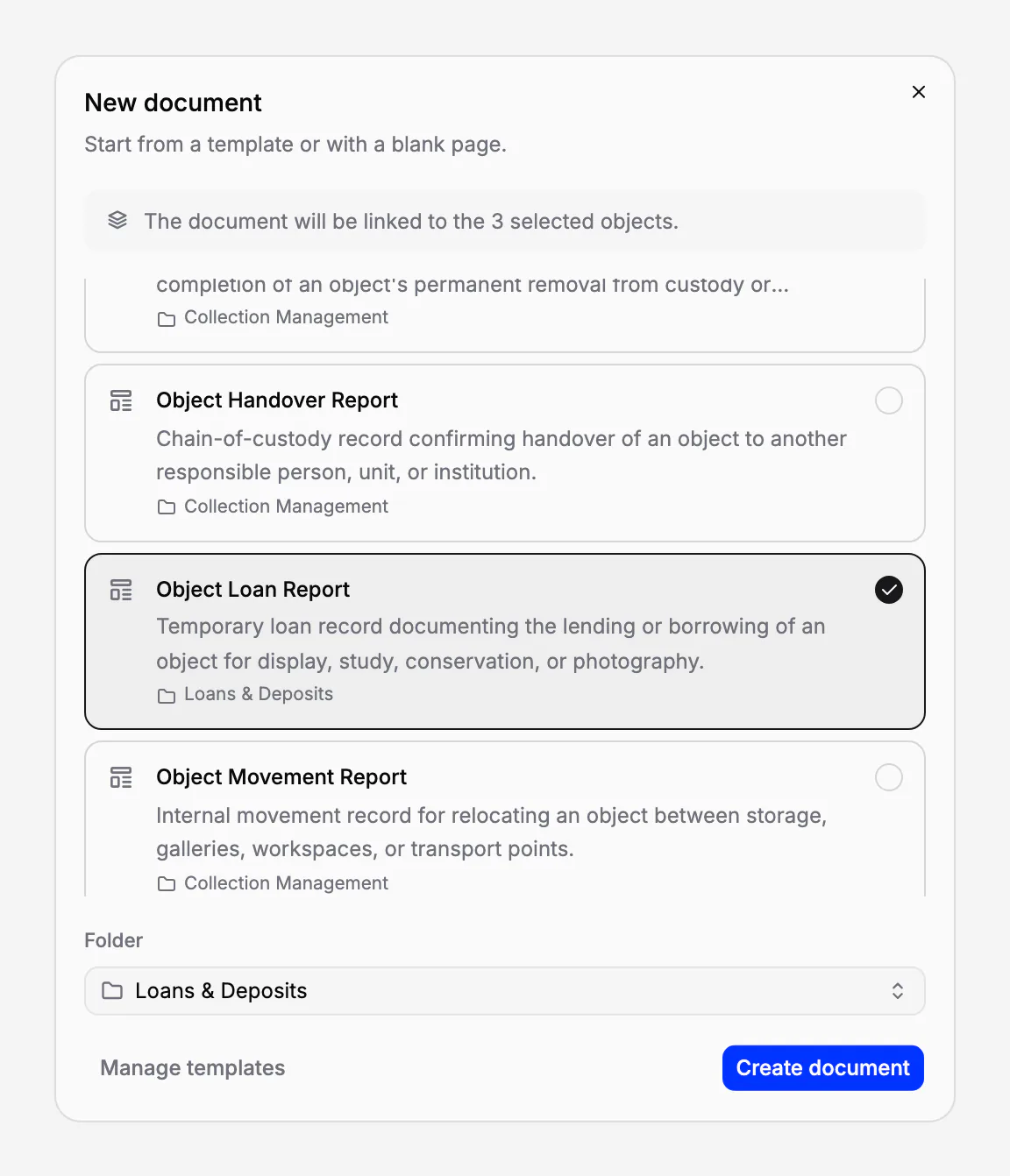
Start a document where you already are: from an object's Documents tab, from a selection of objects in the object list, from a folder or from a template. A document started from objects is linked to them from the first moment, and an existing document can be linked to an object later.
Object lists straight from the catalogue
Insert an object list: a table with one row per linked object. Choose its columns: the row number, inventory number, name, collection, status, categories, public description, or any field of your field groups, such as the author, the date or the dimensions. Or put one value of the objects into a sentence, for example the inventory numbers of all of them.
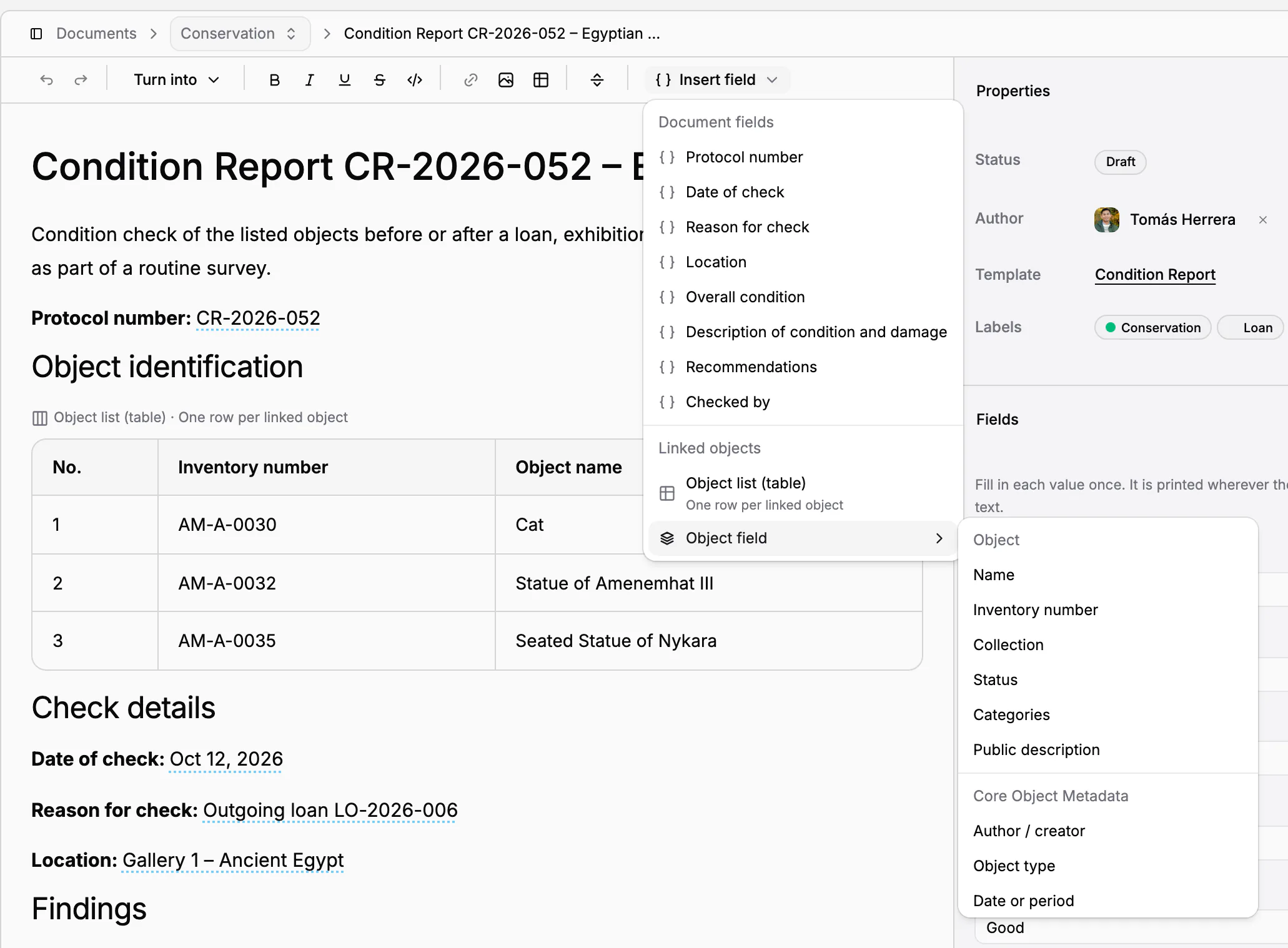
While the document is a draft, the list follows the catalogue: correct a name on the record and the document shows the correction. Object data is never typed into a document, so a document and the catalogue never disagree.
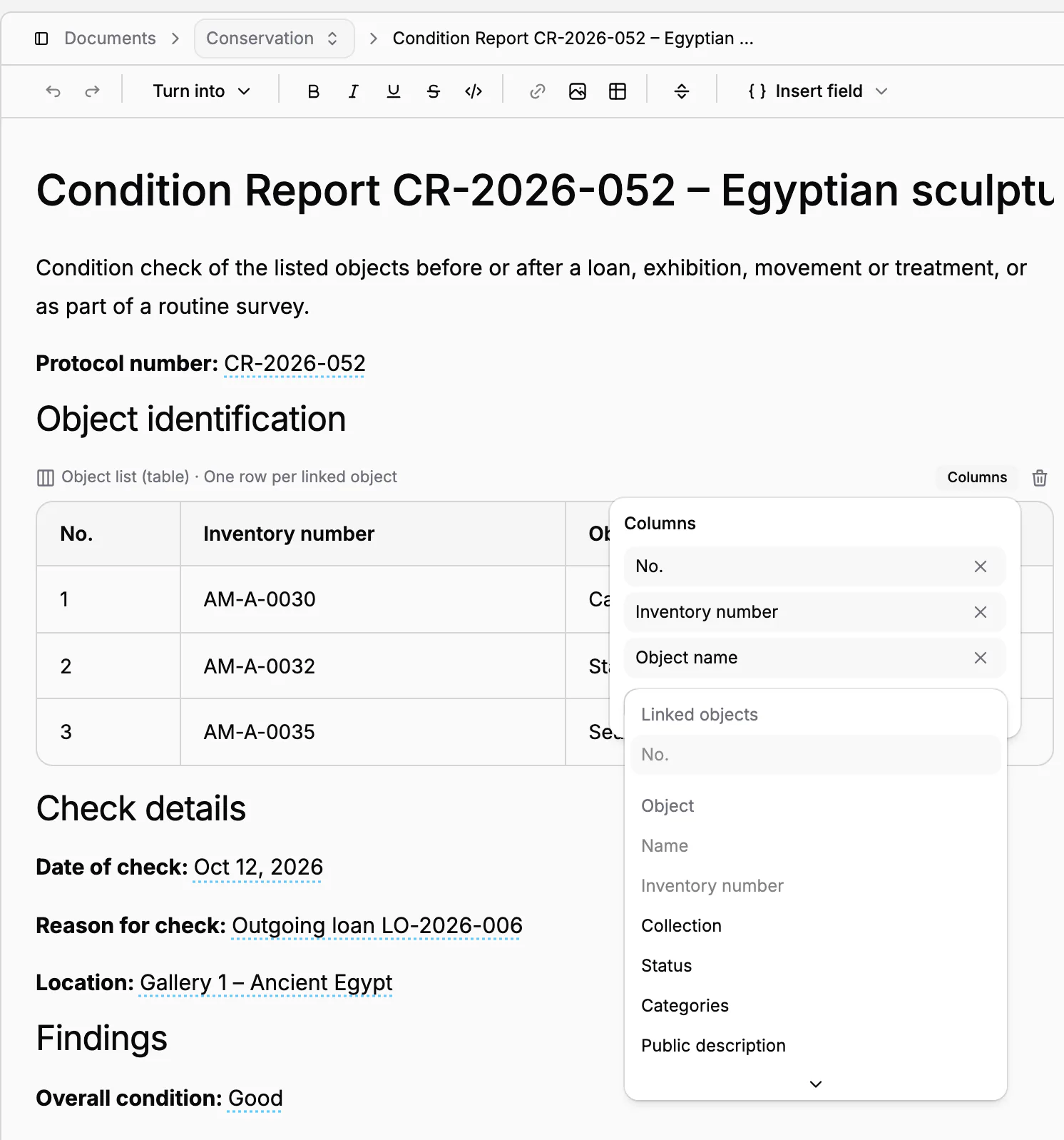
Fields you type once
Everything else in a procedure is a field: the lender, the loan period, the insurance value, the person who received the objects. A field has a type: text, number, yes/no, date, date and time, single or multiple choice, currency or link. Type its value once in the Fields panel, or click the field in the text, and it is printed everywhere the field stands.
Empty fields are highlighted in the text, so nothing is forgotten before the document leaves the museum. A field that is not in the text yet is marked as such and can be inserted with one click. Dates and numbers are written the way your museum's language writes them.
An editor made for procedures
The text itself is written in a full editor: headings, lists, tables, checklists, links and images. Text in Markdown pasted from elsewhere keeps its formatting, and a document is saved from the toolbar or with Ctrl+S (⌘S on a Mac). The document looks the same in the editor, in the PDF and, once it is sent, to the people who sign it.
Find every document of an object
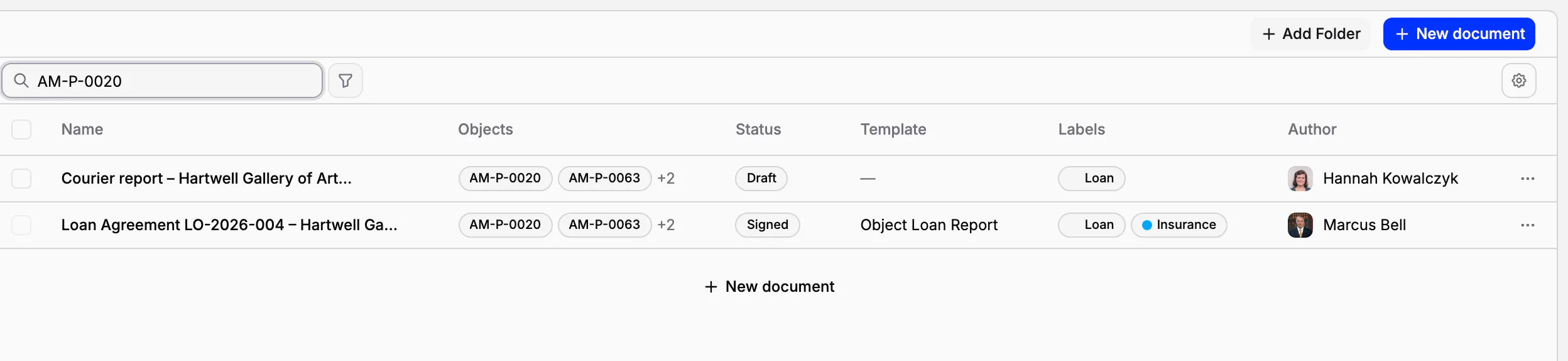
In each folder, search finds a document by its title and by the inventory number or name of any object it concerns. Type AM-P-0020, and the loan agreement and the courier's report of that painting appear. Filter by status (draft, pending signatures, partially signed, signed or voided), by author, by label or by template.
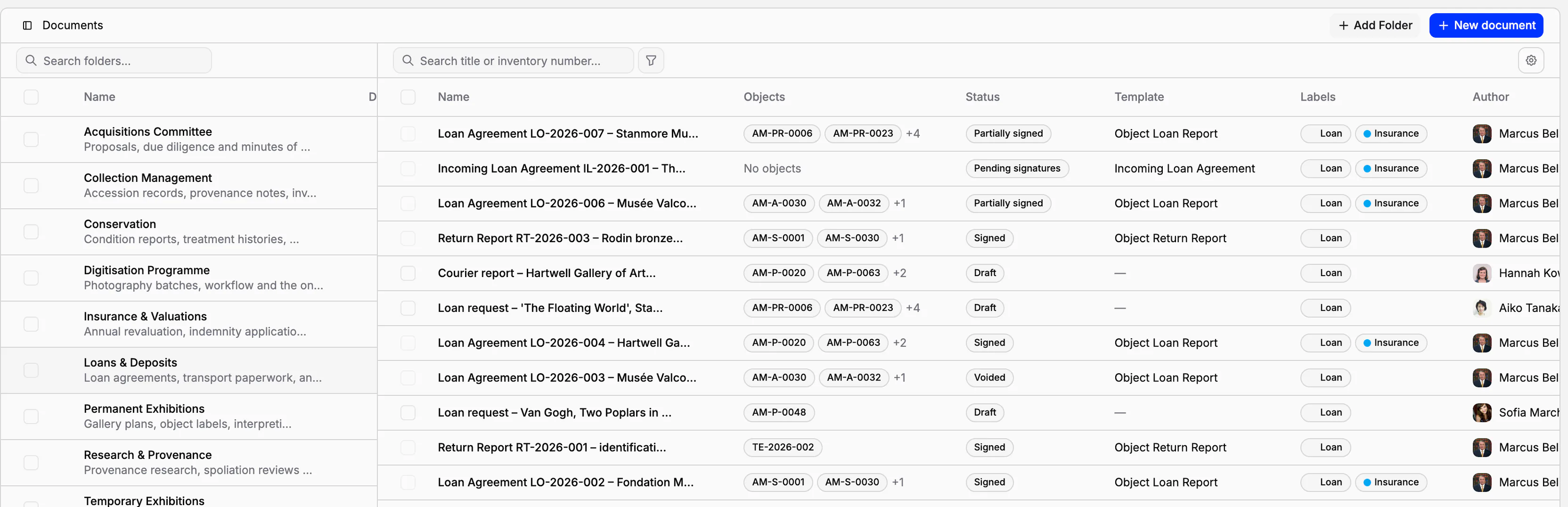
Folders and labels
Folders are the areas of work. Every museum starts with five: Collection Management, Permanent Exhibitions, Temporary Exhibitions, Conservation, and Loans & Deposits. Rename them, describe them or add your own; each shows how many documents it holds. On the Scale plan a folder can belong to a team, so that a department works in its own documents.
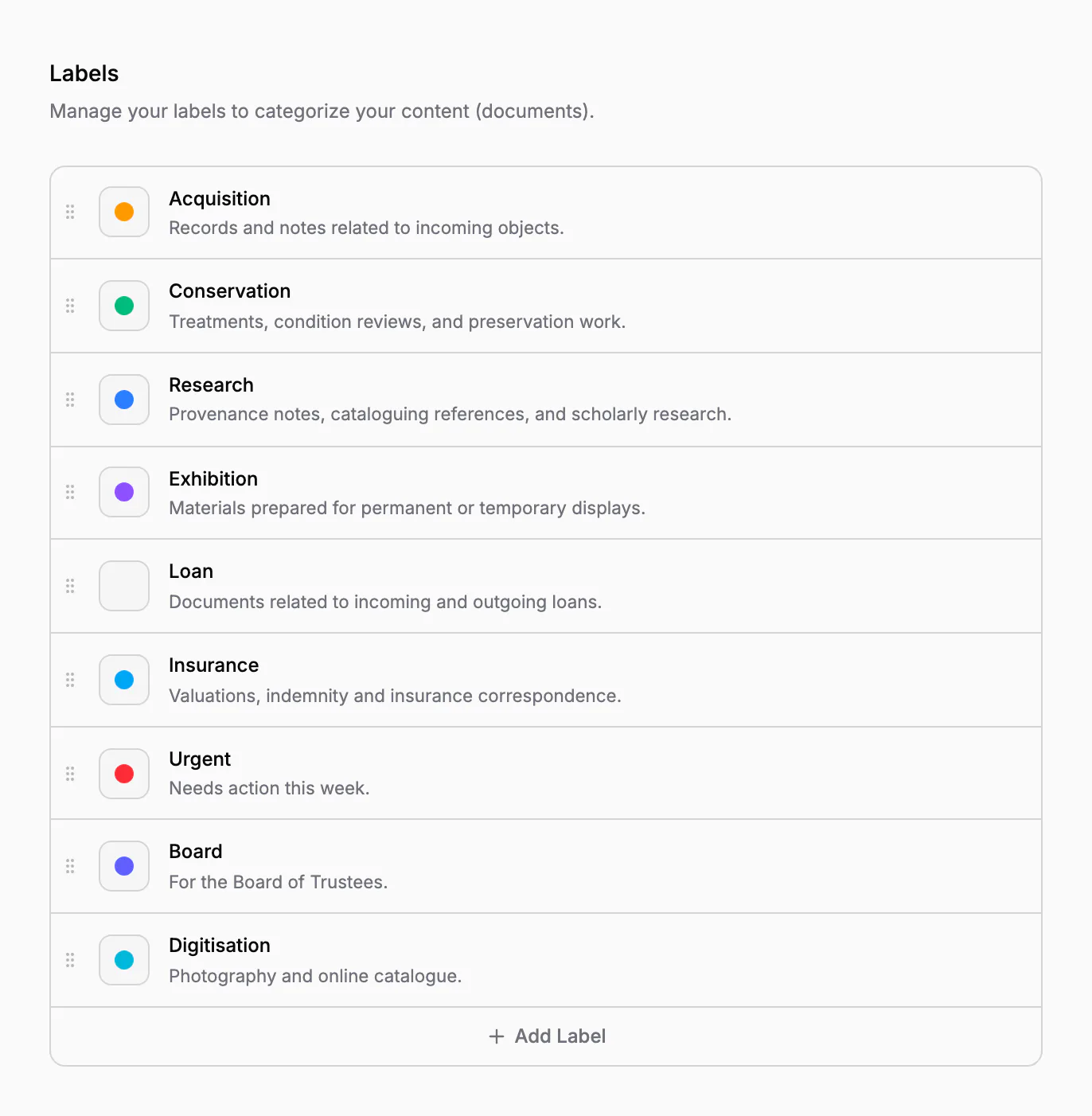
Labels cut across folders. They are coloured tags with a description, and every museum starts with Acquisition, Conservation, Research, Exhibition and Loan. A document can carry several labels, and a template can give its labels to every document made from it.
Files, PDF, copies and history
Attach scans, photographs and correspondence to a document, up to ten files at a time; if the document is sent for signature, its files are shown to the signers with it. Export an A4 PDF of exactly what is on the screen: the values in the text, the object tables, and a dash where a value was left empty. Duplicate a document, with its template and its objects, to start the next one.
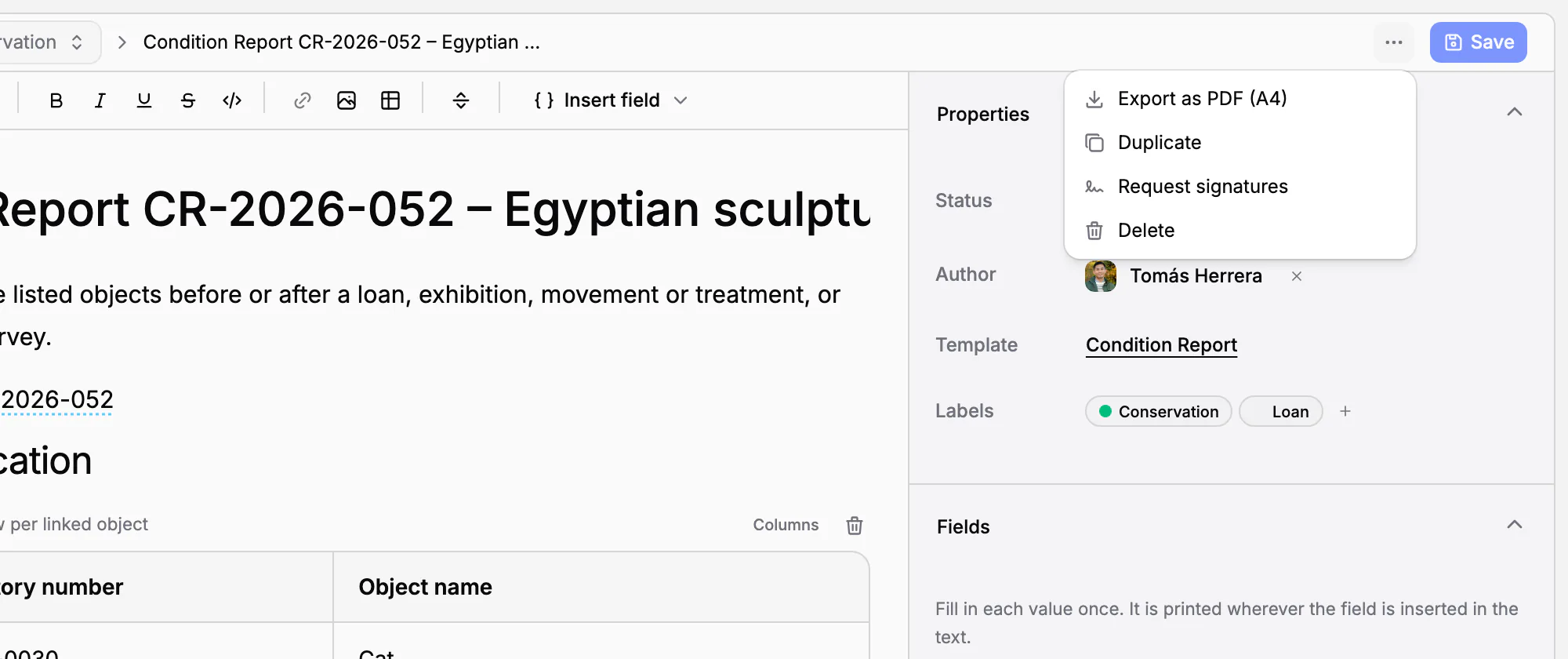
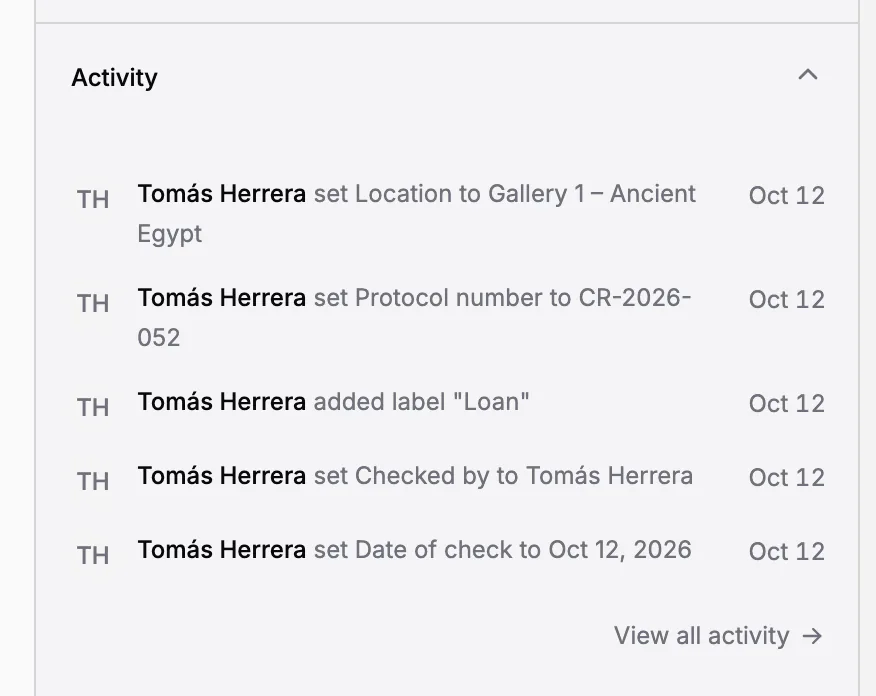
Every change to a document, to its title, text, fields, labels, folder or objects, is listed in its activity, with who made it and when. A draft can be moved to the trash and restored from it; a document that is being signed, or has been signed, cannot be deleted. Sending a document for signature freezes its text, as described in Electronic signatures.
In practice
Twelve paintings leave for an exhibition at another museum. The registrar selects them in the object list, chooses Create document and the Object Loan Report template. The draft is filed in Loans & Deposits and already lists the twelve paintings with their inventory numbers and names. She types the lender, the borrower, the loan dates and the insurance value once, checks the fields still highlighted, and exports the PDF or sends it for signature. Each of the twelve paintings now shows the loan agreement in its Documents tab.
Frequently asked questions
Do I type the objects' data into the document?
No. Link the objects and insert an object list or an object field: inventory numbers, names and any other field come from their records. While the document is a draft, it follows the catalogue.
Can I see every document of one object?
Yes. The Documents tab of every object lists each document linked to it, with its template, date and status. In a folder, search also finds documents by an object's inventory number or name.
Can I use documents without templates?
Yes. Documents, fields, object lists, folders, labels and the PDF export are part of every plan. Ready-made procedure templates and electronic signatures are part of the Scale plan.
Can I attach scans to a document?
Yes. Attach scans, photographs or correspondence, up to ten files at a time. If the document is sent for signature, its files are shown to the signers with it.
Related features
Procedure templates: loan agreements, condition reports and receipts
Seven standard templates for the procedures that move objects or change who is responsible for them, from receipt to disposal, in your language. Use them as they are, adapt them or write your own: every document made from them starts complete and lists its objects.
Electronic signatures for loan agreements and handover reports
Send a loan agreement or a handover report for signature to colleagues and to people outside the museum. The text is frozen when signing begins, every signer confirms a code sent to their e-mail, and every step is kept in an audit trail.
Cataloguing museum objects
One record per object: inventory number, images, fields that fit your collection, categories and status. Find any object in seconds, work on many at once, and take back mistakes from the trash.